Installing and Configuring the eyeBeam SIP Softphone A-5
CounterPath SIP Softphone
Wave Phone User Guide
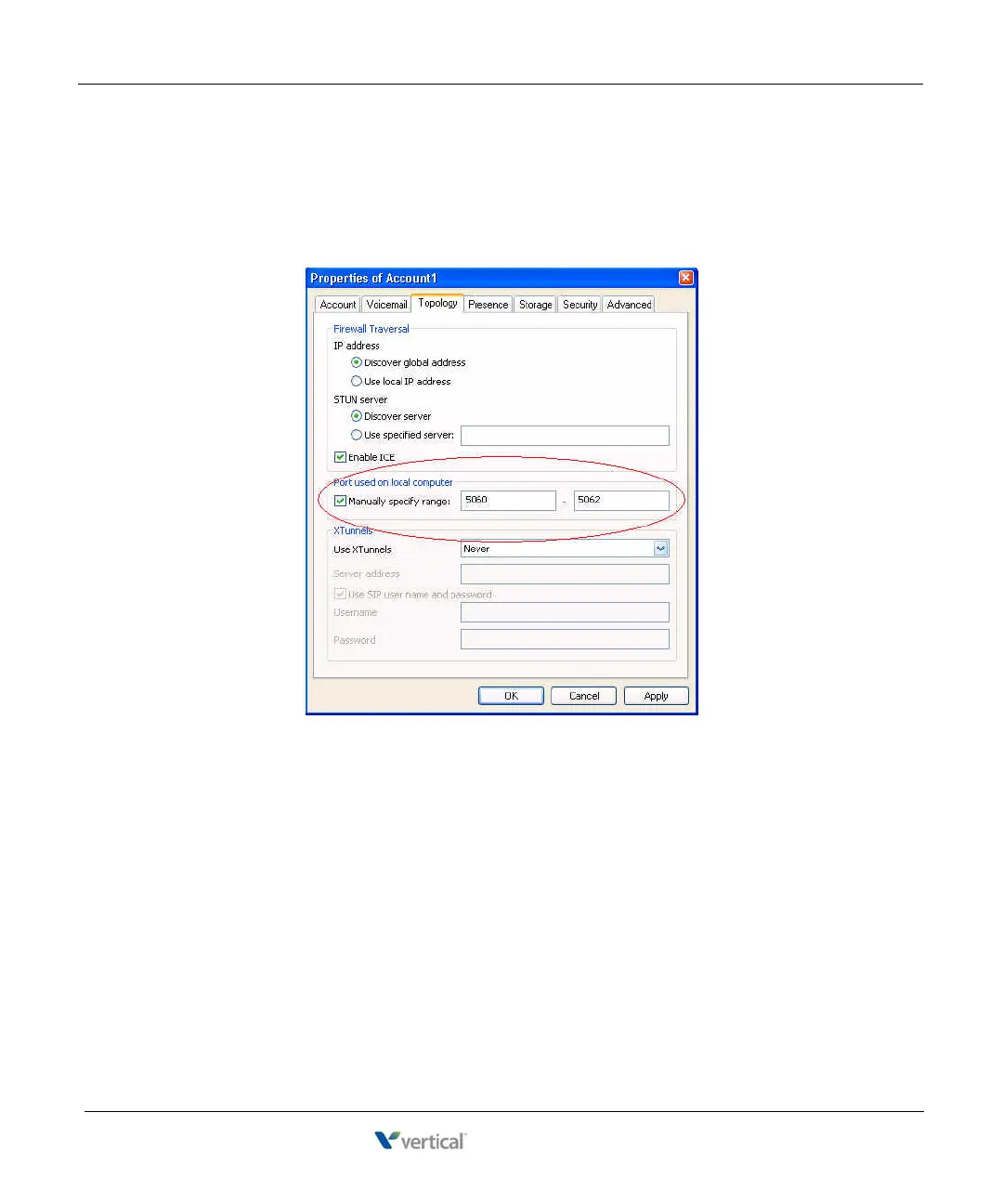
Under the Topology tab.
8. In the Port used on your local computer section:
• Select the Manually specify range checkbox.
• Set the range to 5060 - 5062.
9. Click on the Advanced tab.
10. Uncheck Send SIP keep-alives.
11. Click OK or Apply to save your changes.










 To Next Page