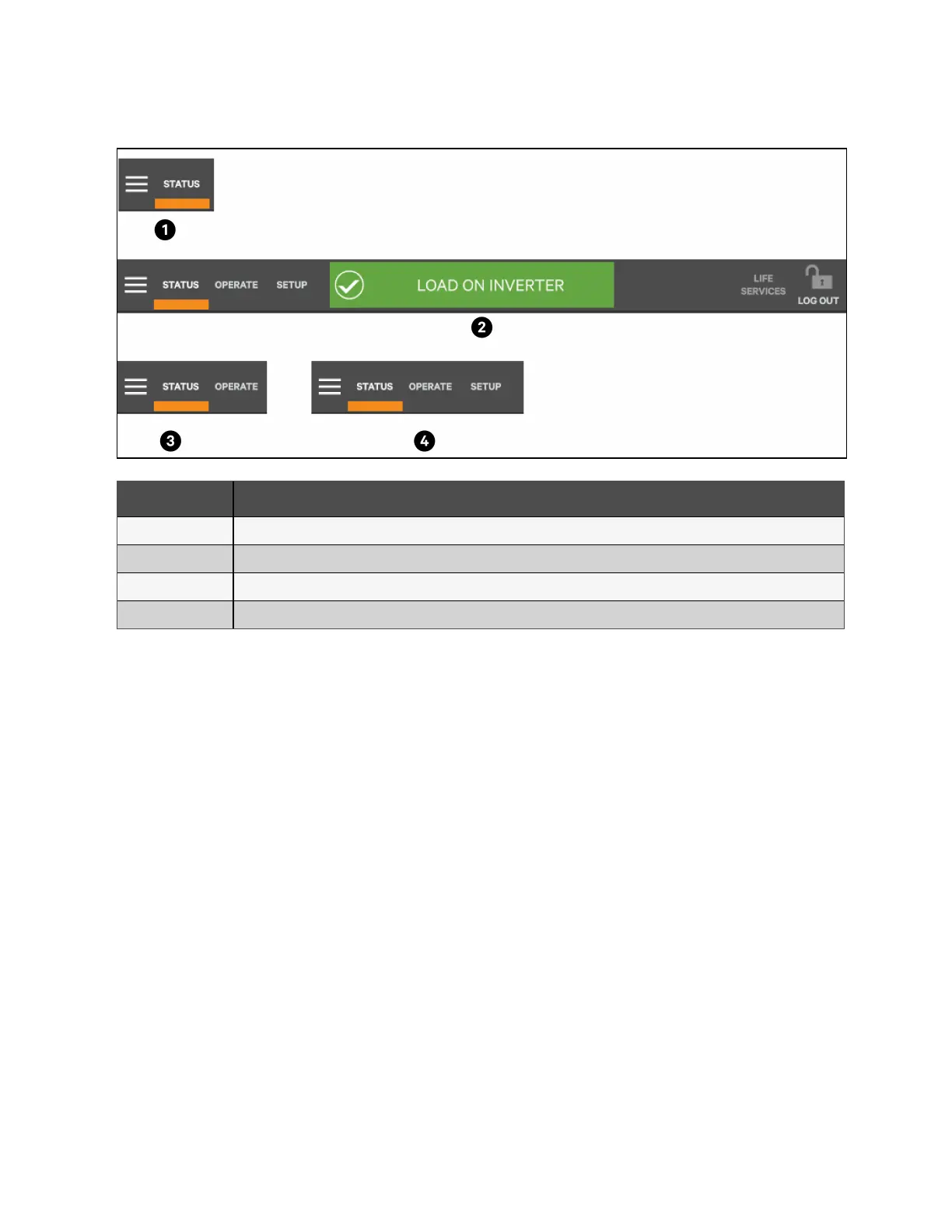
Figure 5.3 Control Display by Access Level
Item Description
1 Observe level (or no login)
2 Service level
3 Operator level
4 Administrator level
Information and control are different under each Function Menu. The Function Menus displayed are specific to the access
level.
• STATUS: Condition of the UPS components and data affecting operation and performance. Visible to all access
levels.
• OPERATE: UPS operation controls, such as inverter on, inverter off, energy saving status. Visible to Operator,
Administrator and Service.
• SETUP: Manage permissions through PINs. Visible to Administrator and Service.
• SERVICE: Input wiring and breaker configuration, protocol used. Visible to Service.
5.2.3 Menu
Context menu
The Context Menu, available at the top left corner of the interface, displays information about the UPS and permits changing
various settings. The functions possible through the Context Menu are determined by the user’s access level and on the
Function Menu that is active (see Figure 5.4 on the facing page).
The menus under Display Options on STATUS, for example, differ for each access level. Some information available through
the Context Menu, is alarms and run hours, are available through other areas of the Vertiv™ Liebert® APM2 touchscreen
control panel.
56 Proprietary and Confidential ©2023 Vertiv Group Corp.
5 Operator Control and Display
Panel
Vertiv™ Liebert® APM2 30 to 120 kVA Modular UPS User Manual















 To Next Page