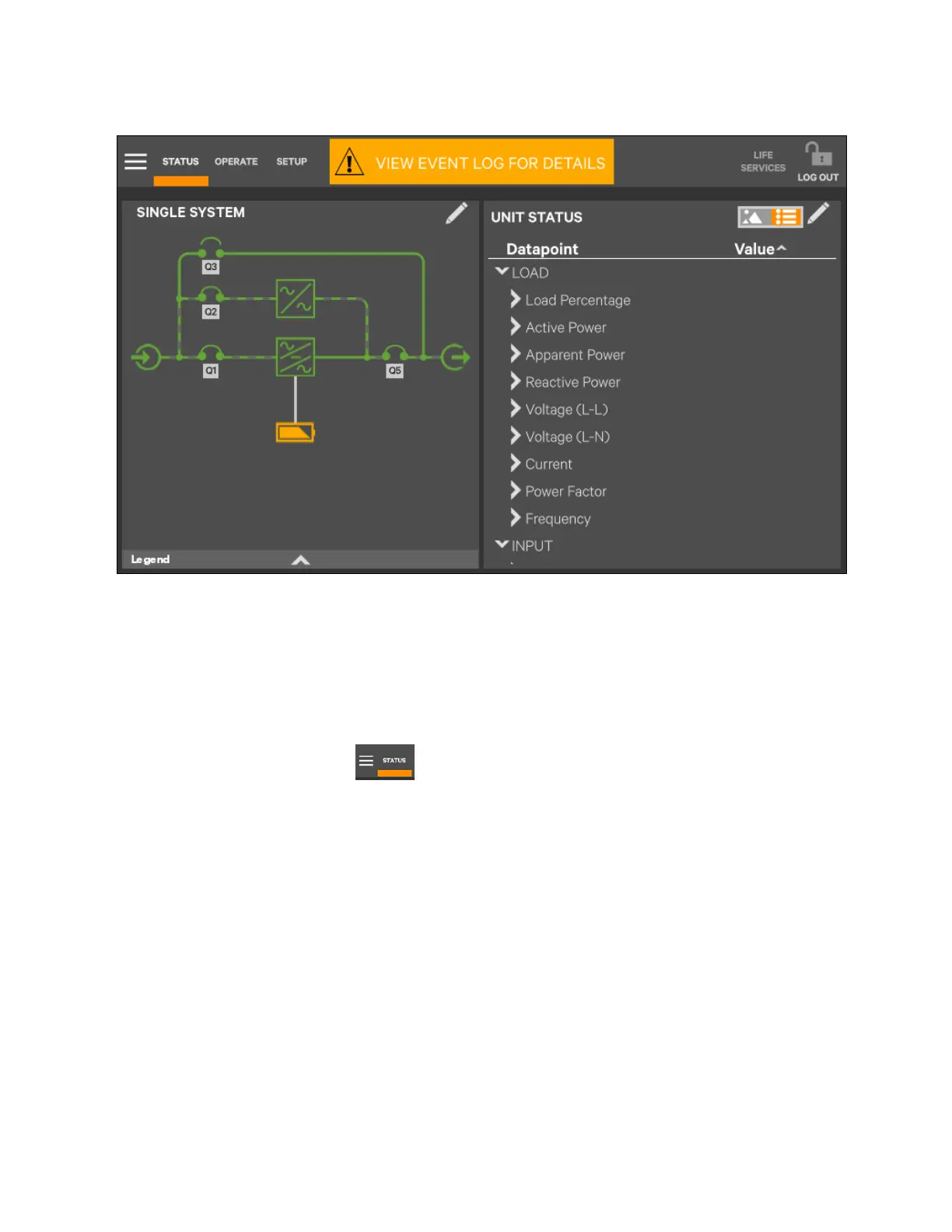
Figure 5.36 Unit Status—Single System Details
5.4.3 Logs alarms and events
The Context Menu, when opened from the Status pane, permits viewing logs of alarms and events that have occurred on the
UPS. Both logs include the date and time of occurrence, type, an ID, component affected and a description of the alarm or
event. The information is available to Observers, those who are able to without a log in passcode.
To view the alarms or events:
1. Navigate to the Status pane , if required.
2. Touch the Context Menu icon.
3. Touch the log to view, alarms or events. See Figure 5.37 on the facing page.
Touch the logs to see the UPS event log screen.
Touch Alarms to open a list of alarms.
84 Proprietary and Confidential ©2023 Vertiv Group Corp.
5 Operator Control and Display
Panel
Vertiv™ Liebert® APM2 30 to 120 kVA Modular UPS User Manual















 To Next Page