Vertiv™ | Liebert
®
STS2
™
100-1000A, 50/60Hz User Manual | Rev. 12 | 11/2017 94
13.8.4 Liebert SiteScan
®
Configuration
An optional RS-422 port, contained in the Comms Board, can be installed in the Liebert STS2 to provide
communications with Liebert SiteScan. Liebert SiteScan is system monitoring software that allows you to utilize
a PC to monitor the Liebert STS2’s status and check alarms. See 6.5 - Comms Board for more information on
this board.
If the Liebert STS2 will be connected to Liebert SiteScan:
• Select YES for the Liebert SiteScan choice in the Comm Options dialog box to activate the card.
13.8.5 Saving Your Communications Configurations
To save you communications configuration settings:
1. When you have completed the Comm Options configurations, ensure you have selected YES for all the settings that you
want activated.
2. Select SAVE to keep the settings.
Whenever you make modifications to the any of the Comm Options, select SAVE to keep the changes.
13.9 System Options
Most System Options are configured at the factory. However, you may need to set two of the choices after the
unit is installed: Wye Output Transformer and Remote Source Selection.
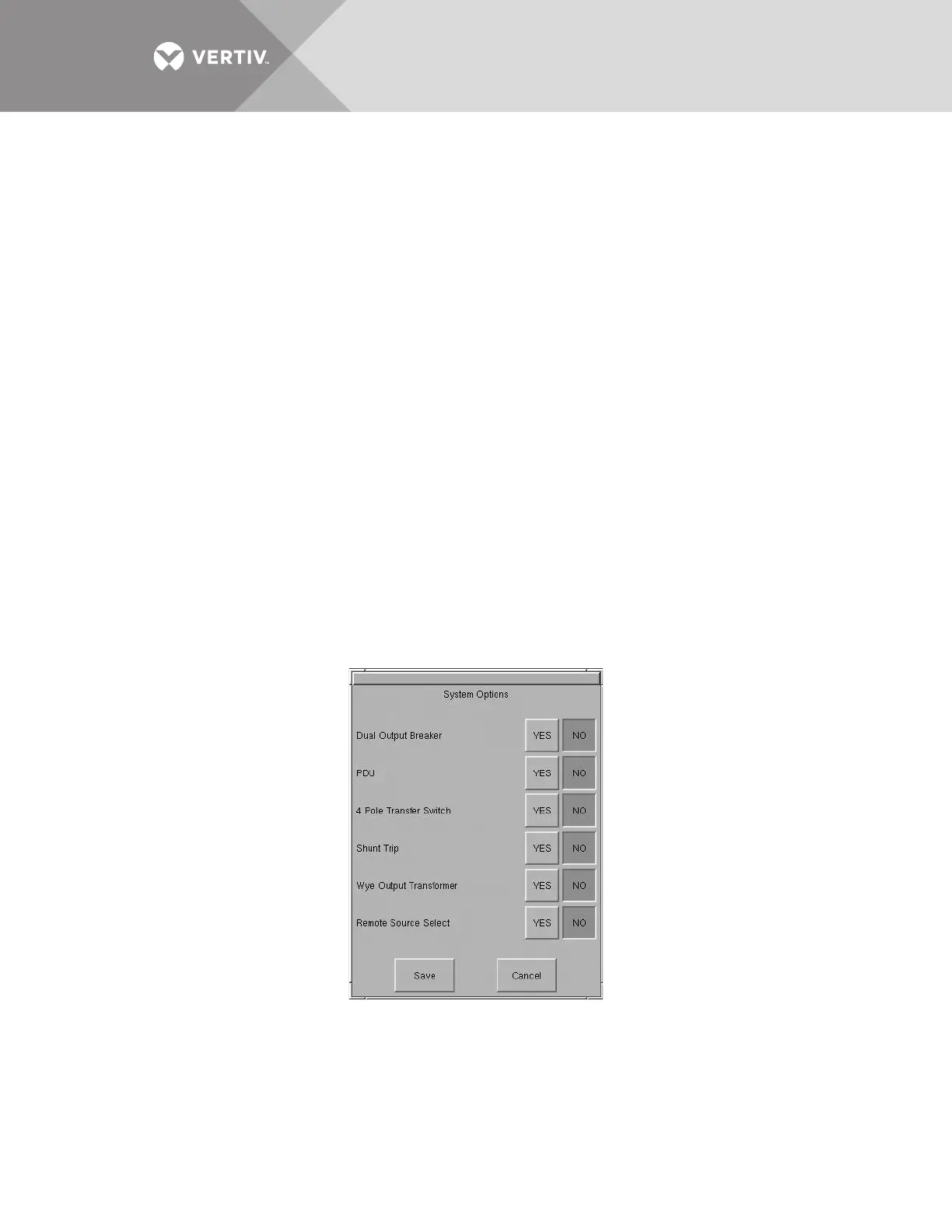
• Select SYSTEM OPTIONS from the System Settings Menu. (If needed, see 13.7.4 - System Settings to access the System
Settings menu.)
The System Options dialog box is displayed.
• An option is enabled by selecting YES.
• An option is disabled by selecting NO.
Figure 54 System options
Dual Output Breaker
This selection is set at the factory. The choice is set to YES to enable both output breakers (CB3 and CB3A)
when two are installed in the unit. If only one output breaker (CB3) is installed, the setting is set to NO.



 To Next Page