Vertiv™ | Liebert
®
STS2
™
100-1000A, 50/60Hz User Manual | Rev. 12 | 11/2017 87
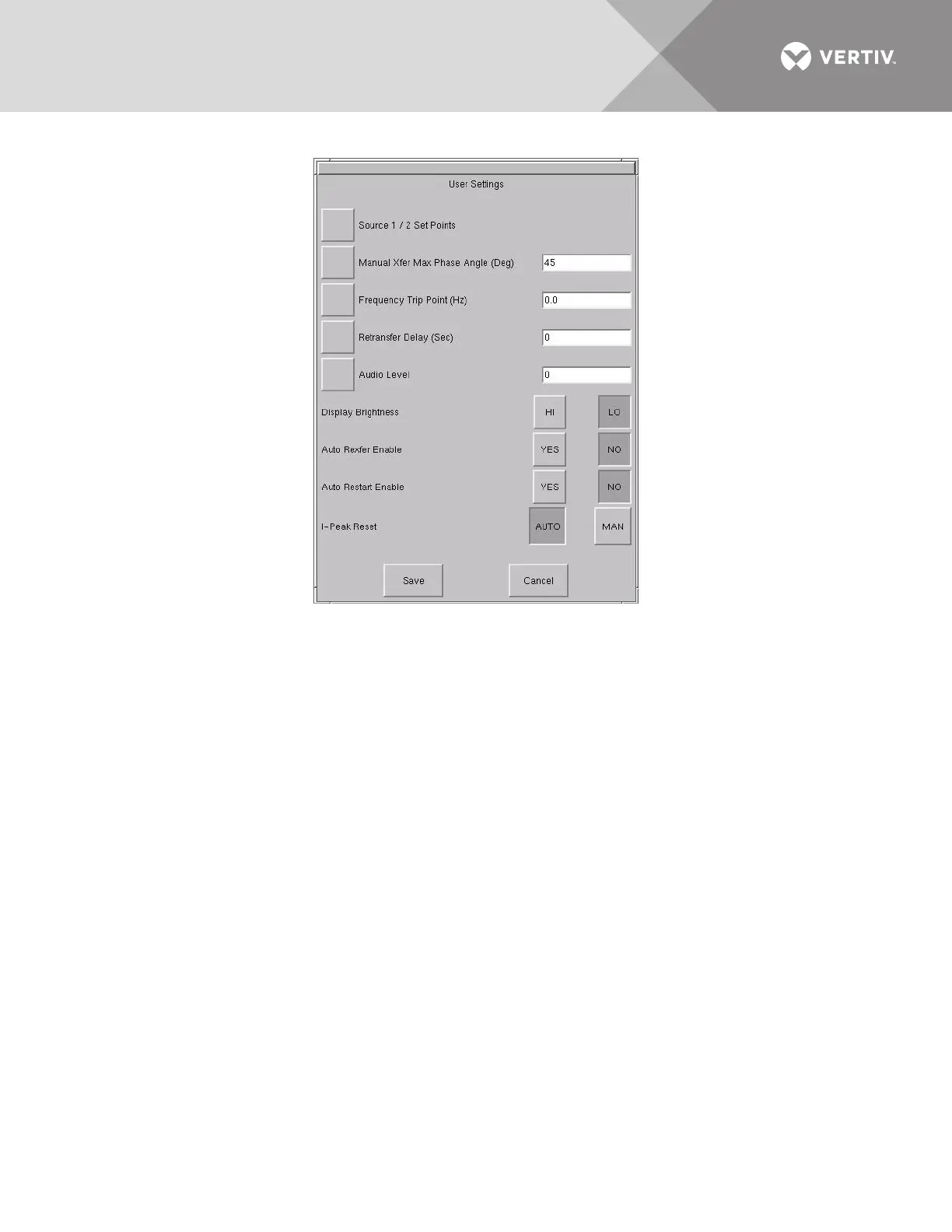
Figure 49 User settings dialog box
Source Set Points
The Source 1/2 Set Points allows you to configure trigger points for each input source (1 or 2) for the Liebert
STS2 via a keypad dialog or HI/LO dialog box. The source numbers do not designate the source as the preferred
or alternate source. The numbers simply identify the input source. See 10.2 - Manual Transfer / Preferred
Source Selection to set the preferred source.
The Set Points are based on values in relation to the nominal voltage required for the Liebert STS2. UV refers to
under voltage, meaning the amount of voltage below the nominal voltage. OV refers to over voltage, or the
amount of voltage over the nominal voltage.
• Fast UV Setting (%) — if the voltage drops below this set percentage of the nominal voltage, the Liebert STS2 transfers
from the current source to the opposite source.
• Slow UV Setting (%) — if the voltage remains this set percentage below the nominal voltage for the period of the slow
detection delay, the Liebert STS2 transfers from the current source to the opposite source.
• Slow UV detection delay — the number of cycles that the source must remain below the Slow UV Setting before the Liebert
STS2 transfers.
• OV Setting (%) — if the voltage exceeds this set percentage of the nominal voltage for the period of the OV detection delay,
the Liebert STS2 transfers from the current source to the opposite source.
• OV Detection Delay — the number of cycles that the source must remain above the OV Setting before the Liebert STS2
transfers sources.
• I-PK Xfer Lockout — if current from the source exceeds this threshold, the Liebert STS2 disables source transfers, and has
to be reset either manually or automatically. The type of reset is configured under the User Settings.



 To Next Page