Vertiv™ | Liebert
®
STS2
™
100-1000A, 50/60Hz User Manual | Rev. 12 | 11/2017 90
13.7.4 System Settings
The System Settings choice under the Config menu displays another pop-up menu with three choices:
• Comm Options (see Section 13.8)
• System Options (see Section 13.9)
• System ID (see Section 13.10)
To access the System Settings menu:
1. Select CONFIG from the menu bar.
2. Select SYSTEM SETTINGS from the Config menu.
13.8 Comm Options
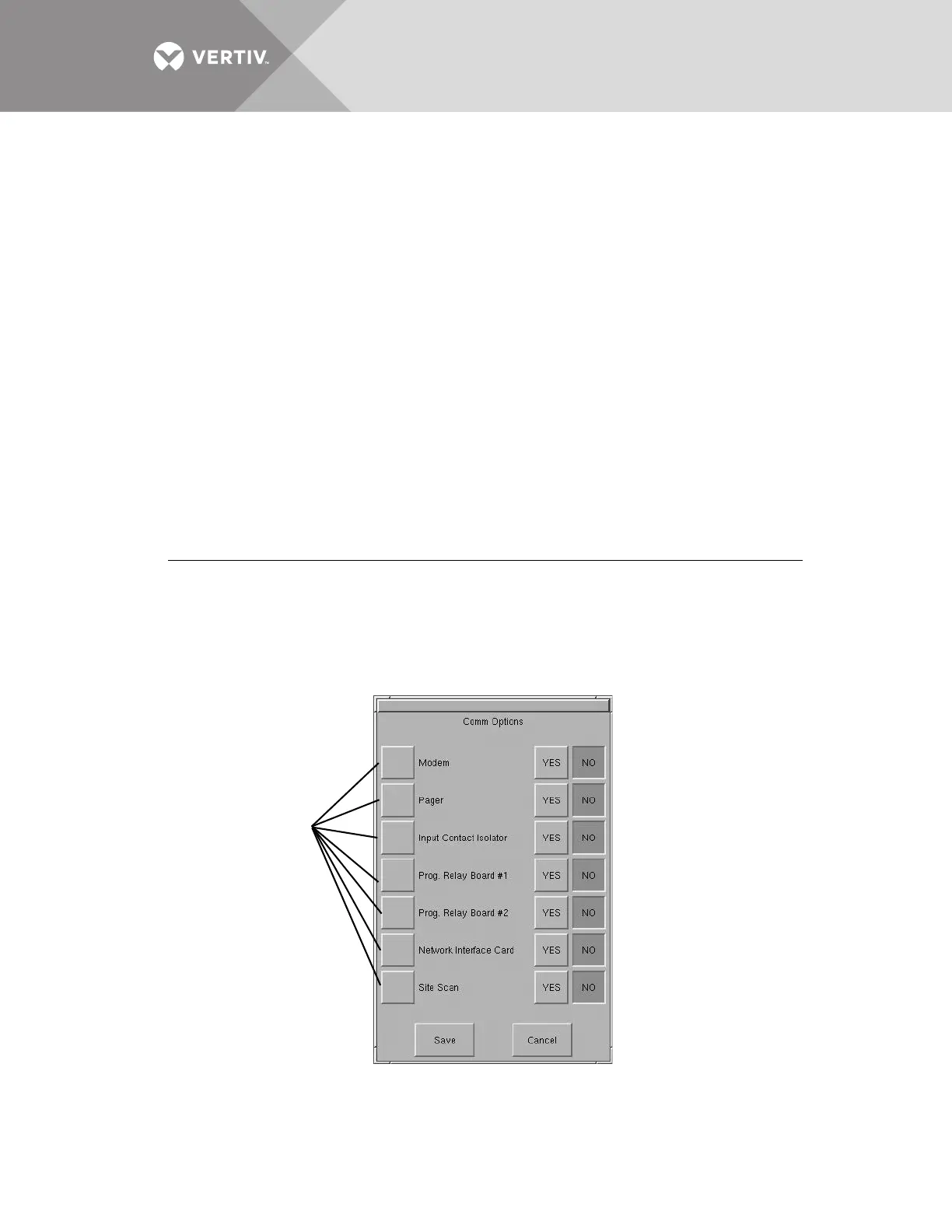
The Comm Options dialog box allows you to configure the communications settings for the Liebert STS2.
• Select COMM OPTIONS from the System Settings Menu. (If needed, see 13.7.4 - System Settings to access the System
Settings menu.)
The Comm Options dialog box is displayed. See Figure 51.
• An option can be enabled by selecting YES.
• An option can be disabled by selecting NO.
• An option can be configured by selecting the adjacent option button to display a separate configuration dialog box.
The instructions for configuring the communications options are provided in this section:
Figure 51 Comm options dialog box
Option
Refer to:
Input Contact Isolator 13.8.1 - Configuring the Input Contact Isolator Settings
Prog. Relay Board 13.8.2 - Configuring the Programmable Relay Board Settings
Network Interface Card 13.8.3 - Configuring the Liebert IntelliSlot
™
SNMP/Web/Modbus 485 Card
Site Scan 13.8.4 - Liebert SiteScan
®
Configuration



 To Next Page