Vertiv™ | Liebert
®
STS2
™
100-1000A, 50/60Hz User Manual | Rev. 12 | 11/2017 56
8.2.4 Bypass
The static transfer switch can be manually bypassed to allow the power from a source to directly flow to the
output load. This bypass allows the unit’s electronics to be serviced without dangerous voltages being present.
The Liebert STS2 includes key-interlocked maintenance bypass breakers that allow either input source’s
electronics to be bypassed for maintenance without interruption of power to the load. The maintenance bypass
allows all electronics to be isolated from the input, output, and bypass connections. Bypass instructions are
available from the touchscreen and are discussed later in this manual.
8.3 Operator Controls
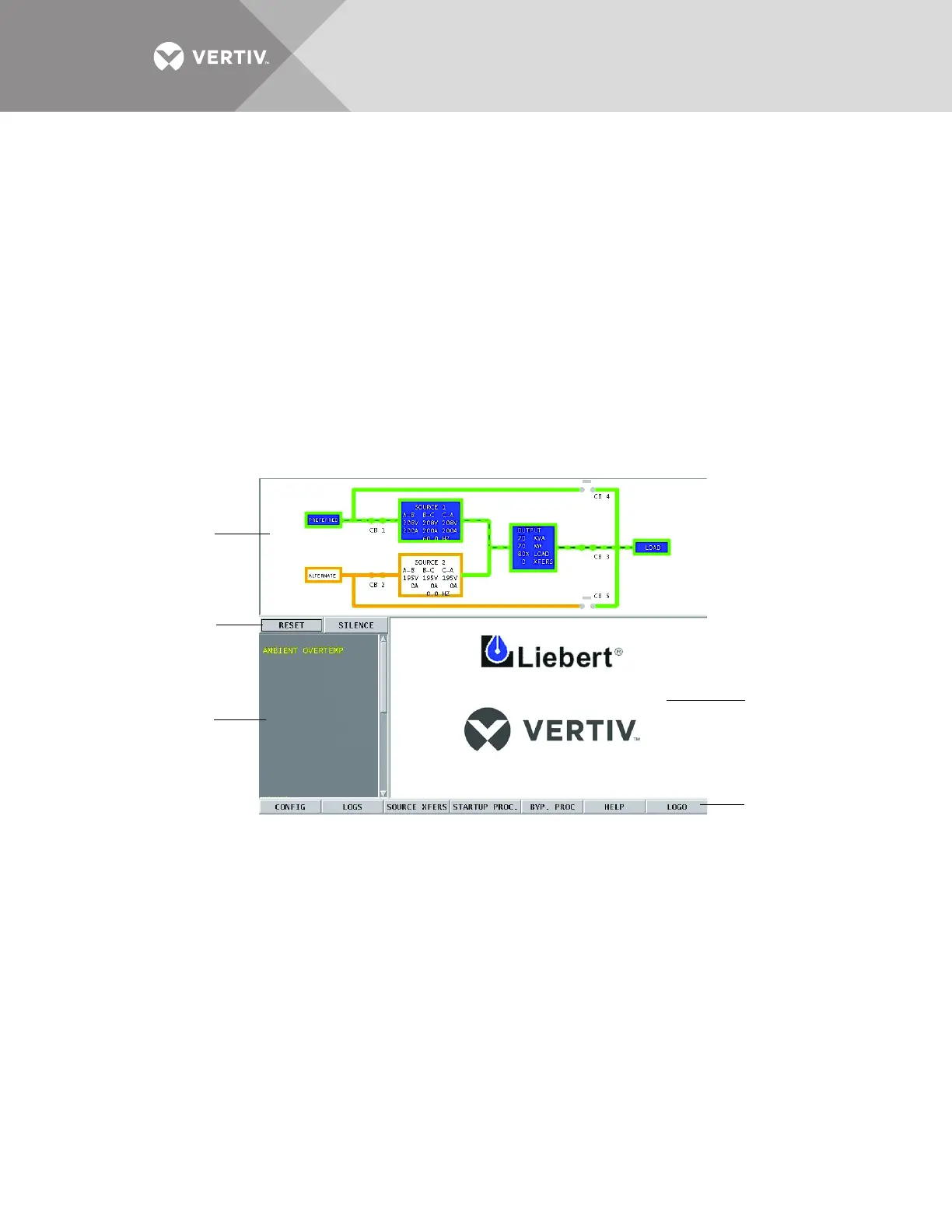
The Liebert STS2 is equipped with an interface to configure and monitor the unit either locally or remotely. The
Color Graphical Display is a touchscreen LCD that provides a color diagram (Mimic) that displays the current
status of the unit. System parameters are displayed and help is available to define events. See Figure 41. The
touchscreen menus allow the operator to initiate source transfers, view event and history logs, and view bypass
and other operational instructions.
Figure 41 Liebert STS2 touchscreen display
Touchscreen control buttons allow you to reset alarms, silence the audible alarm, review configurations, event
and history logs, preferred source, startup and bypass procedures, and the help menu. Qualified personnel, with a
password, can use these menus to configure parameters, select a preferred source and do manual source
transfers.
LED display units do not have the color LCD touchscreen. Instead of the touchscreen, these units are monitored
by a series of LED’s and controlled by a series of push buttons.
Both units can be accessed from a terminal, or a PC running terminal emulation software, that is attached to the
unit. Through the RS-232 access, you can monitor and configure the unit, plus remotely select a preferred
source. See 12.1 - Using the RS-232 Port on page 73 for instructions on using the RS-232 interface.
Mimic
Event Display
Event controls
Display Panel
and
Help Screen
Menu Options



 To Next Page