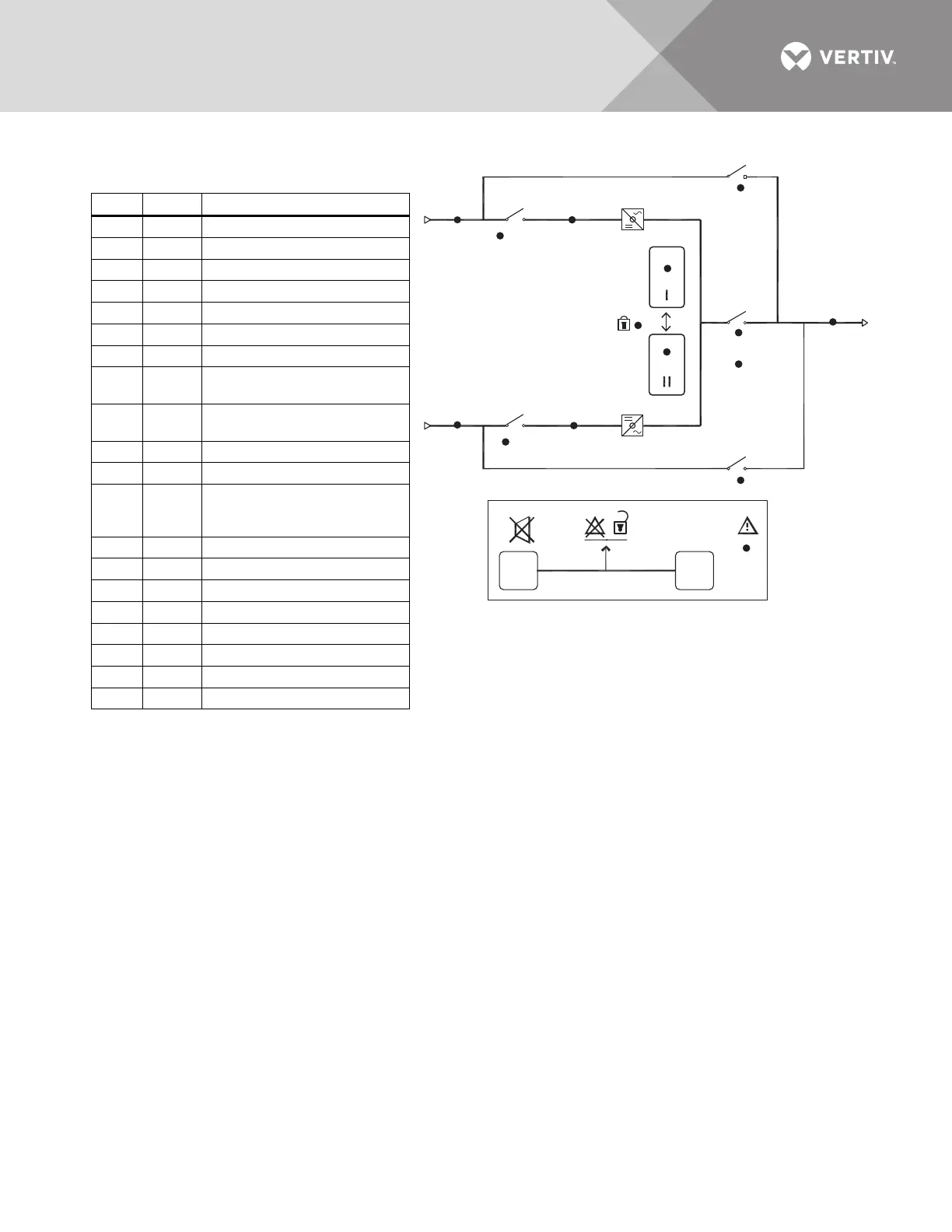
Symbol LED
Description
A Green Source 1 Power is Present
B Green Source 2 Power is Present
C Green Source 1 Within Tolerance
D Green Source 2 Within Tolerance
E Green Source 1 SCR’s On
F Green Source 2 SCR’s On
G Yellow Source Transfer Inhibited
HGreen
Push Button to Select Source 1 as
the Preferred Source
IGreen
Push Button to Select Source 2 as
the Preferred Source
J Green Output Power is Present
K — Alarm Silence Button
L—
Symbol to indicate the K and M must
be pushed at the same time to reset
alarm.
M — Alarm Reset Push Button
N Red Alarm Present
1 Green CB1 Closed
2 Green CB2 Closed
3 Green CB3 Closed
3A Green CB3A Closed
4 Yellow CB4 Closed
5 Yellow CB5 Closed
DISPLAY LEGEND



 To Next Page