Vertiv™ NetSure™ Control Unit (NCU) User Manual
Procedure
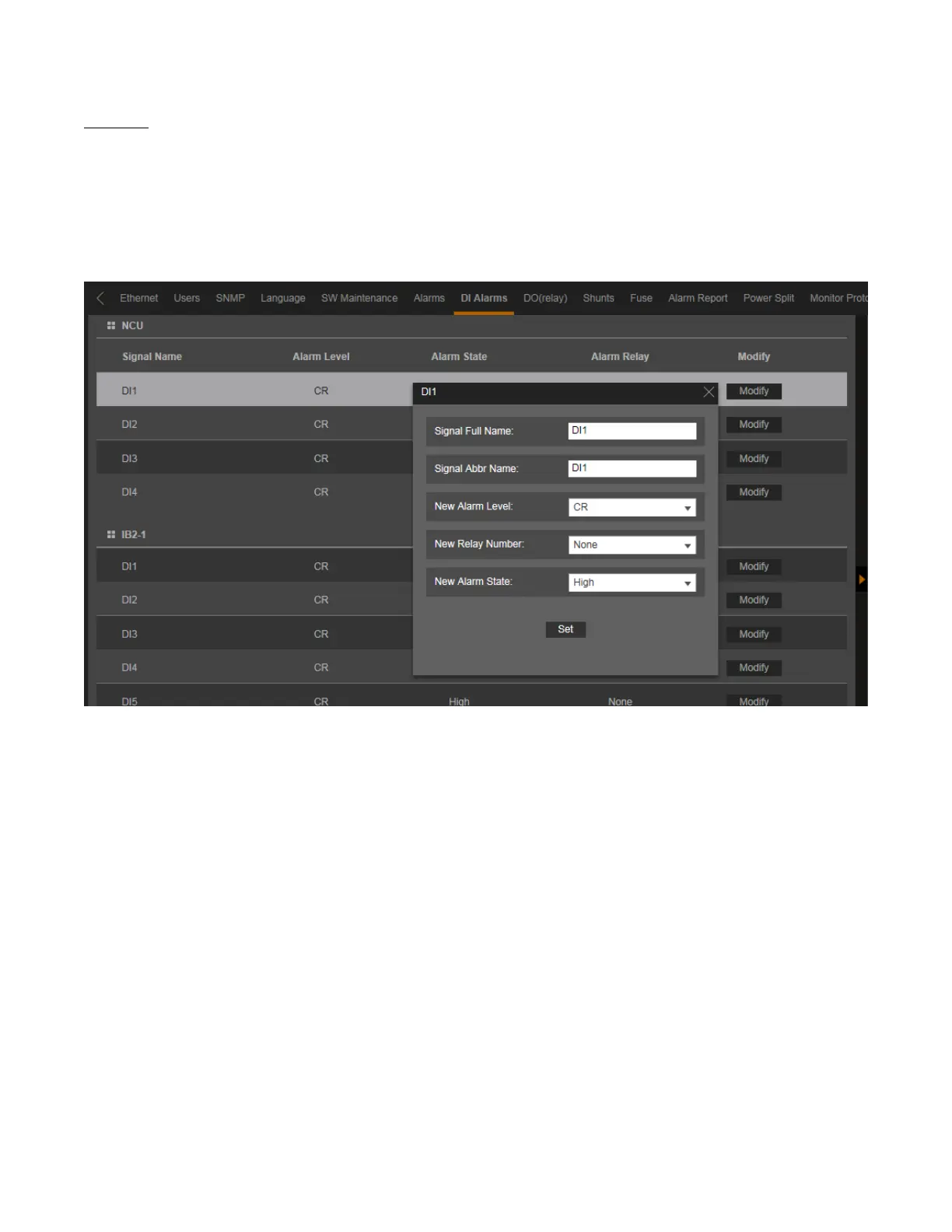
1. To modify the digital input alarm parameters, click on the “Modify” button for that digital input alarm signal.
2. The following window opens.
Figure 5.72 Setting DI Alarm
3. Change the following parameters as desired and click on “Set”.
• Signal Full Name: Name displayed in the Web Interface menus.
• Signal Abbr Name: Name displayed in the local display menus.
• New Alarm Level: Alarm level for this digital input alarm. (See also Table 1.1 on page 3.)
• New Relay Number: Select a relay number to map to this digital input alarm.
“None” means there is no related relay number.
• New Alarm State: Select high or low to set the alarm state for the digital input.



 To Next Page