Vertiv™ NetSure™ Control Unit (NCU) User Manual
Alarm Report Tab
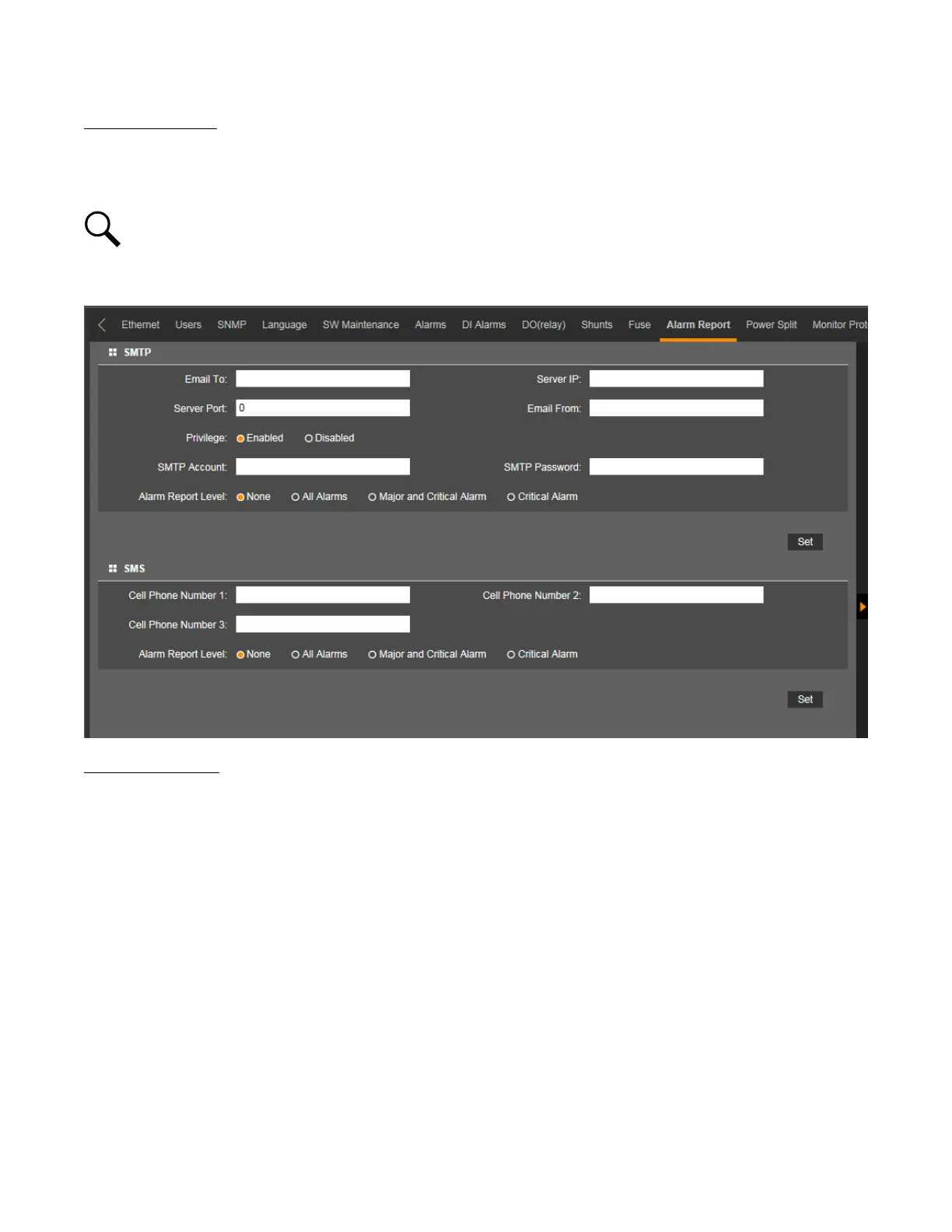
• In the SMTP section, you can set the Alarm Report Feature.
• In the SMS section, you can set cell phone number for receiving alarm reports and the alarm report level.
NOTE!
A GSM modem must be connected to the USB port of the NCU for SMS functionality.
Figure 5.85 Alarm Report Tab
Alarm Report Feature
Set the following parameters.
• Email To: Valid email recipient to receive alarm reports.
• Server IP: IPV4 Server address. Obtain from your IT department.
• Server Port: Server port. Obtain from your IT department.
• Email From: The NCU or Site email address. Will be displayed in the email from field of the received email.
• Privilege: Select Enabled (if email authentication is required) or Disabled as required (see your IT department). When
enabled, set the following parameters.
- SMTP Account: SMTP account number. Obtain from your IT department.
- SMTP Password: SMTP password. Obtain from your IT department.
• Alarm Report Level: Select the level of alarm reports you want to receive.



 To Next Page