24
A100K11194
Turbine Station Conguration Guide
5 ICX-AlphaComConguration
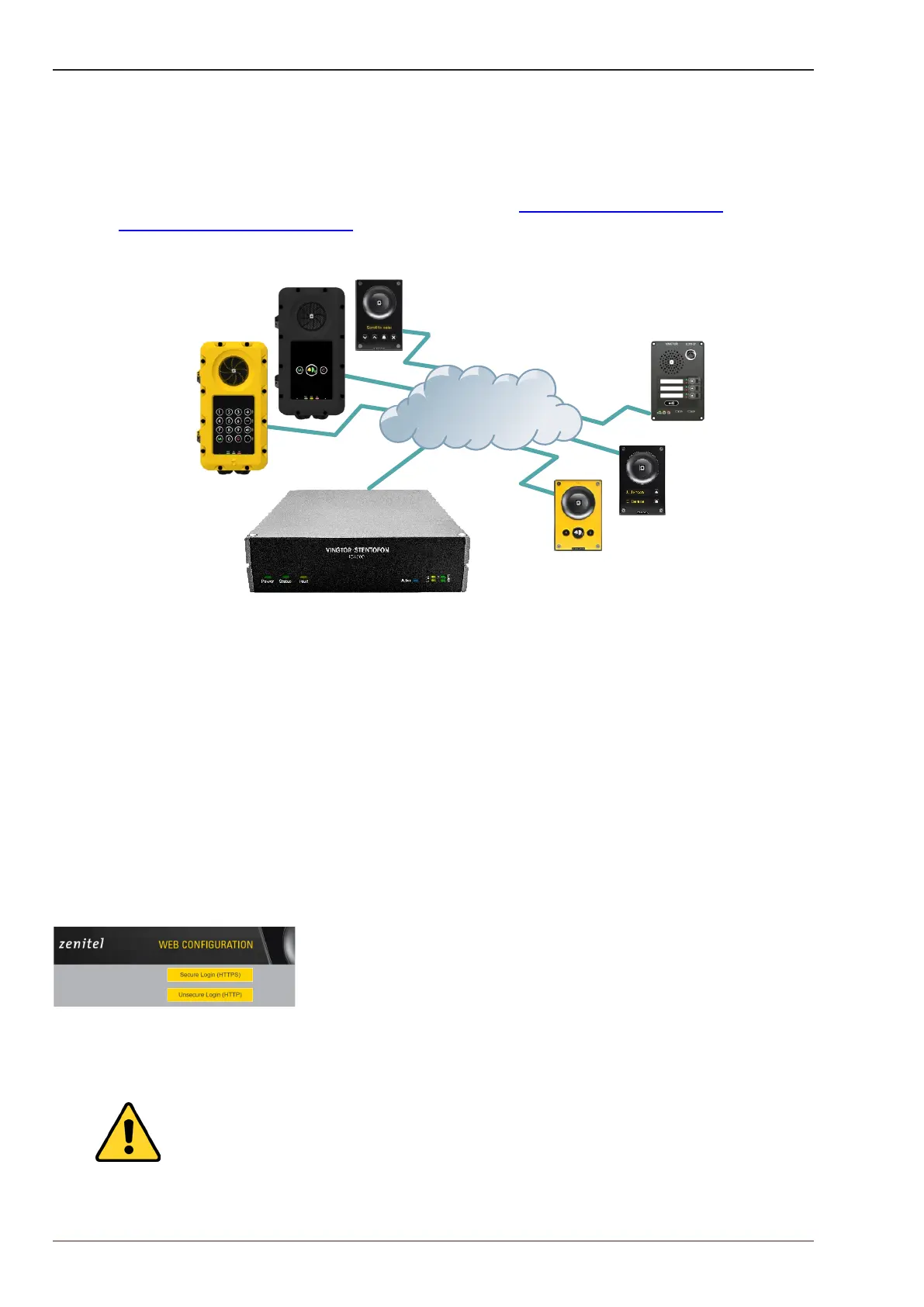
The Turbine stations are connected to the ICX-AlphaCom platform comprising the ICX-500 Intelligent
Communication Gateway or AlphaCom XE server/exchange lying at the heart of our security and
communication system. The communication between the ICX-AlphaCom platform and the Turbine
Stations utilize the CCoIP
®
protocols. The ICX-AlphaCom platform includes all main service
congurations for the IP stations and only a minimum conguration is needed to be carried out on the
actual station.
For more information on ICX-AlphaCom conguration see wiki.zenitel.com/wiki/Turbine_
Conguration_-_AlphaCom_mode
Figure 14 ICX-AlphaCom Intercom System
The following sections describe conguration procedures using the web interface of the station.
5.1 Logging into the Station
Ensure that the IP address of your PC is in the same range as that of the station IP address. Access
the station by logging into the web interface using a standard web browser on your PC:
1. Open a web browser
2. In the browser’s address bar, type the station IP address and press the ENTER key
- The station login page will be displayed.
To log into the station:
1. Click Login
2. Enter the default User name: admin
3. Enter the default Password: alphaadmin
The Station Information page will now be displayed, showing the IP station conguration and
status.
Note that the user interface and parameters displayed in the following sections are
dependent on the Turbine station type (Compact, Industrial or Ex) selected.
IP Network
ECPIR-3P
TCIS-6
TCIS-1
TCIS-5
TFIE-1
TFIX-3
ICX-500 Intelligent Communication Gateway








 To Next Page