33
Turbine Station Conguration Guide
A100K11194
6 IC-EDGEConguration
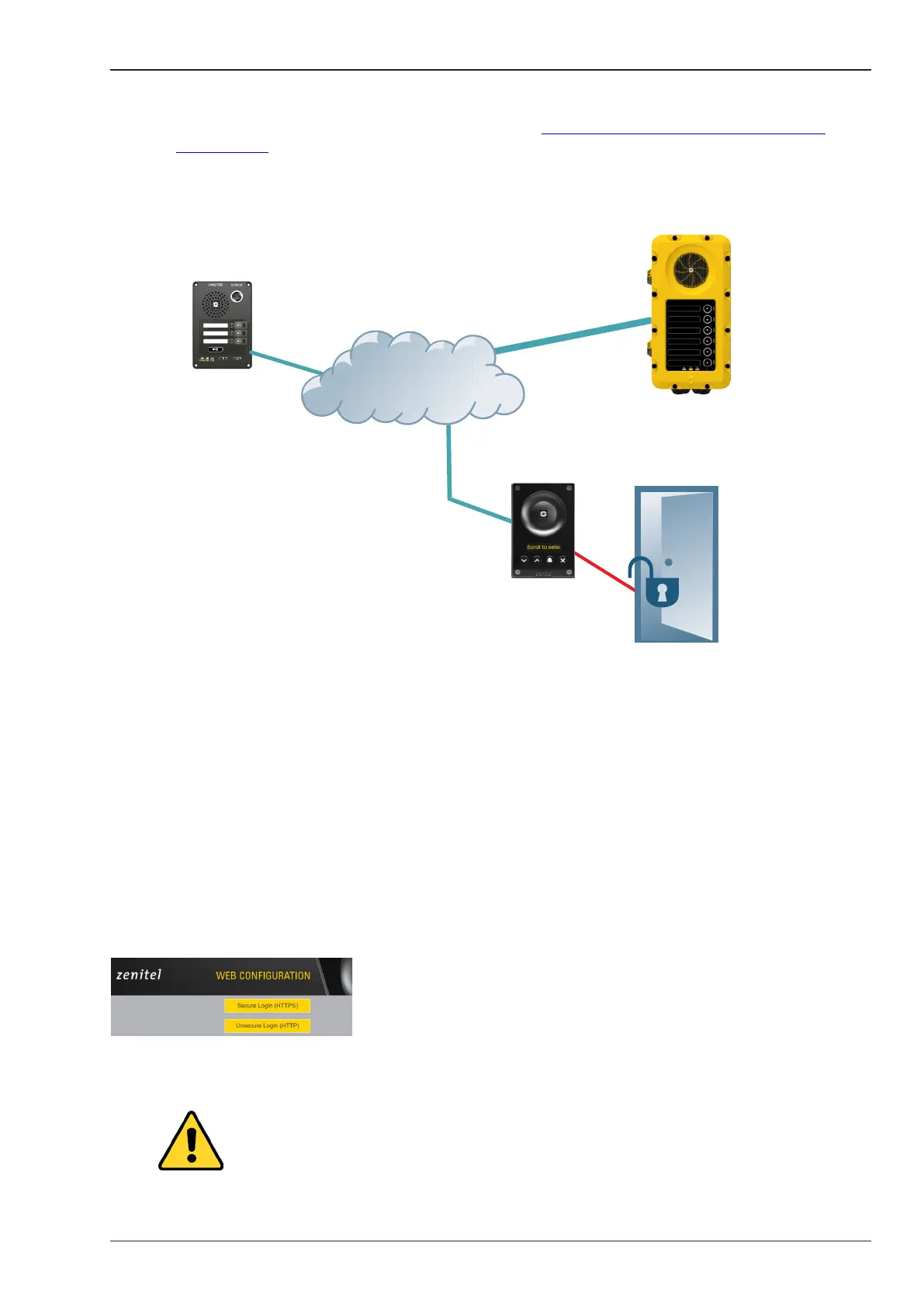
IC-EDGE is an IP-based intercom system for up to 32 intercom stations, expandable to 64 stations.
The IC-EDGE system is easy to install and congure via a standard web browser.
For more information on IC-EDGE conguration, see wiki.zenitel.com/wiki/Category:IC-EDGE_
Conguration.
One of the stations must be set as the Edge Controller. The Edge Controller acts as a server for the
other intercom stations in the system. Any Turbine device can serve as an Edge Controller.
Turbine IP Station
Directory Number: 11
Name: Back Door
IP Address: 10.9.8.117
Turbine IP Station
Directory Number: 10
Name: Main Door
IP Address: 10.9.8.7
Turbine IP Station - Edge Controller
Directory Number: 13
Name: Reception
IP Address: 10.9.8.134
LAN
Figure 15 IC-EDGE System
6.1 Logging into the Station
Ensure that the IP address of your PC is in the same range as that of the station IP address. Access
the station by logging into the web interface using a standard web browser on your PC:
1. Open a web browser
2. In the browser’s address bar, type the station IP address and press the ENTER key
- The station login page will be displayed.
To log into the station:
1. Click Login
2. Enter the default User name: admin
3. Enter the default Password: alphaadmin
The Station Information page will now be displayed, showing the IP station conguration and
status.
Note that the user interface and parameters displayed in the following sections are
dependent on the Turbine station type (Compact, Industrial or Ex) selected.








 To Next Page