60
A100K11194
Turbine Station Conguration Guide
7.6 Relay/Output Settings
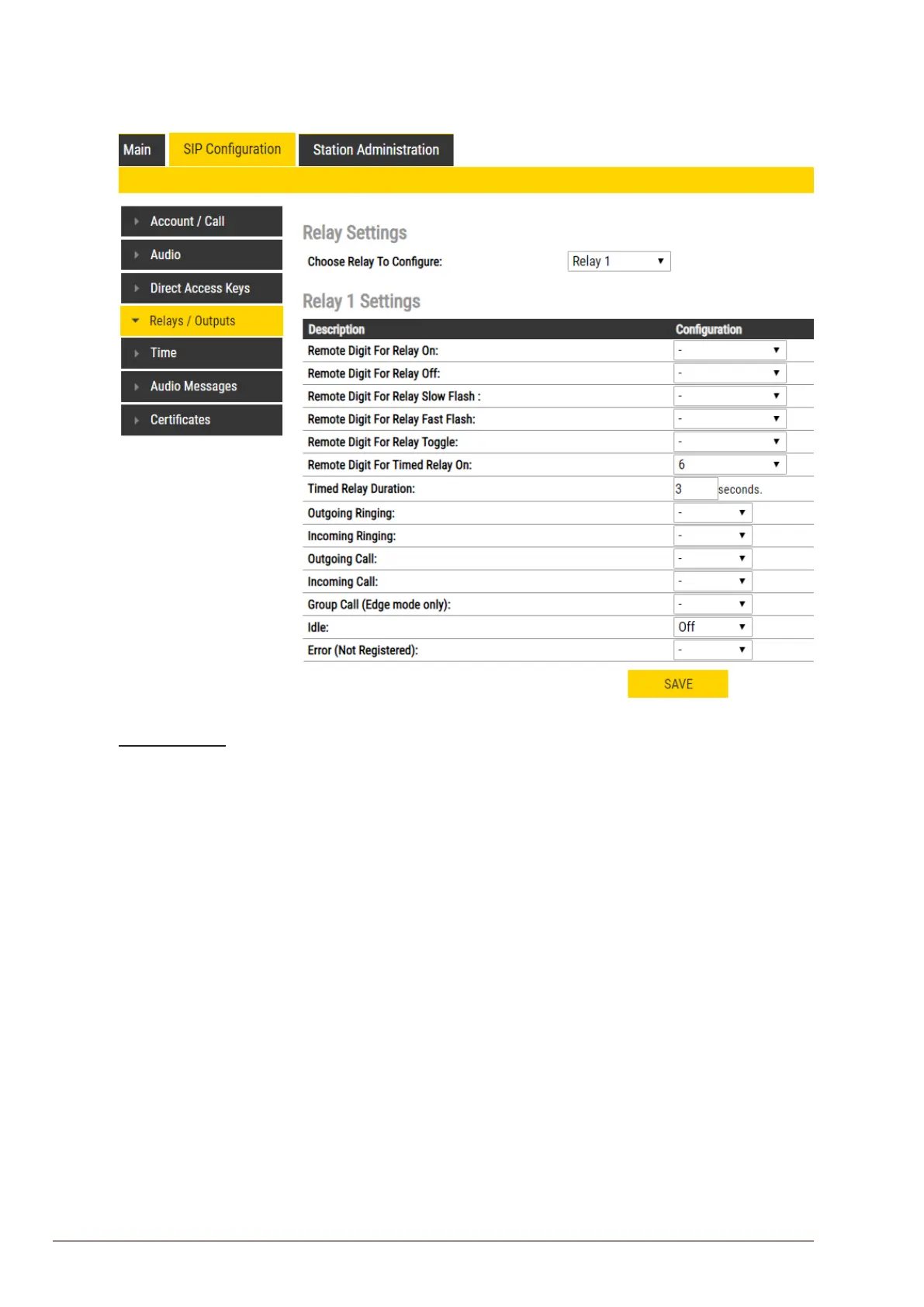
● Select SIPConguration > Relays / Outputs
Relay Settings
● Select Relay 1, Relay 2, Relay 3 (Relay Board) or Relay 4 (Relay Board) from the drop-down
box.
Thereare4dierentstates:On,O,SlowFlash,FastFlash
● Select the remote digit (DTMF signal) under Conguration
- Selecting “-” symbol means that the behaviour does not change when the event occurs. The
relay state can change either with a remote digit (DTMF signal) during a call, or if the station
state changes.
Remote Digit For Relay On / O/ Slow Flash / Fast Flash
● Select the digit (DTMF signal) that should change the relay to the On/O/Slow Flash/Fast
Flash state
Remote Digit For Relay Toggle
● Select the digit to toggle the relay on/o every time the specied DTMF digit is received
Remote Digit For Relay Timed Relay On
● Select the digit that should change the relay to the on state for a number of seconds set in
Timed Relay Duration. This state is normally used for the Door Opening function.
Outgoing Ringing / Incoming Ringing
Operate the relay while the station is ringing due to an incoming or outgoing call. The ringing state
occurs from the start of the call until the call is accepted.
Outgoing Call / Incoming Call
Operate the relay while the station is in conversation. The call state occurs from acceptance of the
call untill the call ends.








 To Next Page