41
Turbine Station Conguration Guide
A100K11194
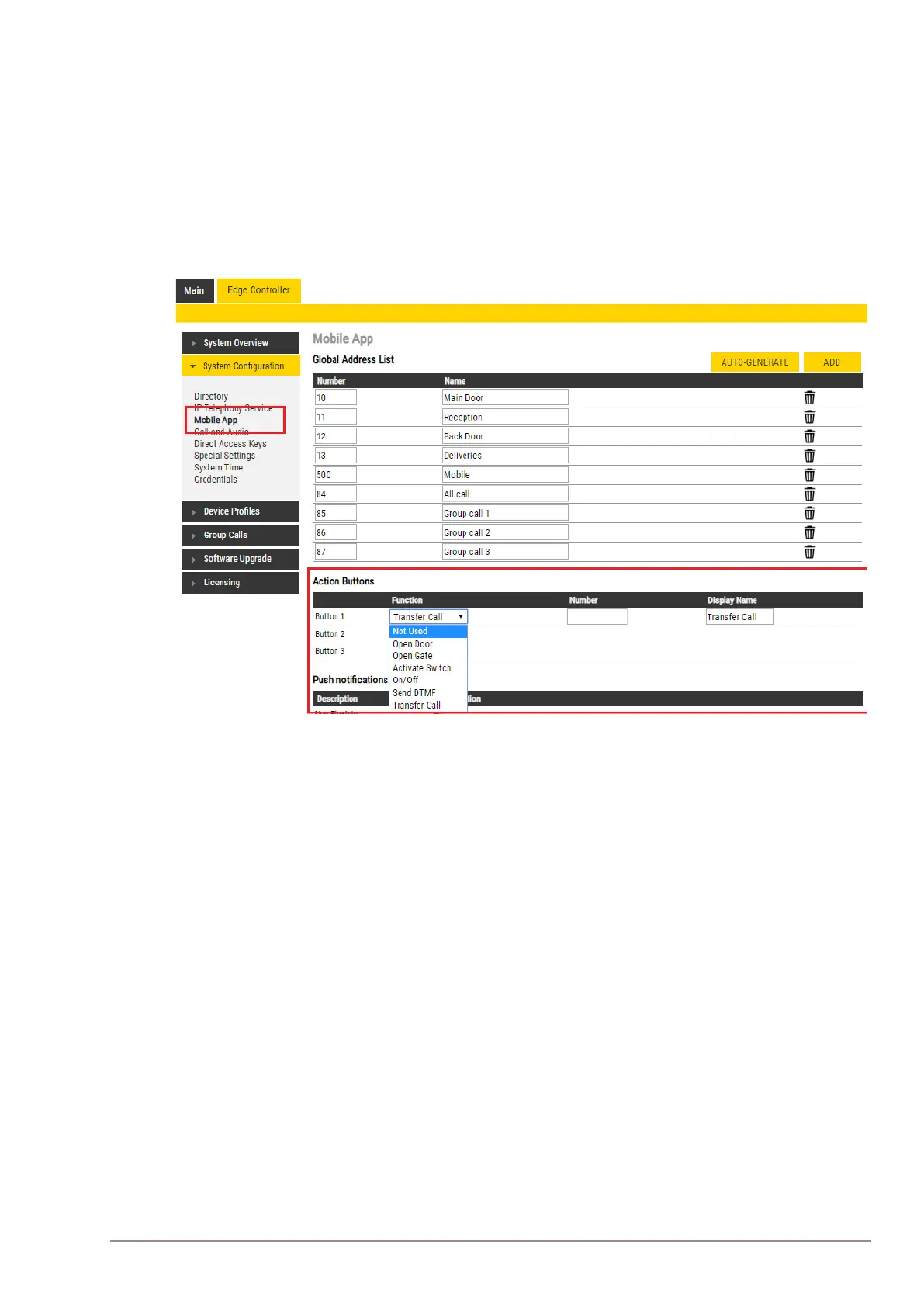
6.9.3 Action Buttons
There are three action buttons that enable the user to transfer calls, operate relays, or send DTMF
during calls on the Mobile App.
To congure the action buttons:
● Select Edge Controller > SystemConguration> Mobile App
Under Action Buttons:
● Select the Function for each action button from the dropdown list
● Enter the Number and Display Name for each button
● Click SAVE
There are 6 functions for the action buttons:
● Open Door - activates the relay
● Open Gate - activates the relay
● Activate Switch - activates the relay
● On/O - activates the relay
● Send DTMF - sends the DTMF that is selected
● Transfer Call - transfers calls to a predened number or to a manually selected number in the
Mobile App








 To Next Page