56
A100K11194
Turbine Station Conguration Guide
IP Settings
● DHCP – Select this option if the IP station shall receive IP Settings from a DHCP server.
● Static IP – Select this option if the IP station shall use a static IP address. Enter values for:
- IP-address
- Subnet-mask
- Gateway
- DNS Server 1 (option for network administration)
- DNS Server 2 (option for network administration)
- Hostname (option for network administration)
Disable Reset to Factory default settings using frontboard and I/O
● Check the box to disable factory reset using frontboard and I/O.
Read IP Address
● Read IP Address enables an unregistered station to speak the IP address when the call
button is pressed. Read IP Address box is checked, i.e. enabled, by default.
Enable RSTP (for Industrial & Ex)
● Check the Enable RSTP box to enable RSTP. RSTP is only required when using redundant
networking.
● Click SAVE followed by APPLY
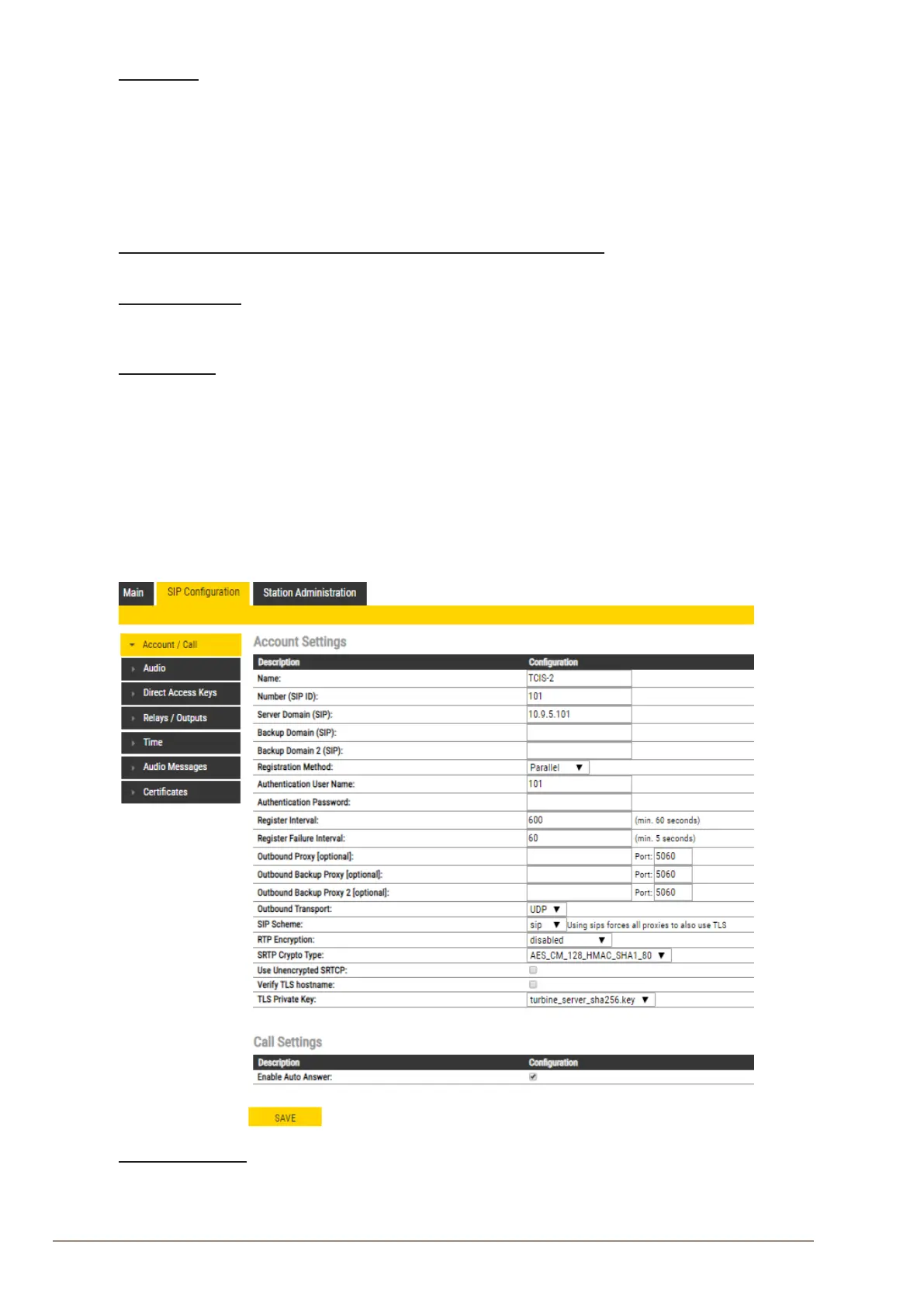
7.3 Account/Call Settings
● Select SIPConguration > Account / Call
Account Settings
Name
- Enter a name that will be shown on the display at the remote party.








 To Next Page