64
A100K11194
Turbine Station Conguration Guide
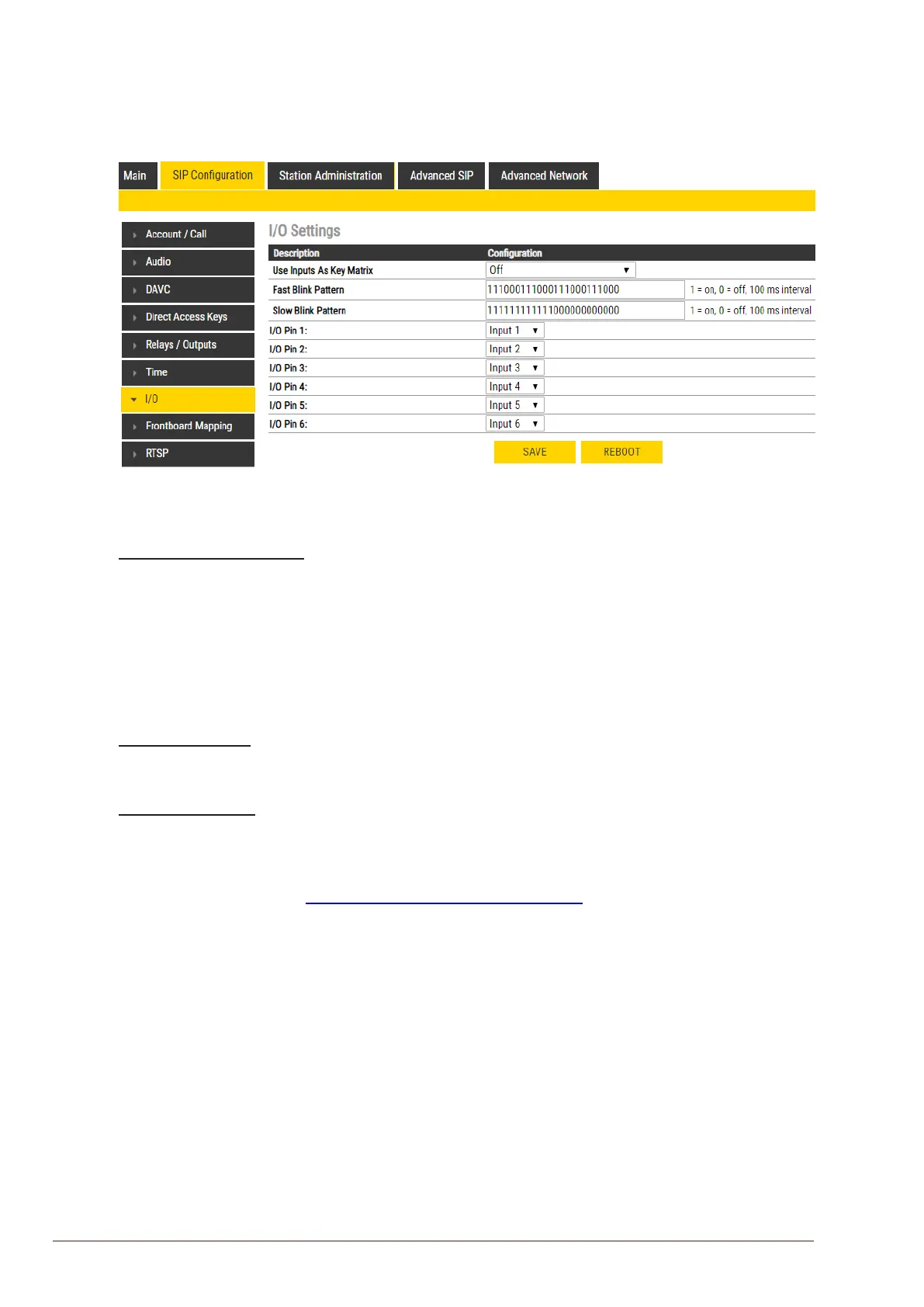
7.10 I/O Settings
● Select SIPConguration > I/O
Use Inputs As Key Matrix
If there is a need for more than the 6 inputs available, it is possible to combine inputs as in a
keyboard matrix, and in this way create more DAKs.
The options are:
● 2 Inputs (input 1-2, DAK 1-3)
● 3 Inputs (input 1-3, DAK 1-7)
● 4 Inputs (input 1-4, DAK 1-15)
Fast Blink Pattern
● Set the fast blink pattern for the LEDs
Slow Blink Pattern
● Set the slow blink pattern for the LEDs
● Select either Input or Output options from the drop-down box for I/O Pins 1 to 6
For further information, see wiki.zenitel.com/wiki/I/O_Settings_(SIP)








 To Next Page