30
A100K11194
Turbine Station Conguration Guide
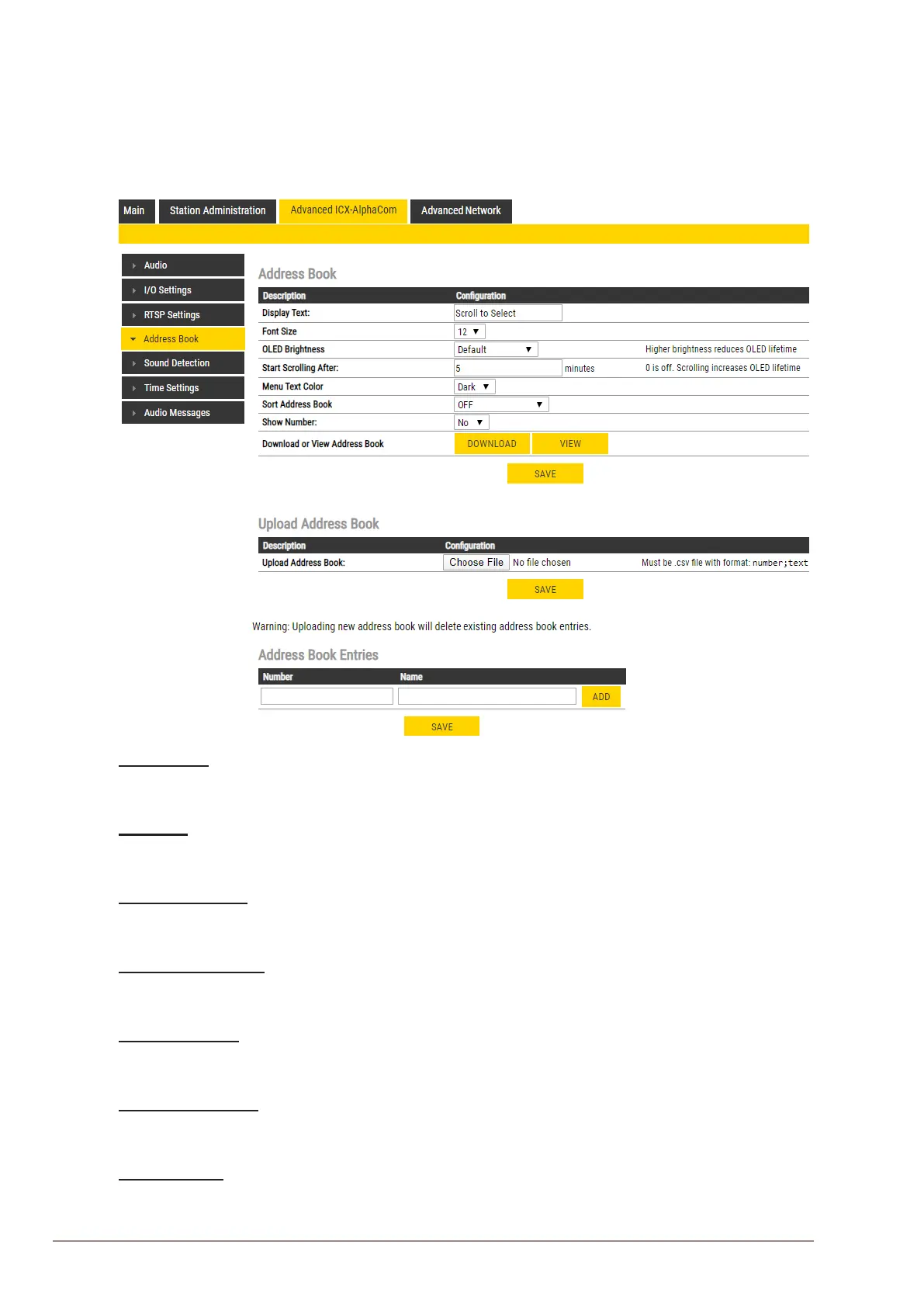
5.5 Address Book
L Note that only the Turbine Compact station congured as a Scrolling Station (TCIS-6, TCIV-6, TFIE-6)
under Main Settings will have this menu option.
● Select Advanced ICX-AlphaCom > Address Book
Display Text
● The idle text shown in the display may be changed. The default text is: Scroll to Select
Font Size
● The font size can be either 12 or 16
OLED Brightness
● Select Brightness levels: Extra Dim, Dim, Default, Bright, Extra Bright, Max Brightness
Start Scrolling After
● Set the time in minutes, after which horizontal scrolling of the display text should start.
Menu Text Color
● The text color can be either Dark or Light
Sort Address Book
● Sort according to: Name Ascending/Descending, DrNo Ascending/Descending
Show Number
● Set: No or Yes








 To Next Page