35
Turbine Station Conguration Guide
A100K11194
- Handsetw/Ohook(NormallyClosed)
- Handheld Microphone
- Headset
- Headset w/ Autodetect
IP Settings
● DHCP – DO NOT select this option for the Edge Controller.
● Static IP – The Edge Controller should always use a Static IP Address. Enter values for:
- IP-address
- Subnet-mask
- Gateway
- DNS Server 1 (option for network administration)
- DNS Server 2 (option for network administration)
- Hostname (option for network administration)
Disable Reset to Factory default settings using frontboard and I/O
● Check the box to disable factory reset using frontboard and I/O.
Read IP Address
● Read IP Address enables an unregistered station to speak the IP address when the call
button is pressed. Read IP Address box is checked, i.e. enabled, by default.
Enable RSTP (for Industrial & Ex)
● Check the Enable RSTP box to enable RSTP. RSTP is only required when using redundant
networking.
● Click SAVE followed by APPLY
6.3 Connect other Intercom Stations
● Connect all other IP intercom stations to the network.
- Note that all other IP intercom stations have to be on the same LAN (IP subnet) as the Edge
Controller for them to be auto-discovered by the Edge Controller. Stations on a dierent subnet
have to be manually added under Manually Added Devices
Wait for the stations to boot up (approximately 60 seconds) before proceeding to the next step.
6.4 CongureEdgeControllerDirectory
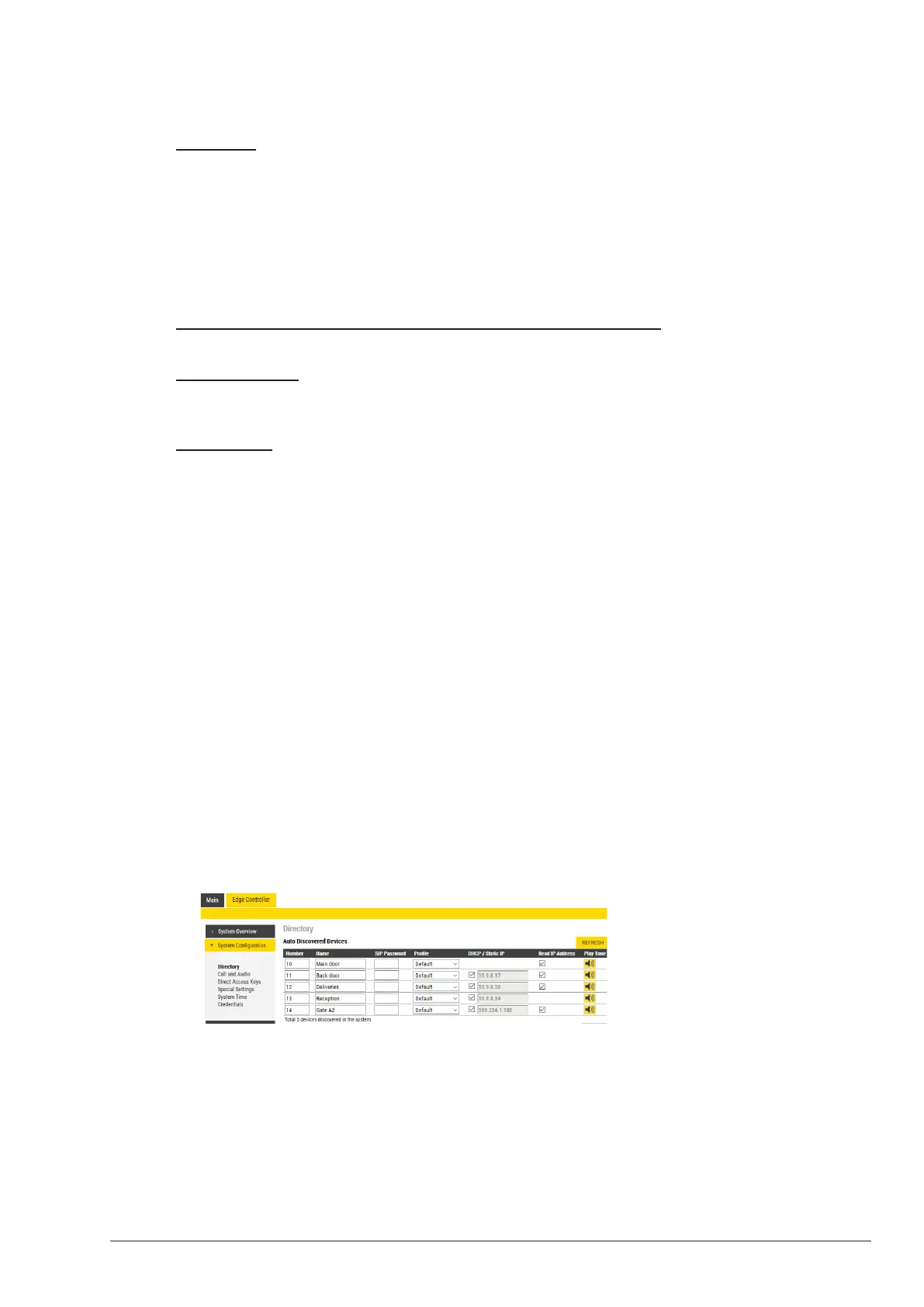
Log into the Edge Controller station with the new IP address that you have just set under Station
Main > Main Settings. After login, you will nd a new Edge Controller tab.
● Select Edge Controller > SystemConguration> Directory
The Edge Controller station will auto-discover all the other stations on the LAN.
To identify the individual stations on the LAN:
● Click Play Tone
- You should now hear a tone from the station you selected
You can now set Numbers, Names, IP addresses, Proles, etc. for all the stations in the network.
In our example, the Edge Controller is designated as Reception with directory number 13 while the
two substations are the Main Door and Back Door with directory numbers 10 and 11 respectively.
● Click SAVE
- The Edge Controller will now push the directory settings to all the IP intercom stations.
The devices should now have the status Registered.
L SIP Password is an optional eld you can set to increase the security level. The password is used by other
intercom stations to register with the Edge Controller.








 To Next Page