43
Turbine Station Conguration Guide
A100K11194
6.10.3 CongureSIPPhone
You now have to log into the 3rd-party SIP phone to congure the SIP account to register it with the
Edge Controller station. The Directory Number and Password (SIP Account) created in the previous
section is used to register the 3rd-party station with the Edge Controller.
6.10.4 Verify Operation
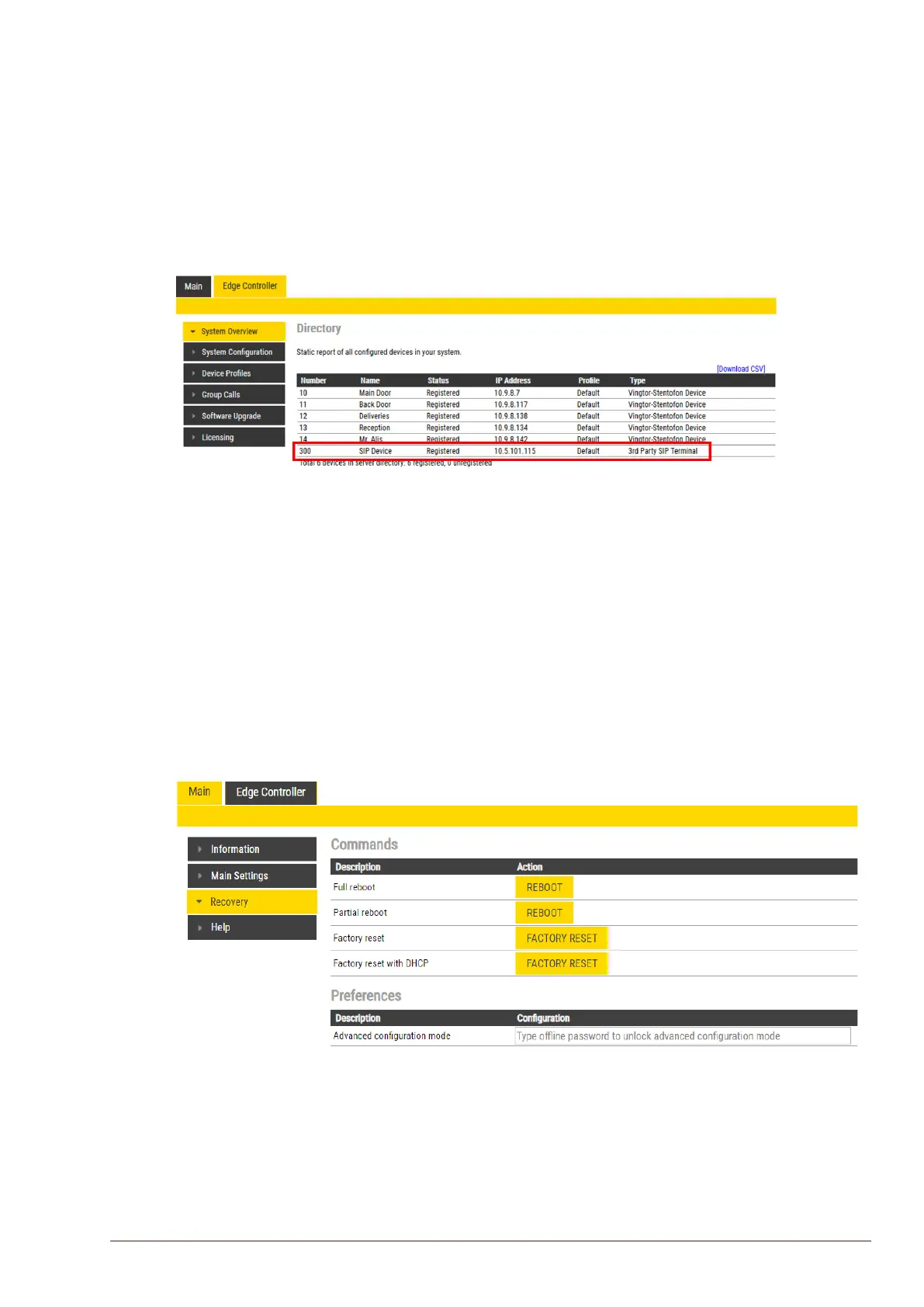
On the Edge Controller device:
● Select Edge Controller > System Overview
● Check that the SIP Device has gotten the Status = Registered
Verify that you can call to and from the SIP Device.
6.11 AdvancedCongurationMode
Settings for Direct Access Keys, Scripts, etc. described in the following sections are only available in
Advanced Conguration Mode.
To enter Advanced Conguration Mode:
● Select Main > Recovery
Under Preferences:
● Enter the oine password 1851 in the Advancedcongurationmode eld








 To Next Page