53
Turbine Station Conguration Guide
A100K11194
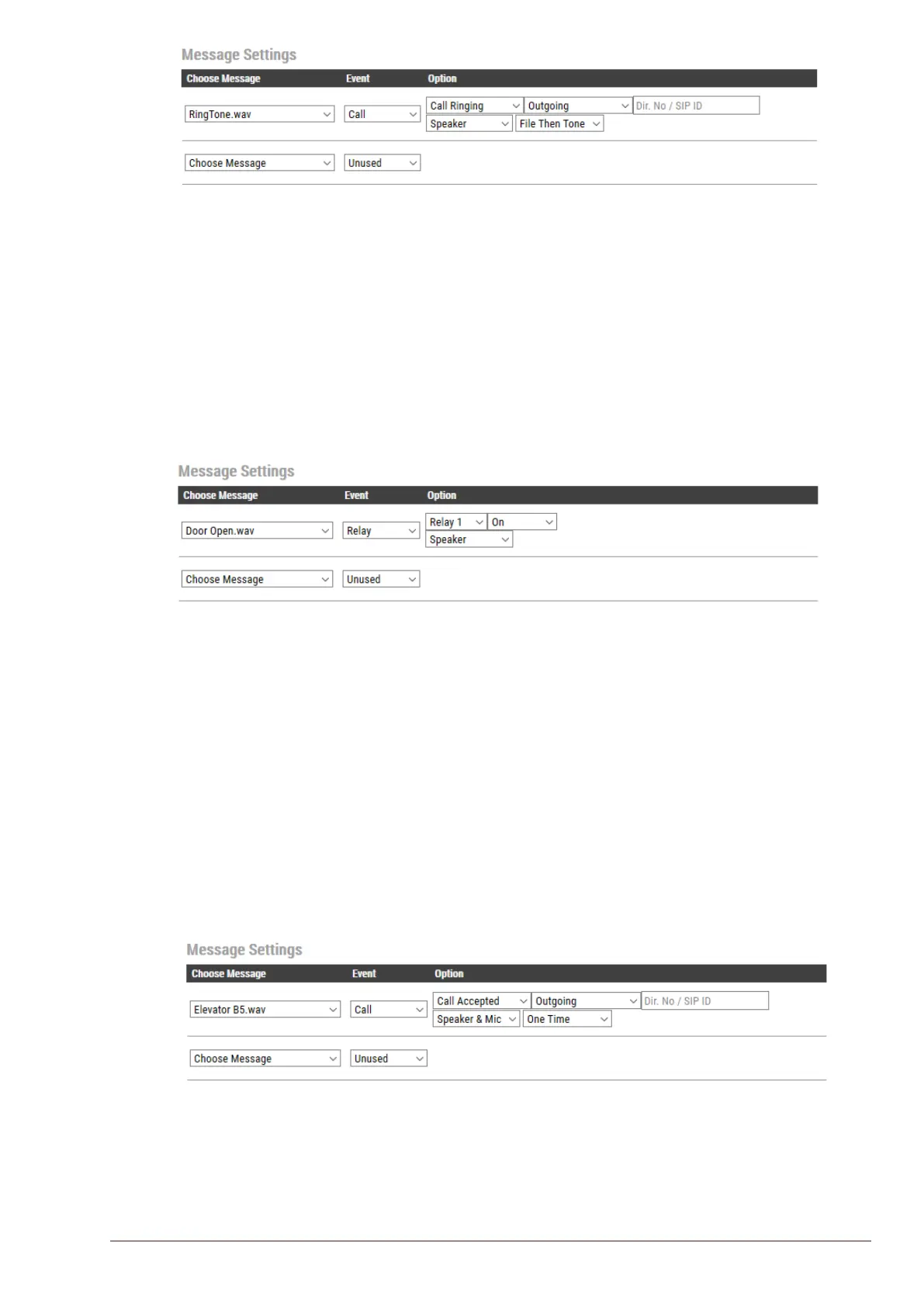
The audio message will be played once, followed by the standard ringing tone.
6.14.4 Play Message on Relay Event
An audio message can be played when a Relay or an Output changes state. Available states are:
On, O, Slow Blink, Fast Blink.
The example below shows a setting where a message (e.g. “The door is open, please enter”) will be
played when the relay of the door station is operated:
Play a message when the relay at the door station is operated
The audio message will be played once and mixed with the conversation audio.
6.14.5 Routing of Audio Message
The audio message can be routed to: Speaker or Speaker & Mic
The audio message is always routed to the loudspeaker of the station, but there is an option to send
the audio message as a “Microphone” signal as well. This means that the audio message can be
transmitted to the other party during an established call. The “Speaker & Mic” option is feasible for
the call events Call Accepted and Group Accepted. When “Speaker & Mic” option is selected, the
microphone signal will be disabled while the message is playing. Once the message has stopped
playing, the microphone will be enabled again.
The example below shows a setting where a when an elevator alarm is triggered, and the operator
answers the call, the location of the alarm will be played as a voice message:
When the alarm call from the elevator intercom is answered, an audio message, e.g. “Alarm Call from
Elevator B5”, is played in the elevator and to the receiver of the call.








 To Next Page