36
A100K11194
Turbine Station Conguration Guide
6.5 Verify System Setup
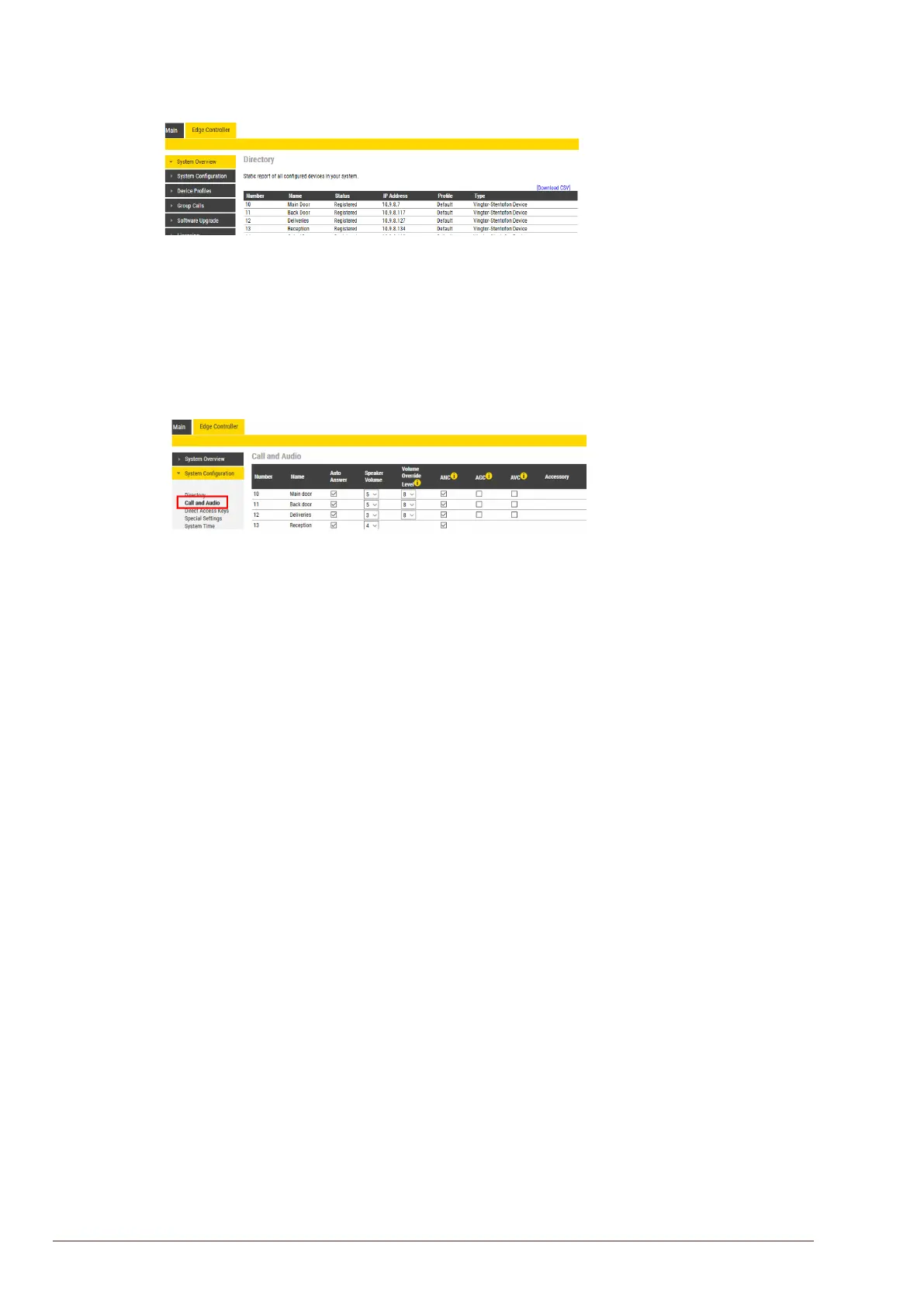
To verify that the devices are successfully registered to the Edge Controller:
● Select Edge Controller > System Overview
All stations that have been congured should be displayed in the table. Stations that are up and
running will have the status Registered.
6.6 CongureCallandAudioSettings
It is optional to congure the call and audio settings. Default settings will be used if they are not
congured.
● Select Edge Controller >SystemConguration> Call and Audio
The Call and Audio menu include the following parameters:
Auto Answer
When not enabled, incoming calls will ring (Private mode) and has to be accepted by the user. When
enabled, the call will connect straight through (Open mode). Auto Answer is typically enabled for
substations and not for master stations.
Speaker Volume
This parameter sets the speaker volume for the station.
Volume Override Level
This sets the loudspeaker volume during volume override. Volume Override is used by Group Calls
with Emergency priority.
ANC
Active Noise Cancellation: When enabled, most of the background noise will be ltered out of the
microphone signal.
AGC
Automatic Gain Control: When enabled, the microphone signal will automatically be amplied when
speaking with a low voice or if you are far away from the station.
AVC
Automatic Volume Control: When enabled, the loudspeaker volume is adjusted according to the
ambient noise level. AVC will perform better if the Speaker Volume is set to a fairly low level, as this
will give AVC a more dynamic range for adjustments. Note that AVC adjustment is disabled while the
speaker is playing audio. Adjustments are made in silent periods (min. 100 ms silence required).
Accessory
If the station model supports accessories (headset, handset, etc.), you can choose the type of
accessory here.
6.7 ModifyIC-EDGEDeviceProles
The Station Prole denes a set of service features and parameters that are available for a group of
devices.
The IC-EDGE system can have ve device proles:
● Prole 1 - Default
● Prole 2 - Substation
● Prole 3 - Display station








 To Next Page