70
A100K11194
Turbine Station Conguration Guide
9 Station Software Upgrade
This sections describes the software upgrade procedure via the web interface of the station.
Other ways of upgrading the software on the IP station can be found on Zenitel Wiki:
● Uploading the software via AlphaWeb on the AlphaCom server
- see wiki.zenitel.com/wiki/AlphaWeb#IP_Station_Upgrade
● Automatic Software Upgrade in SIP Mode
- see wiki.zenitel.com/wiki/Automatic_Software_Upgrade
● Using the Vingtor-Stentofon Intercom Manager Tool (VS-IMT)
- see wiki.zenitel.com/wiki/VS-IMT_Upgrade_Stations
L Turbine Ex stations have a built-in Flowire component. Refer to A100K11958 FCDC3 Flowire Conguration
Manual when upgrading software for Ex stations.
9.1 Prerequisites
The upgrade methods require that an TFTP Server is available and that the latest software image
les have been downloaded from Zenitel Wiki. During the upgrade process, the IP station will
connect to the TFTP Server and download the software. Install the TFTP Server program on your
PC.
9.2 Upgrade via Station Web Interface
This section pertains to upgrading from version 5.1.x.x to a newer version. For information on
upgrading from earlier versions, see wiki.zenitel.com/wiki/Turbine_Software_Upgrade.
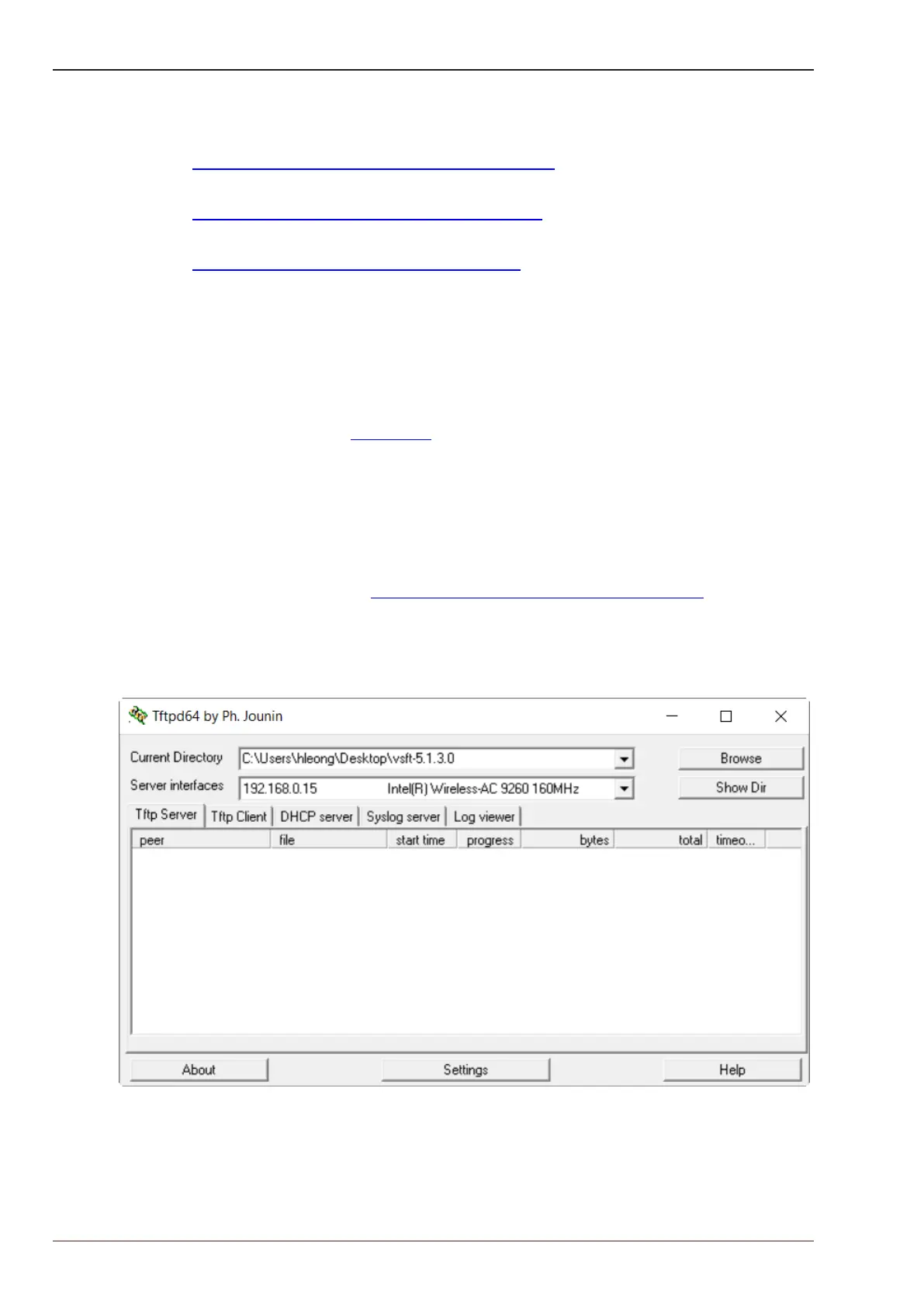
● Start the TFTP server program and click Browse to select the folder where the software image
les are located








 To Next Page