71
Turbine Station Conguration Guide
A100K11194
1. Log on to the IP Station web interface
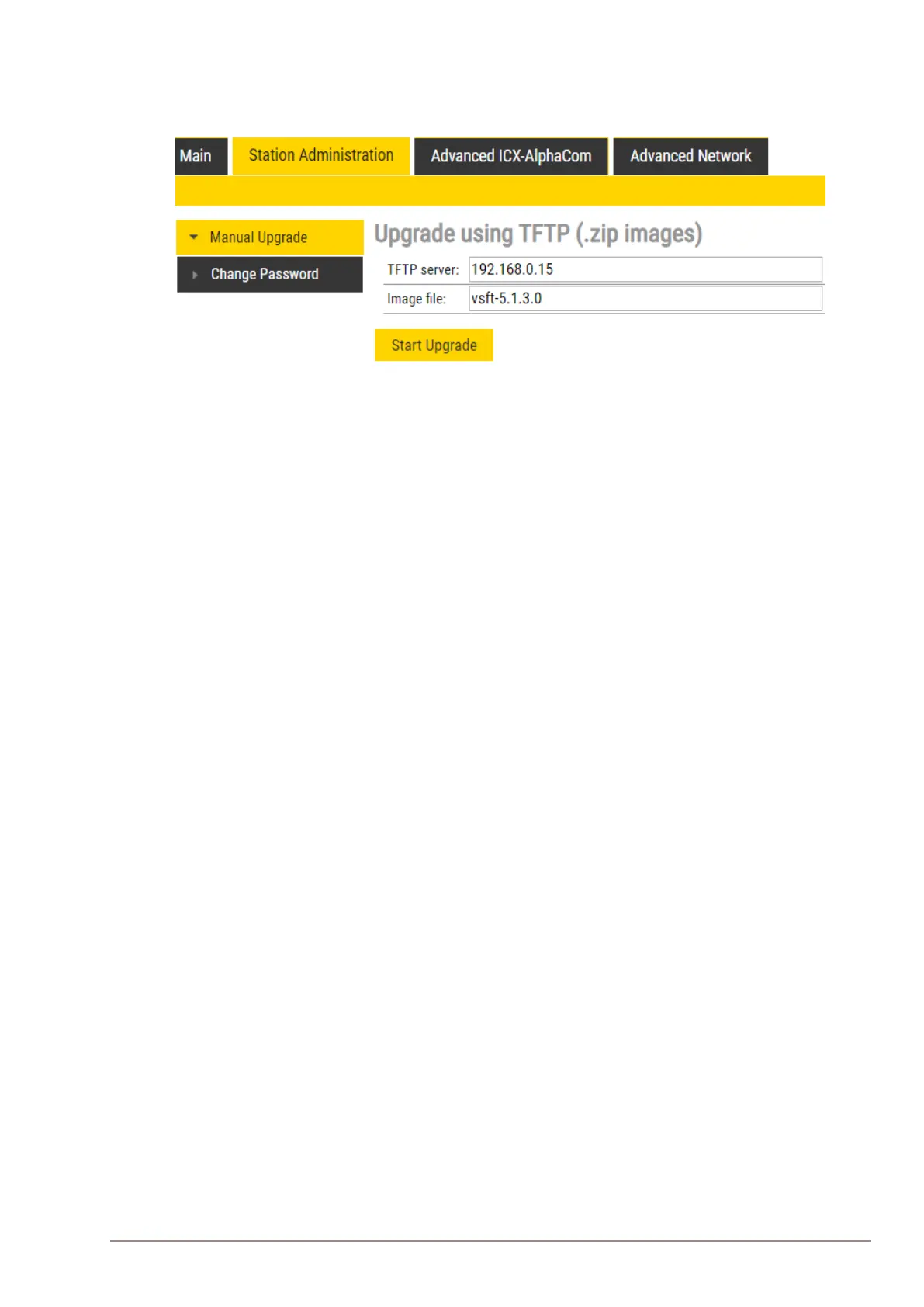
2. Select Station Administration > Manual Upgrade
3. Enter the IP address of the TFTP server (your PC’s IP address)
4. Enter the prex (e.g. vsft-5.1.x.x) to the software image les in the Imagele eld
5. Click Start Upgrade
The station will now try to contact the TFTP server. The upgrade procedure takes about 3 minutes.
The process can be monitored by clicking the Log viewer tab in the TFTP server program.
L During an upgrade of the station, 802.1X will not be running. Thus if 802.1X reauthentication is enabled
and is performed during the upgrade, the station may lose contact with the TFTP server (depending on
the conguration when 802.1X authentication fails). If the station loses contact with the TFTP server, it will
not be upgraded.








 To Next Page