25
Turbine Station Conguration Guide
A100K11194
5.2 Main Settings
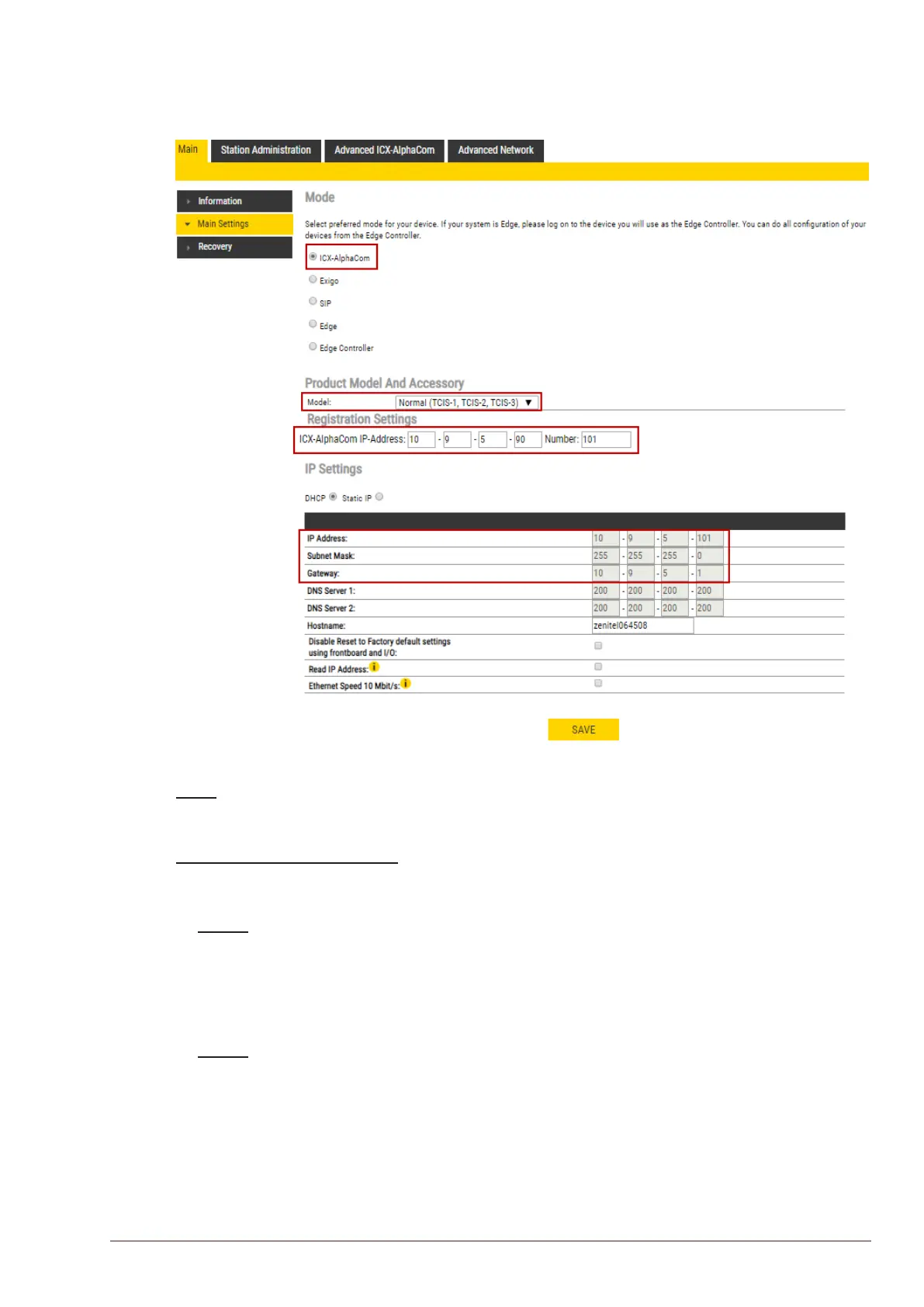
To access the page for conguring station mode and IP parameters:
● Select Main > Main Settings
Mode
● Select the ICX-AlphaCom radio-button
Product Model and Accessory
The options presented will depend on the Turbine model (Compact, Industrial, Ex).
● Select one of the options from the Model drop-down box:
Model: (for Compact)
- Kit (TKIS-2)
- Normal (TCIS-1, TCIS-2, TCIS-3)
- OLED Labels (TCIS-4, TCIS-5)
- Scrolling Station (TCIS-6)
- Mini (TMIS-1, TMIS-2)
Model: (for Extended)
- TKIE-1 (Kit)
- TFIE-1
- TFIE-2
- TFIE-6
- ECPIR-3P








 To Next Page