38
A100K11194
Turbine Station Conguration Guide
Default Group Call Settings
The factory default settings for group calls are as follows:
Nickname
(Display Text)
Directory
Number
Priority Group
Members
Chime Answer
All Call 84 EMERGENCY All Stations Ding Dong Yes
Group Call 1 85 HIGH None Ding Dong Yes
Group Call 2 86 NORMAL None Ding Dong Yes
Group Call 3 87 LOW None Ding Dong Yes
When adding a new station to an existing IC-EDGE system, the station will automatically become a
member of the All Call group.
CongurationofGroupCalls
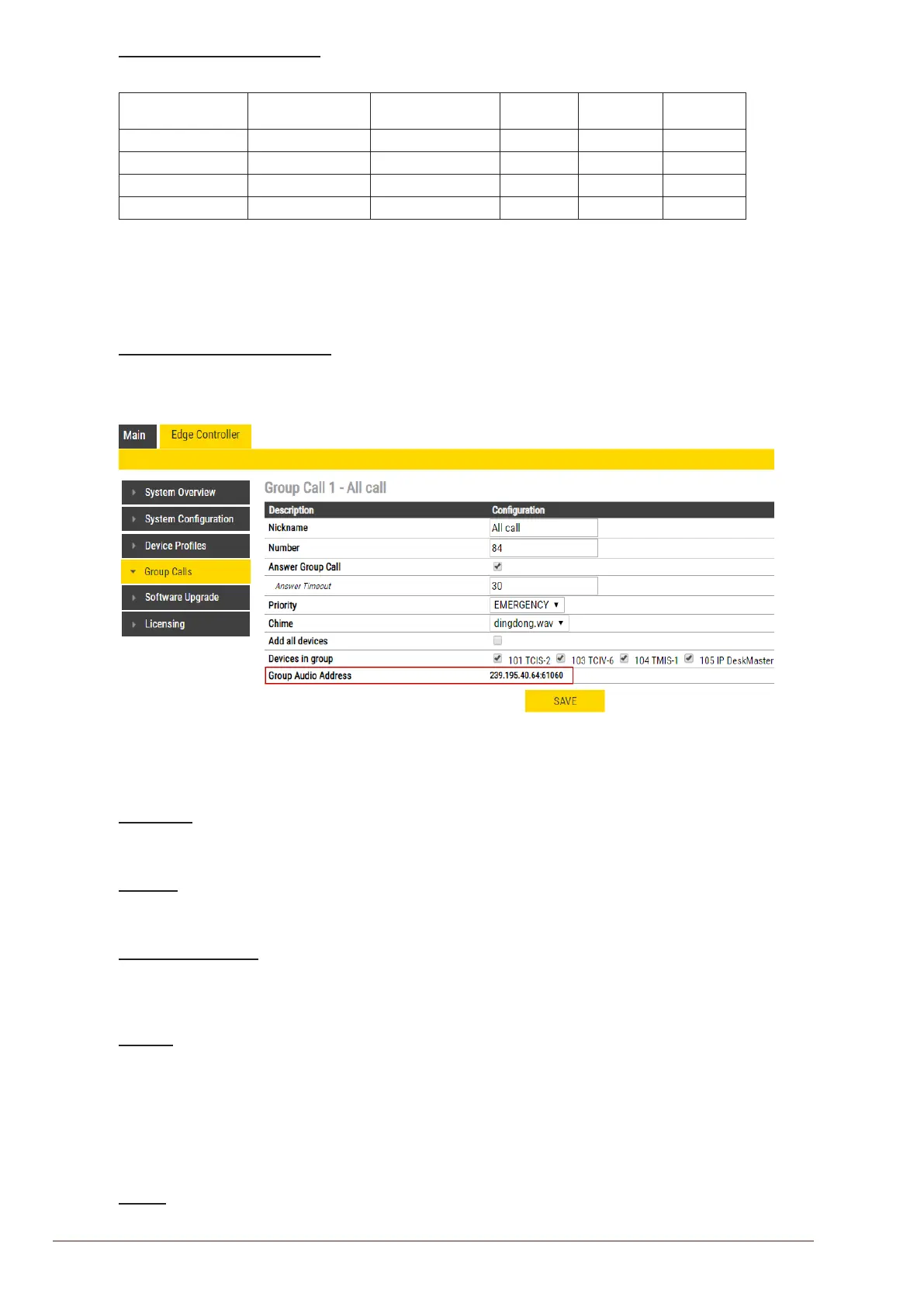
The Group Call properties are congured via the Edge Controller.
● Select Edge Controller > Group Calls
Change the parameters for each group as required:
Nickname
This is the display text shown in the initiating station when the group call is activated. Can be any
text.
Number
The number to dial to activate the group call. If changed, a reboot of the Edge Controller is required
for the changes to take eect.
Answer Group Call
Enable Group call answer by pressing “99” and setting the Answer Timeout. Default timeout value
is 30 seconds to answer after the Group Call has been terminated. Timeout value of 0 means
answering is only possible during the Group Call.
Priority
Priorities can be set for one Group Call at a time. A Group Call with higher priority will override a
lower priority Group Call.
EMERGENCY: Volume and handset override. The Group Call audio is mixed with conversation audio
HIGH: The Group Call audio is mixed with conversation audio
NORMAL: The Group Call audio is not played if there is an ongoing conversation
LOW: The Group Call audio is not played if there is an ongoing conversation
Chime
Enables the playing of a ding-dong chime when a device receives a Group Call.








 To Next Page