37
To add a sequence
1.
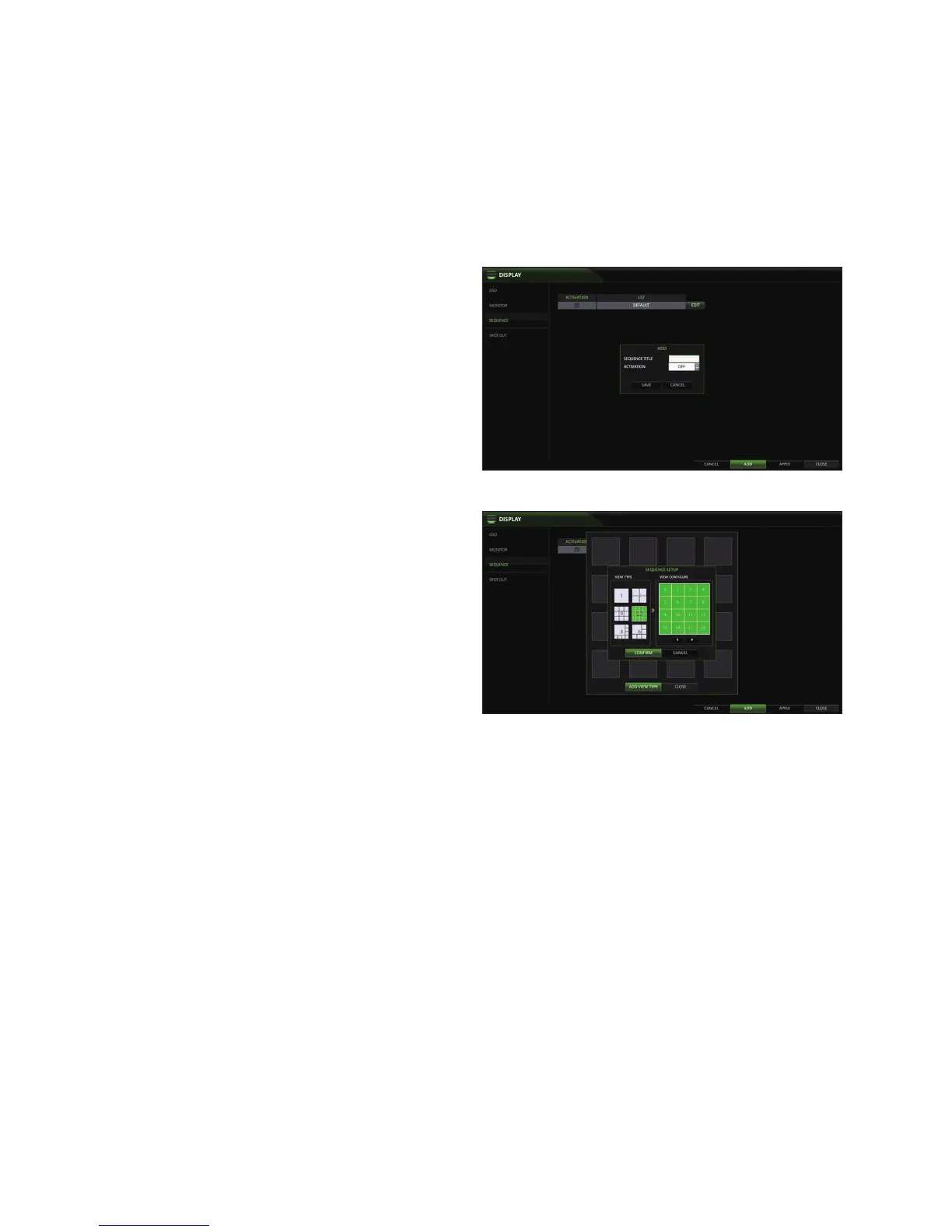
Click <ADD> in the bottom of the screen.
2.
When the "ADD" dialog appears, enter a title using the
virtual keyboard.
3.
Enter the name of the sequence and click <SAVE>.
4.
Select <ADD VIEW TYPE> .
5.
When the "SEQUENCE SETUP" dialog appears, select a
split mode that you want to add from <VIEW TYPE>.
6.
When the selected split mode is displayed on <VIEW CONFIGURE>, select a channel you want to display in each split
screen.
7.
Click <CONFIRM>.
The set sequence mode is confirmed and will be
added to the Sequence list
8.
When done, click <CLOSE> in the bottom of the
screen.
After the sequence type is saved, you will return to the
previous screen.



 To Next Page