VIVOTEK
16 - User's Manual
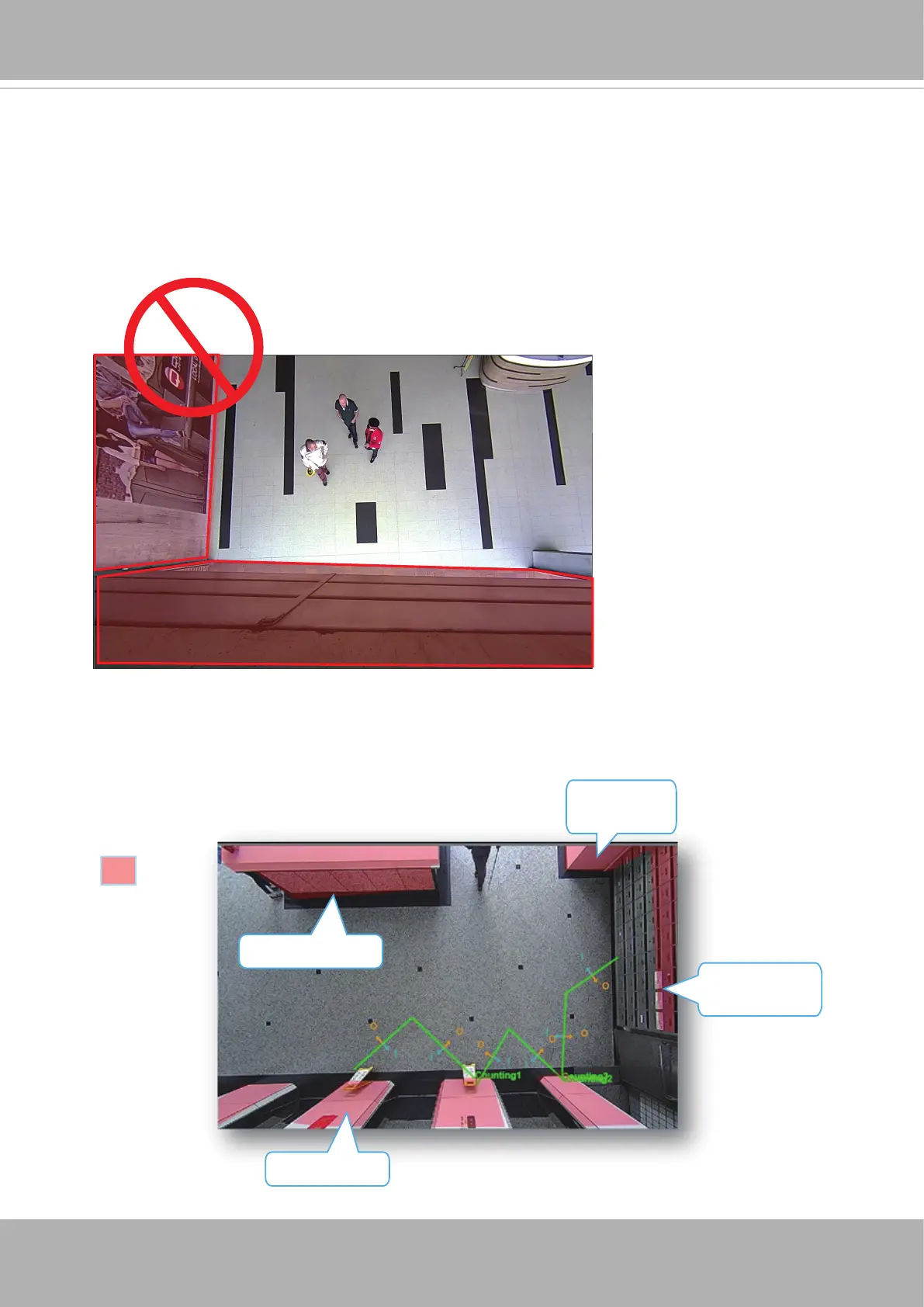
6. For counting to work properly, you should avoid having the view covering a large portion
of walls as shown below.
white marble
stainless,
reflective panel
White table top
Exclusive area
Mono-color
surface
7. You can use the Exclusive area setting to get rid of the effects of some elements in the
scene. They include: white or bright surfaces, mono-color surfaces, mirror, glass door,
or reective materials that might introduce false images. Avoid covering the oor with
Exclusive areas.
6-1. Keep camera away from wall or other obstacles to optimize the effectiveness of
FOV.
6-2. Select a location that can cover a longer object trajectories for better tracking
results.













 To Next Page