Chapter 7, Using Vitals Desktop: Database Options
E.H. Wachs Part No. 79-MAN-04, Rev. I 185
DATABASE OPTIONS
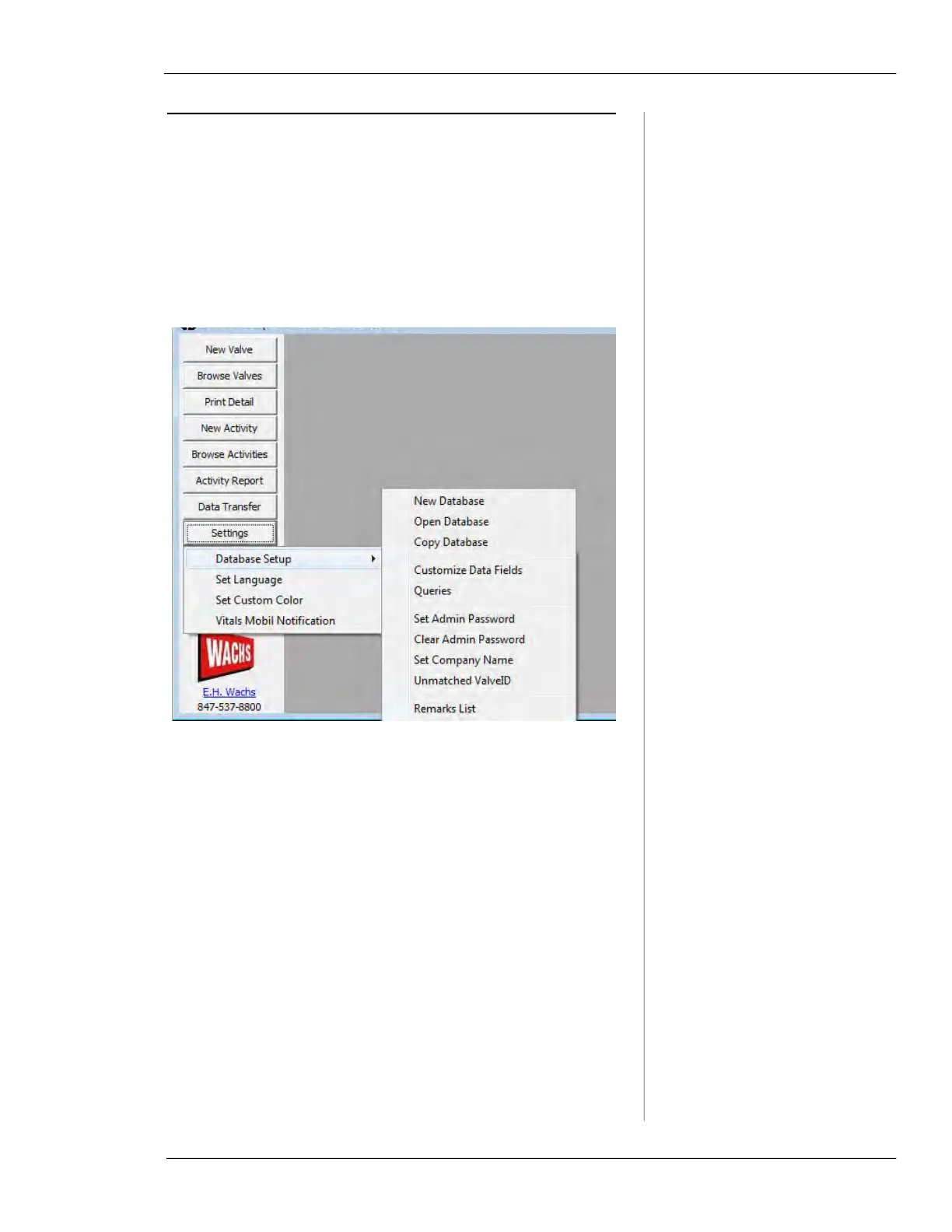
Database Setup
This section describes the actions you can perform with the
currently open database. Click the
Settings button and select
the
Database Setup command to see the database options.
Figure 7-60. Database Setup Options
•
New Database allows you to create a new blank data-
base.
•
Open Database allows you to open an existing database.
•
Copy Database allows you to create a copy of an existing
database.
•
Customize Data Fields displays the Customize Data
Fields screen, which allows you to create custom fields
to your database for valves and activities. See section
“Customize Data Fields” for more information.
•
Queries displays the Query List screen, which allows
you to create and run SQL queries against the currently
open database. See section “Queries” for more informa-
tion.
•
Set Admin Password allows you to create a password to
limit access to the Database Setup options.



 To Next Page