Vitals Reference Manual
52 Part No. 79-MAN-04, Rev. I E.H. Wachs
VALVE OPERATION
Vitals Mobile Controller
E.H. Wachs "No-Assump-
tion" Valve Exercising
When you run the valve oper-
ator in EXER mode, it uses
the "no-assumption" exercis-
ing protocol to determine
direction of valve rotation.
Refer to Appendix A for a
detailed description of the no-
assumptions protocol.
The Vitals Controller is the program for operating E.H.
Wachs valve operators. If using a cable connection, make
sure the control cable is connected to the USB or serial port
on the controller and to the port on the valve exerciser. If
using a Bluetooth connection, make sure a Bluetooth mod-
ule is properly installed and that the Bluetooth settings on
the controller have been properly set up.
1.
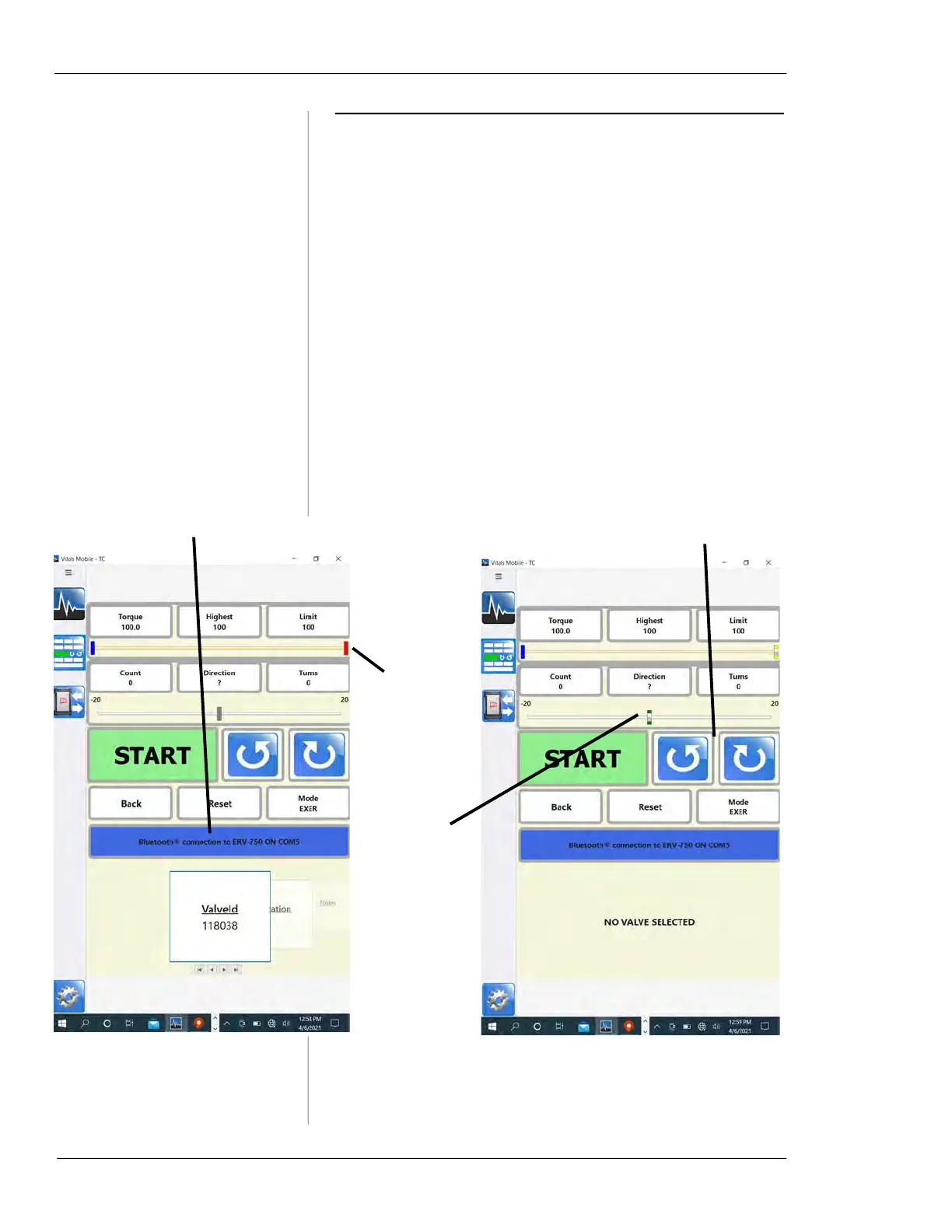
On the Vitals Mobile screen, tap the Controller button.
The Controller screen appears. If a valve or activity
was selected on the Home screen, that valve is
selected by default.
Figure 5-28. Controller screen with valve selected
(left) and without valve (right).
Red torque
line is a scale
displaying
highest torque
for current
operation.
Scale displays
relative position
(in turns) from
the operation
starting point.
Gray set points
are displayed at
both ends of
travel.
Jog buttonsStatus line



 To Next Page