Chapter 5, Using Vitals Mobile-TC (TC-100 Controller): Starting Up
E.H. Wachs Part No. 79-MAN-04, Rev. I 29
Tablet Settings
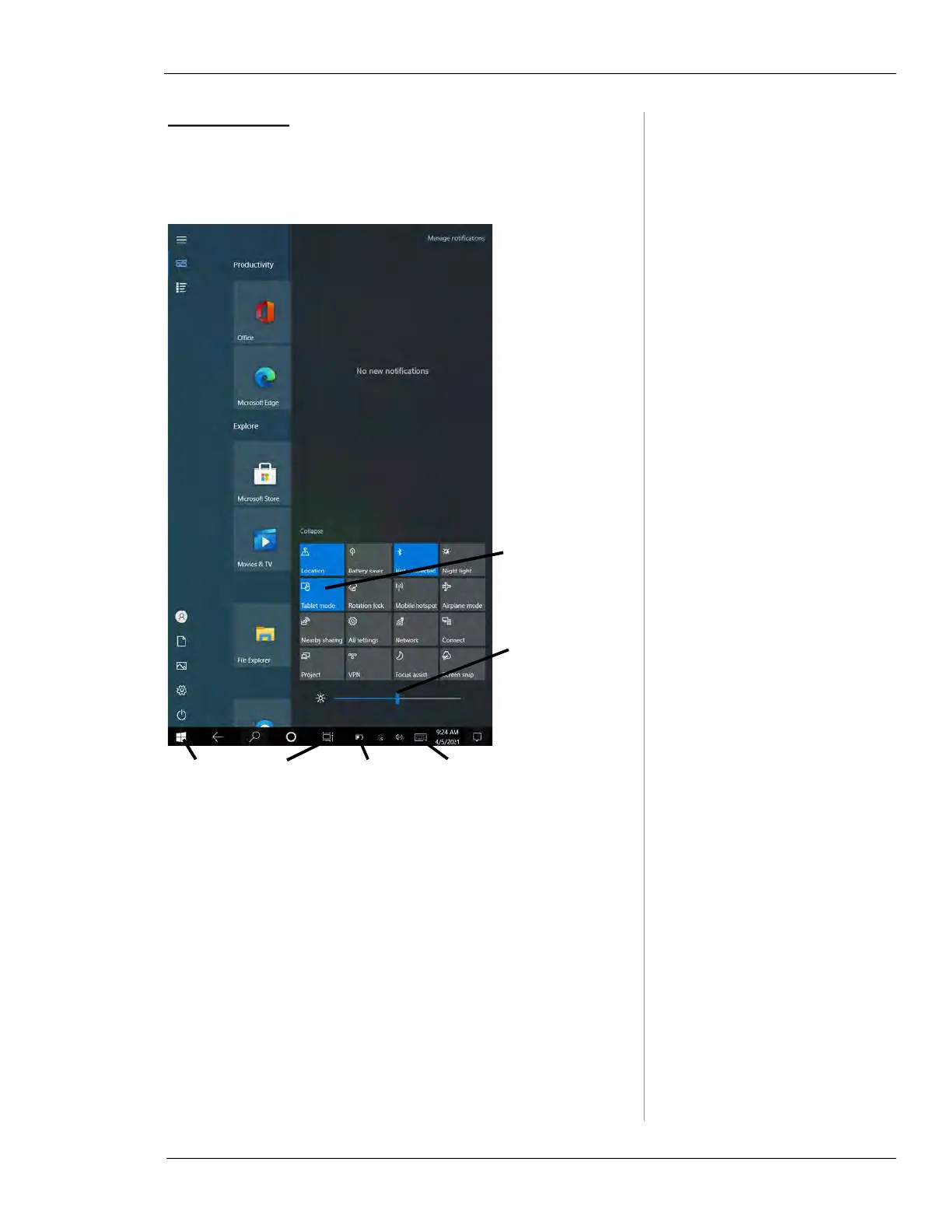
Swipe from the right edge of the screen toward the middle
to display the Notifications and Device Settings menu.
Figure 5-2. The figure shows the Notifications and
Device Settings menu. Swipe from the right edge to
show and hide the menu.
Tap on the left side of the screen or swipe again from the
right to hide the settings.
Initial TC-100 Setup
The TC-100 functions as a standard Windows 10 Pro com-
puter. Initial setup is the same as for a new PC. Consult with
your IT person or department for assistance, if necessary.
Switch device
mode between
tablet and PC
Set screen
brightness
Windows
menu
App
switcher
Battery
gauge
Show/hide
keyboard



 To Next Page