Vitals Reference Manual
28 Part No. 79-MAN-04, Rev. I E.H. Wachs
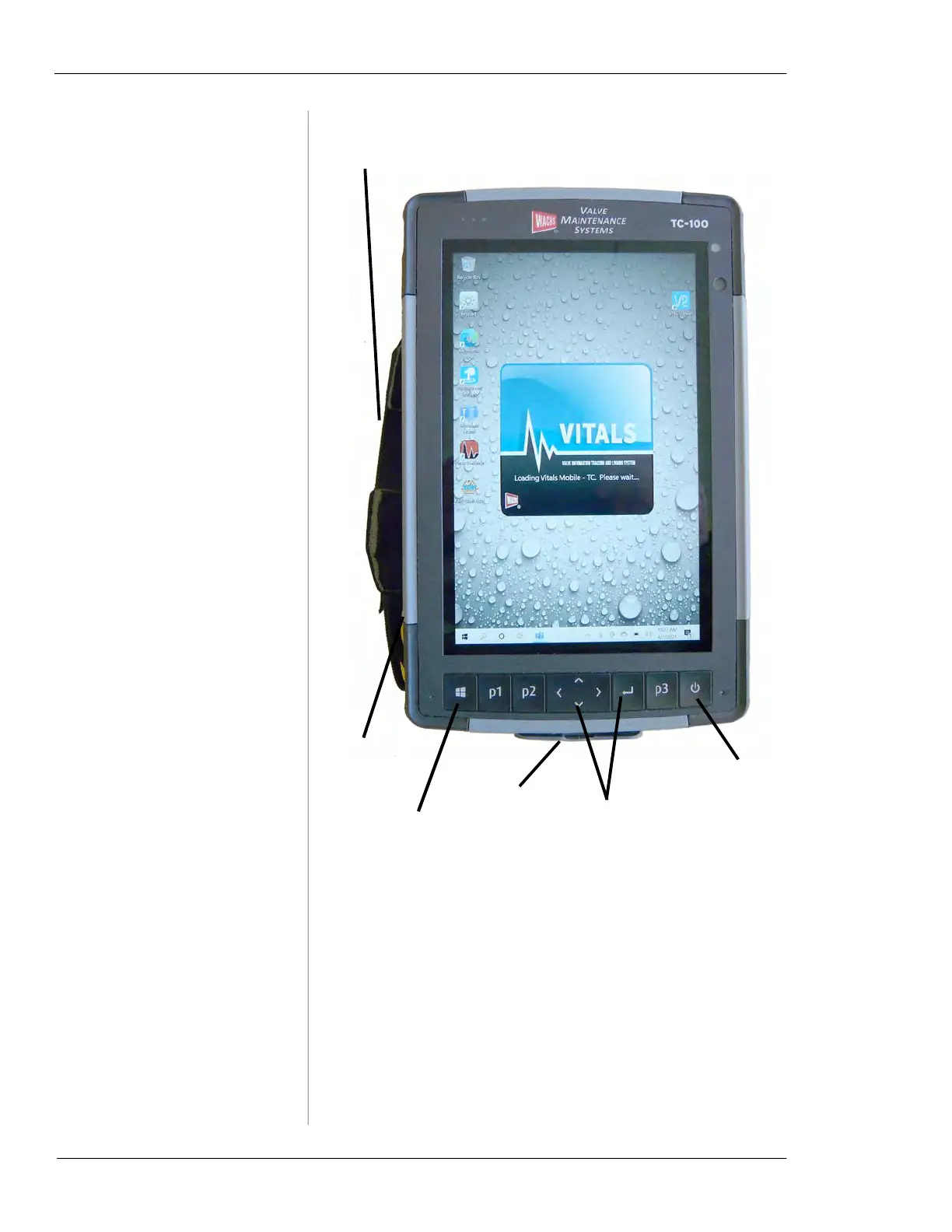
Figure 5-1. TC-100 connections and control buttons
An optional dock is available. You can mount the TC-100 in
the dock to charge and connect it to a wired network. The
docking connector is on the left side of the tablet; it docks in
landscape mode.
Press the TC-100 down onto the dock until it snaps in place.
To remove it, press the release button on the front of the
dock.
Windows
menu
Power
on/off
P1/P2/P3 are programmable functions
Direction keys and
back button (not used
in Vitals Mobile)
Power and
USB ports
Attach holding strap
(either side of TC-100)
Docking
port on
side



 To Next Page