Vitals Reference Manual
108 Part No. 79-MAN-04, Rev. I E.H. Wachs
it, but torque control will not be reliable. Use caution to
avoid damaging the valve.
Valve Operation with Data Logging
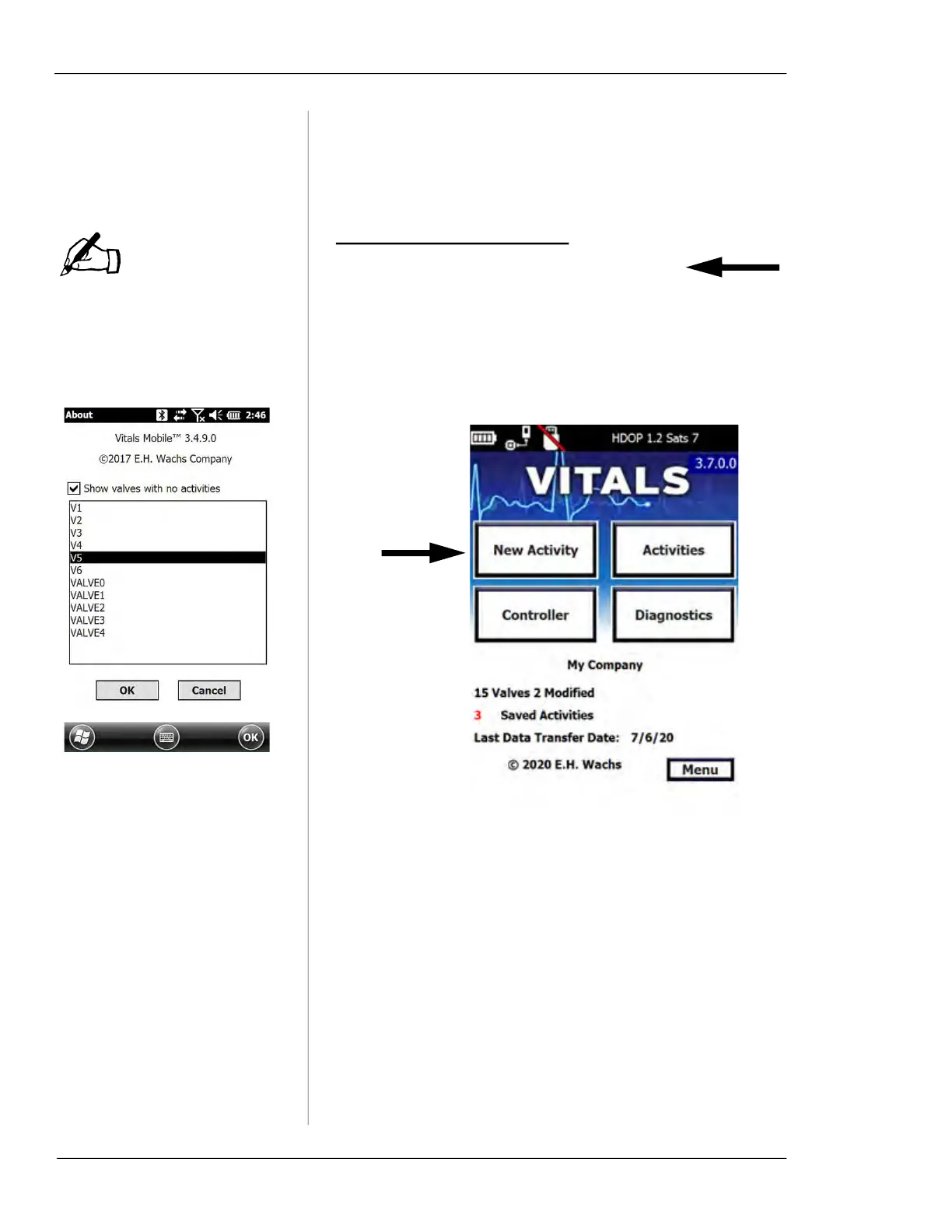
You can list valves that have
no activities by displaying the
About screen (Menu->About)
and tapping the Show valves
with no activities checkbox.
After you select a valve ID
and click OK, the valve record
will appear and you can begin
the activity.
This feature is a shortcut to
find valves that you have not
exercised from the list down-
loaded to Vitals Mobile.
Starting a New Valve Activity
Before starting new activities, perform a data transfer with
Vitals Desktop to sync any changes from the Vitals data-
base to the controller.
1.
Tap the New Activity button on the Vitals Mobile
screen.
2.
The Valve ID screen appears.
NOTE



 To Next Page