Vitals Reference Manual
18 Part No. 79-MAN-04, Rev. I E.H. Wachs
WHAT'S INCLUDED
The Vitals Desktop 3.8.1 installer includes the following files:
• Vitals Desktop application
• Vitals Reference Manual PDF
• Language pack files
• Windows Mobile Device Center installation files
• Vitals Mobile-HC installation CAB file
• Vitals Mobile-TC installation MSIX file.
INSTALLING VITALS DESKTOP
Before running the installer,
transfer any activities saved
on the handheld controller to
the Vitals database. See
“Transferring Data Between
Vitals Desktop and Vitals
Mobile” on page 148.
1.
Run the downloaded installer file. The Setup Wizard
should begin automatically.
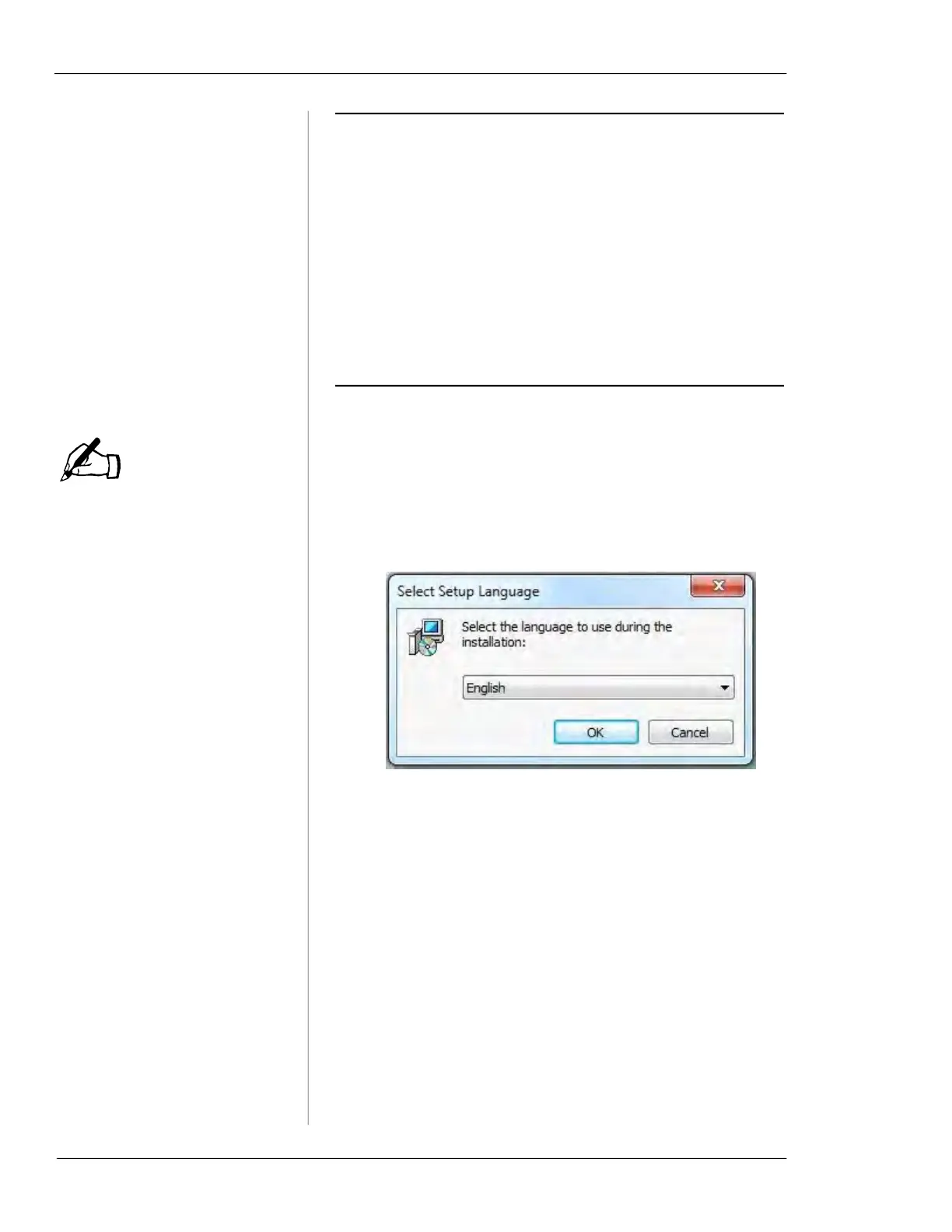
2.
The Select Setup Language window appears. Choose a
language from the dropdown list and click
OK.
3.
The Setup - Vitals Desktop window appears. Click Next
to continue.
4.
The Vitals Installer Options window appears. To pro-
ceed with the Vitals installation, select
Install Vitals
3.8.1 Software
and click Next. You can also choose to
view the Vitals Reference Manual from this screen.
5.
The Information window appears. Read through the
Change Log and New Features to familiarize yourself
with Vitals 3.8.1. Click
Next to continue.
6.
The Select Start Menu Folder window appears. Choose
a location for the Vitals shortcut, or click
Next to
install the shortcut to its default location.
NOTE



 To Next Page