Chapter 5, Using Vitals Mobile-TC (TC-100 Controller): Valve Operation
E.H. Wachs Part No. 79-MAN-04, Rev. I 55
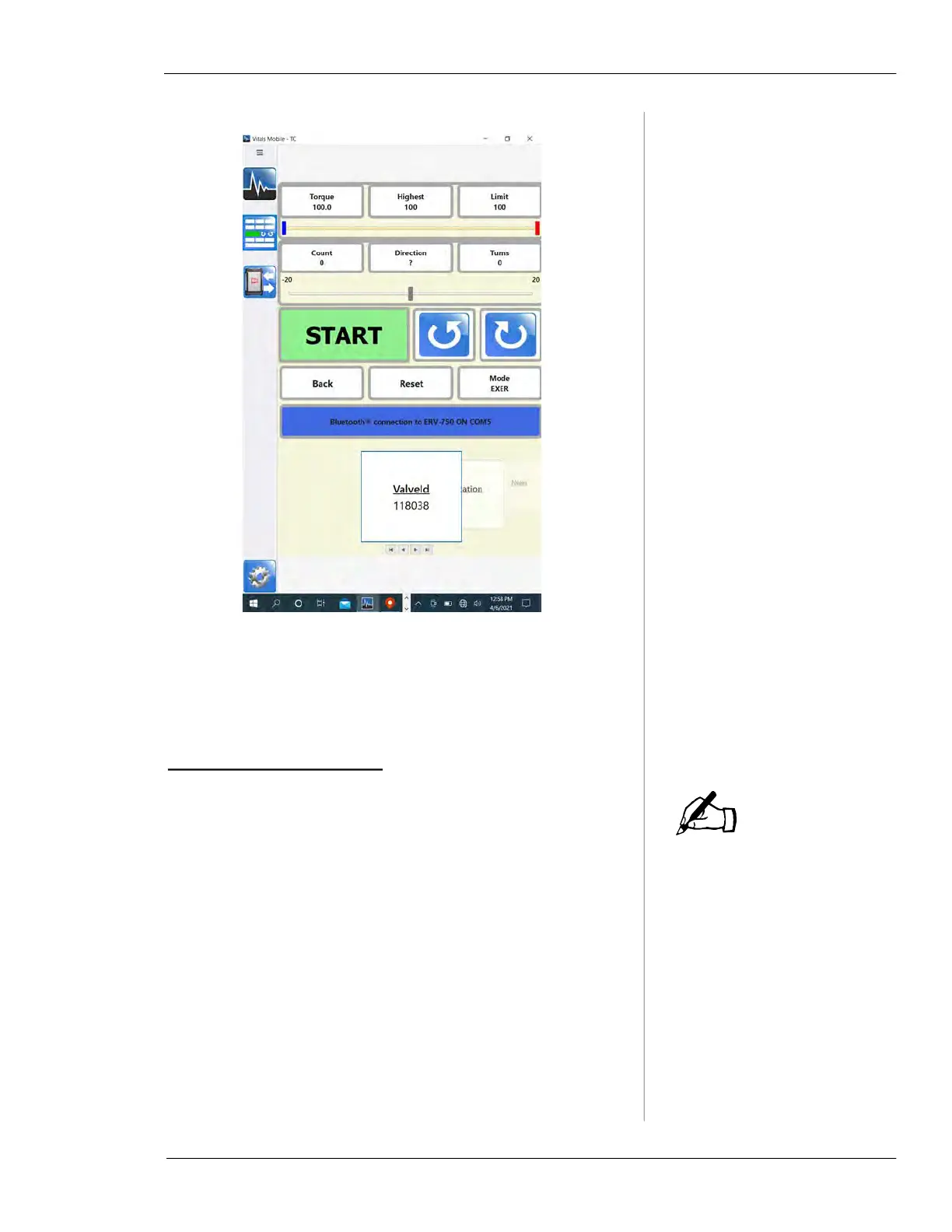
Figure 5-29. Start the valve activity for a selected
valve.
5.
Start the activity. See “Vitals Mobile Controller” on
page 52.
Finding Valves on the Map
Live Maps data are available
only when the TC-100 is
online (connected to wi-fi or a
mobile hotspot). To use Maps
without an internet connec-
tion, download your local
map. Tap the Windows icon,
go to Settings, then
Apps>Offline Maps. Find your
location and download the
map.
You can list valves that have GPS data by location, and
show them using Maps. This allows you to find valves close
to your current location.
1.
Select the All GPS Data Query on the Home screen.
2.
Tap the Dist. from column header to sort the closest
valves to the top of the list.
3.
Tap a valve record in the list to select it.
• The Maps icon highlights to show GPS data is avail-
able.
NOTE



 To Next Page