Vitals Reference Manual
88 Part No. 79-MAN-04, Rev. I E.H. Wachs
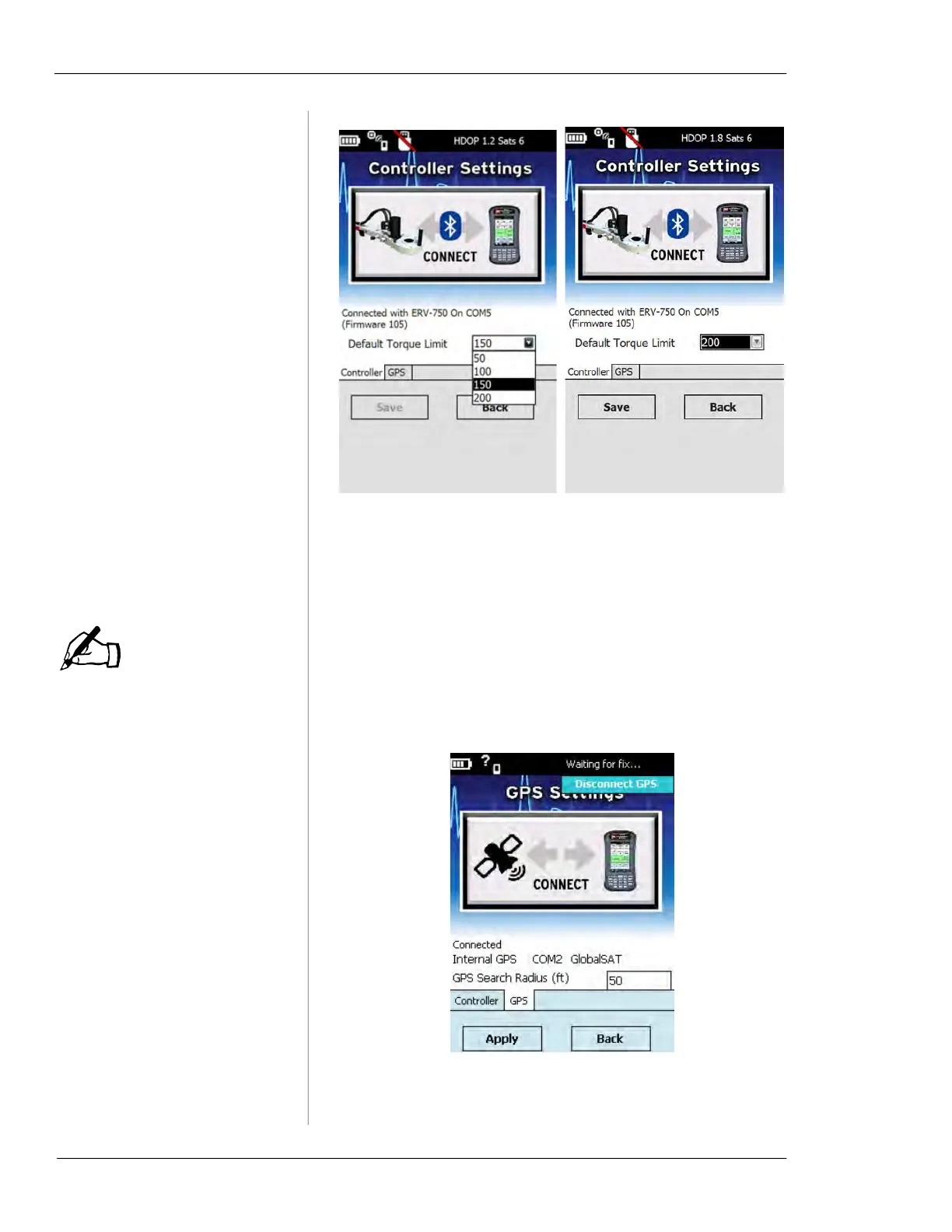
Figure 6-15. Select the desired torque limit and then
tap
Save.
Changing GPS Settings
HC-100 internal GPS:
GPS COM Port: COM8
GPS Baud Rate: 115200.
1.
To change GPS settings, tap GPS status at the top
right of the Vitals screen.
• If the internal GPS is connected, the
Connected Inter-
nal GPS
message appears.
Figure 6-16. Connected Internal GPS
NOTE



 To Next Page