Vitals Reference Manual
186 Part No. 79-MAN-04, Rev. I E.H. Wachs
• Clear Admin Password lets you remove password protec-
tion from the database. It will prompt you for the pass-
word when changing this setting.
•
Set Company Name allows you to create or edit a com-
pany name associated with the currently open database.
•
Unmatched ValveId allows you to find activities from the
Activities table that do not have an associated valve
with the same ValveId in the Valves table. This option
will allow you to create valves with ValveIds in the
Valves table to ensure that all activities in the Activities
table are associated with a valve in the Valves table.
•
Remarks List displays the remarks you have defined and
allows you to create new remarks. See section “Remarks
List Window” for more information.
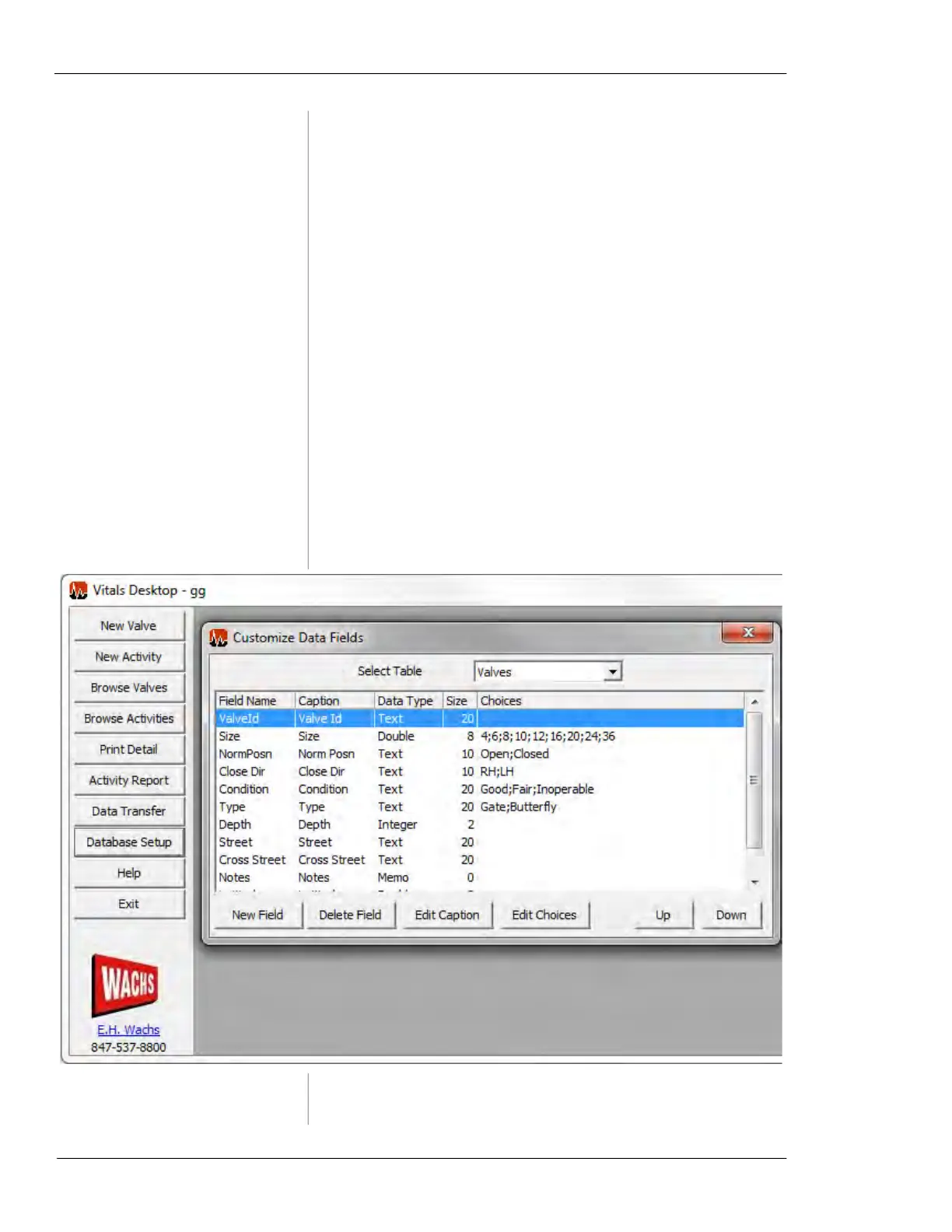
Customize Data Fields
This section describes the Customize Data Fields screen and
how to create custom data fields.
Figure 7-61. Customize Data Fields



 To Next Page