Chapter 5, Using Vitals Mobile-TC (TC-100 Controller): Valve Operation
E.H. Wachs Part No. 79-MAN-04, Rev. I 57
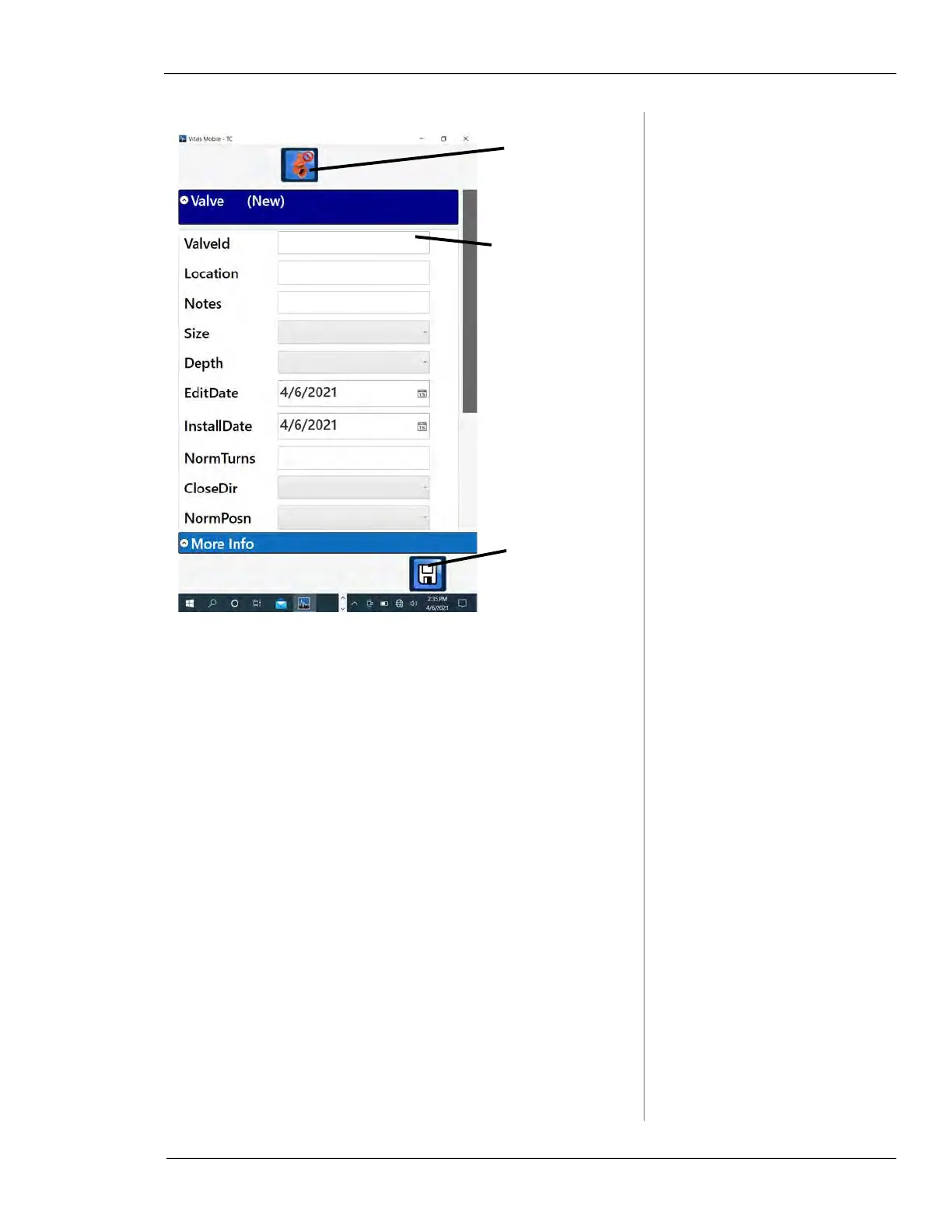
Figure 5-31. New valve screen.
2.
Enter a valve ID and as much information about the
valve as you want. Tap the Save button.
3.
Tap the Controller icon. Perform the valve activity,
then tap the
Back button to save the activity informa-
tion. See “Vitals Mobile Controller” on page 52.
4.
You can also start a New Valve activity by going to
the Controller first. The Controller appears with
NO
VALVE SELECTED
at the bottom of the screen.
Tap in the fields
to display the
keyboard and
enter informa-
tion
Tap the Save
icon to save
the valve
Tap the Cancel
button to can-
cel the New
valve creation



 To Next Page