Chapter 5, Using Vitals Mobile-TC (TC-100 Controller): Vitals Mobile Diagnostics
E.H. Wachs Part No. 79-MAN-04, Rev. I 71
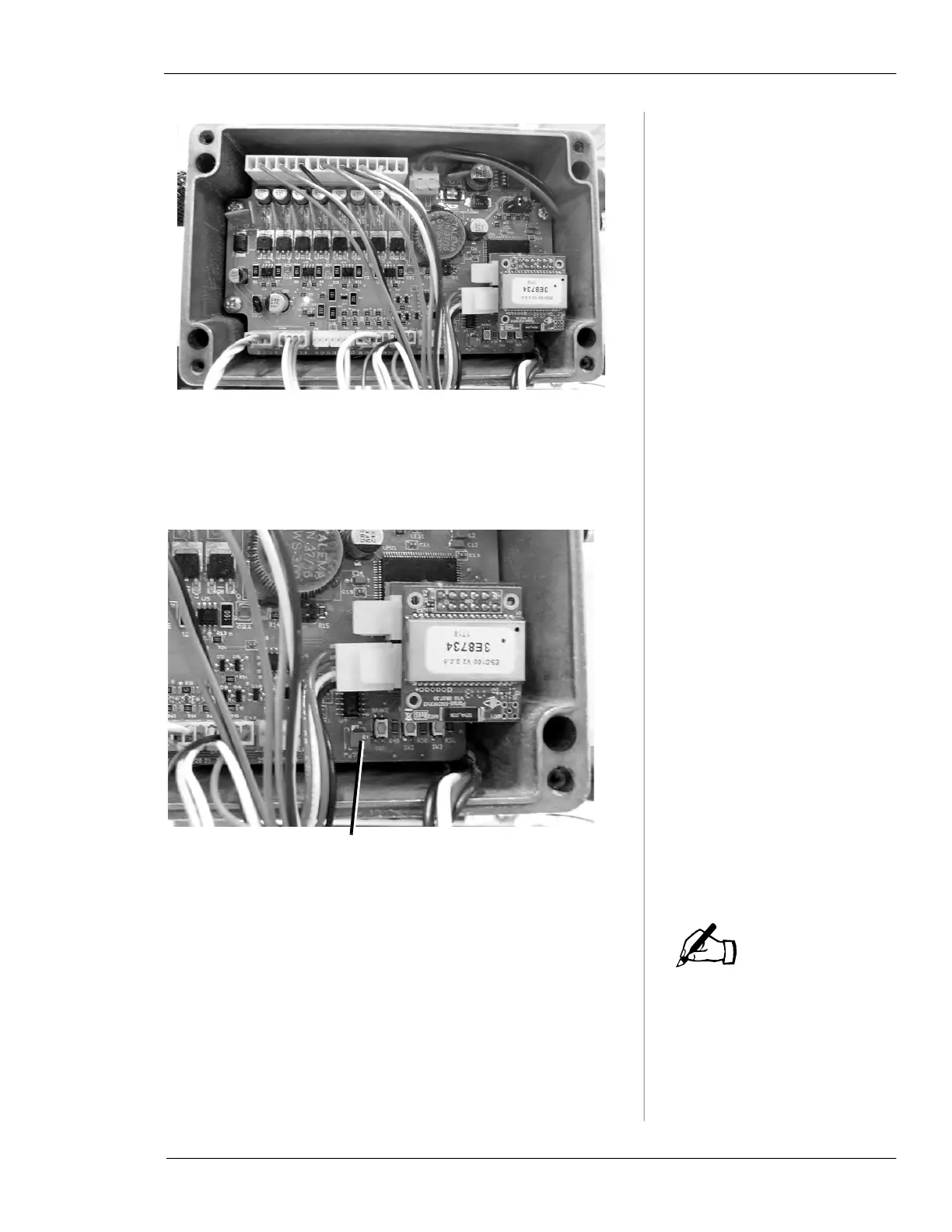
Figure 5-36. Open the control box to adjust the trans-
ducer potentiometer.
2.
Locate the potentiometer on the control board. You
will need a jeweler’s screwdriver to adjust it.
Figure 5-37. Locate the adjustment screw on the
potentiometer.
The actual values for A and B
may vary, depending on
whether hydraulic power is
on. It doesn’t matter what the
values are when adjusting
the potentiometer—only that
you set them to be equal.
3.
Turn the adjustment screw on the potentiometer while
watching the value for
A on the Vitals Diagnostics
Hydraulics Test screen. Adjust the
A value until A and
B are equal.
IMPORTANT: Do NOT run the Hydraulics Test while
performing this adjustment. The valve operator must be
in the stopped condition.
Potentiometer adjustment screw
NOTE



 To Next Page