WDR Software User Manual System Setup
24-10437-3 Rev. A 2-3
This document contains confidential and proprietary information of Weldex Corporation. 9/10/08
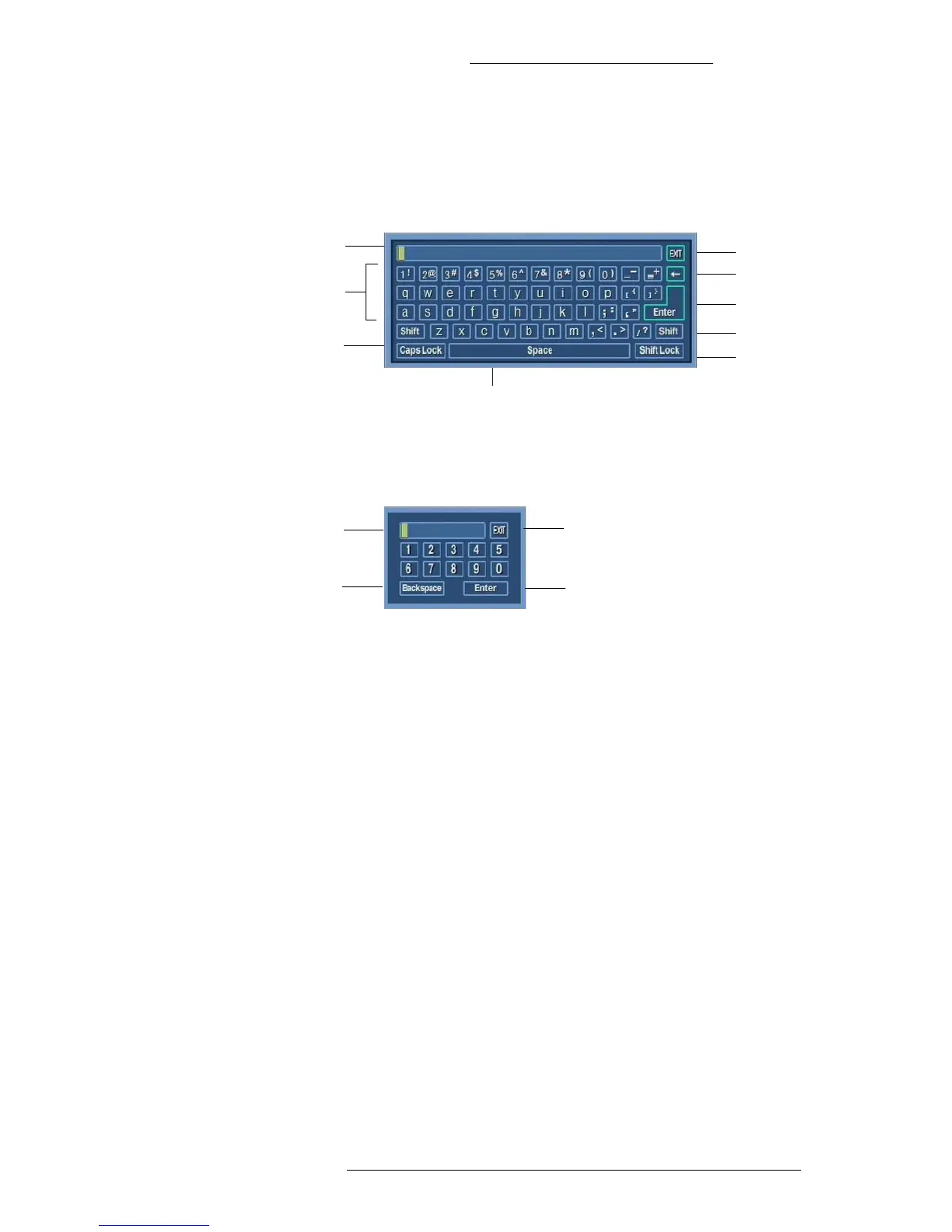
Virtual Keyboard
There are two types of virtual keyboards. When you need to enter letters, numbers,
and/or other characters, a full keyboard will be displayed.
Space
Numeric and
alphabetical
keys
Exit
Backspace
Enter
Shift
Shift Lock
Edit box
Caps Lock
When the allowed input is numbers only, a numeric keyboard will be displayed.
Edit box
Exit
Enter
Backspace
To use the virtual keyboard:
1. Move the mouse pointer over a virtual key and click on it. Typed text will
appear in the Edit box.
2. To confirm the text you typed and exit click on Ent
er.
3. You can also close the keyboard without saving
the text by clicking Exit.



 To Next Page