WDR Software User Manual System Setup
24-10437-3 Rev. A 2-39
This document contains confidential and proprietary information of Weldex Corporation. 9/10/08
Save – Click to save the changes.
Cancel – Click to cancel t
he changes.
Close – Click to close the window.
T
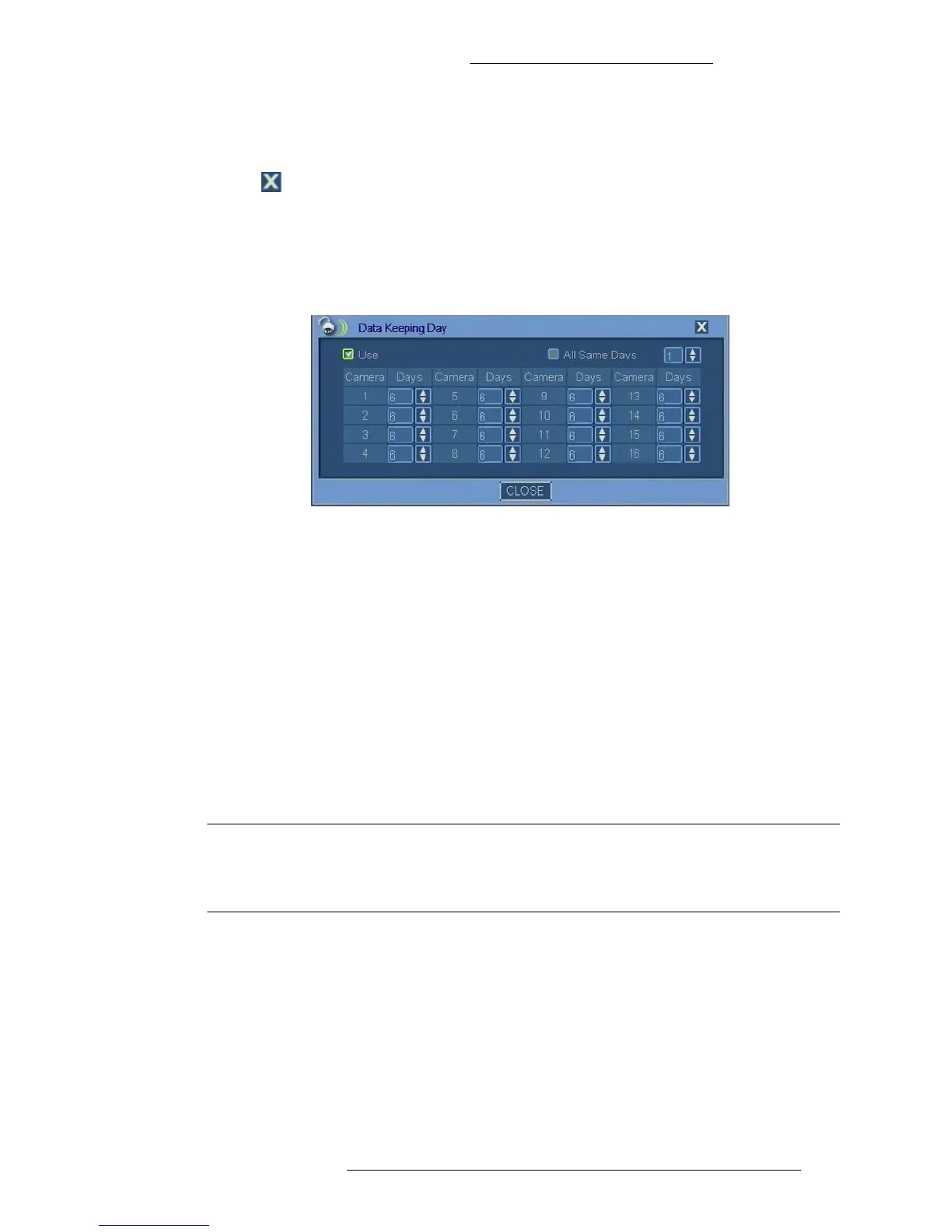
o set up Data Keeping Day:
1. In the Camera window click Data Kee
ping Day.
2. To enable the feature, select the Us
e check box.
3. By default, all cameras are set to keep data for 6 days.Maximum number of
days is 30 for each camera.
Use the arrow buttons to change the value for specific cameras or select the
Al
l Same Days button and change the value for all cameras at once.
To set the same number of days for all
cameras, select the All Same Day(s)
check box and indicate the number of days.
You can also use the arrow buttons change
the value for specific cameras. To
enable the buttons, the All Same Day(s) check box must be un-selected.
4. Click Cl
ose to save the changes.
Configuring Recording Schedule
NOTE
Recording works independently from alarms. This means that alarm, when
configured, will be triggered by defined conditions whether or not recording
is currently enabled according to recording schedule.



 To Next Page