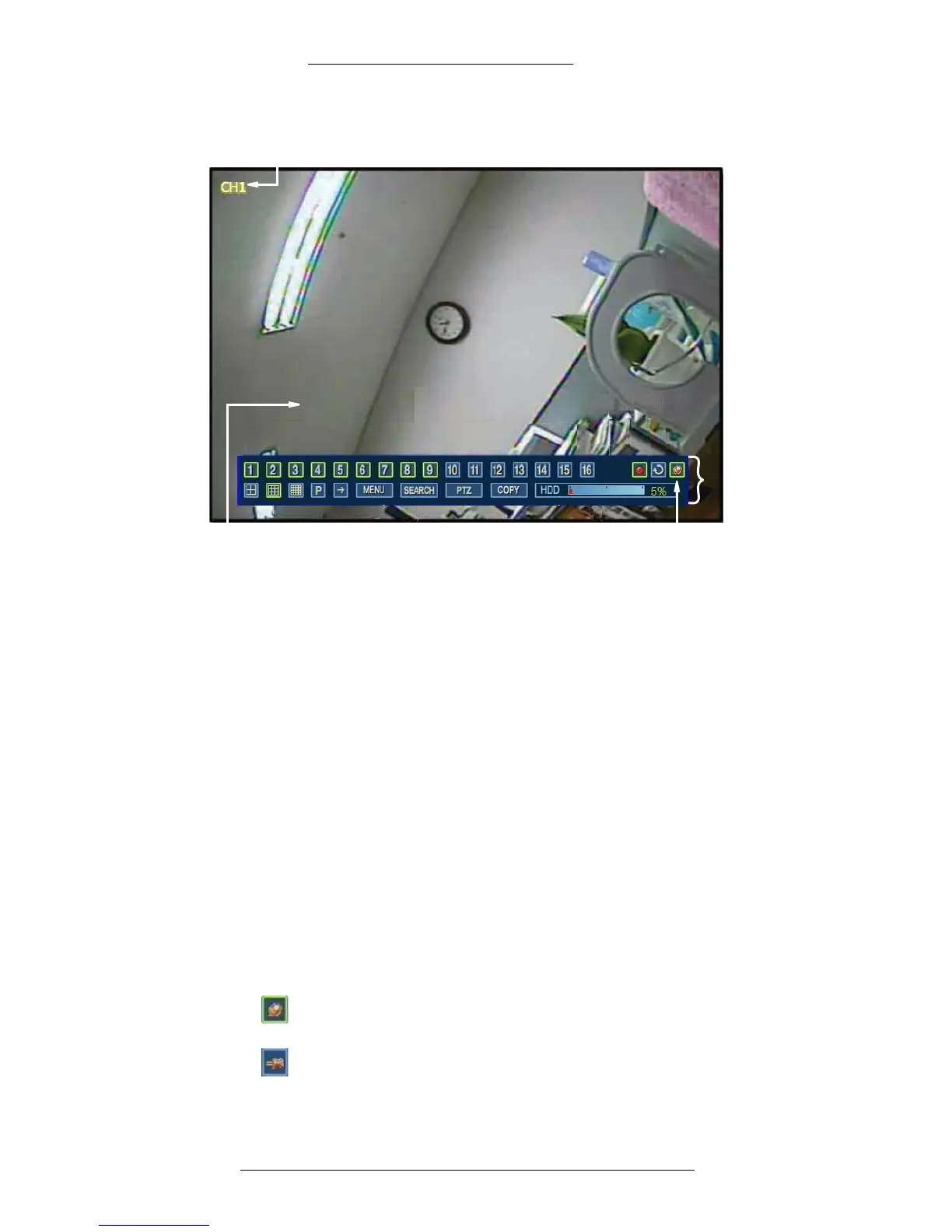
Taskbar
FIx to Taskbar
toggle button
Screen display
Color-coded
channel indicator
Operation WDR Software User Manual
3-4 24-10437-3 Rev. A
This document contains confidential and proprietary information of Weldex Corporation.9/10/08
Channel Indicator
The channel indicator displays the number or name (if defined) of the camera which
captured the image. By default the channel indicator is “on” (visible); for
instructions on turning it on/off see “On-Screen Display” on page 2-9
Channel indicator is color-coded as follows:
+ White - Indicates no recording is taking place
+ Yellow - Indicates continuous recording
+ Green - Indicates motion-triggered recording
+ Red - Indicates that a sensor event has occurred.
Fix to Taskbar
The Fix to Taskbar feature allows you to display the task bar on screen continuously.
It is enabled by default.
When the Fix to Taskbar feature is enabled, the Fix to Taskbar button is
highlighted and the task bar is locked on the screen.
When the Fix to Taskbar feature is disabled, the Fix to Taskbar button is not
highlighted. The taskbar will auto-hide when you move the mouse away from



 To Next Page