WDR Software User Manual Operation
24-10437-3 Rev. A 3-9
This document contains confidential and proprietary information of Weldex Corporation. 9/10/08
PTZ MODE
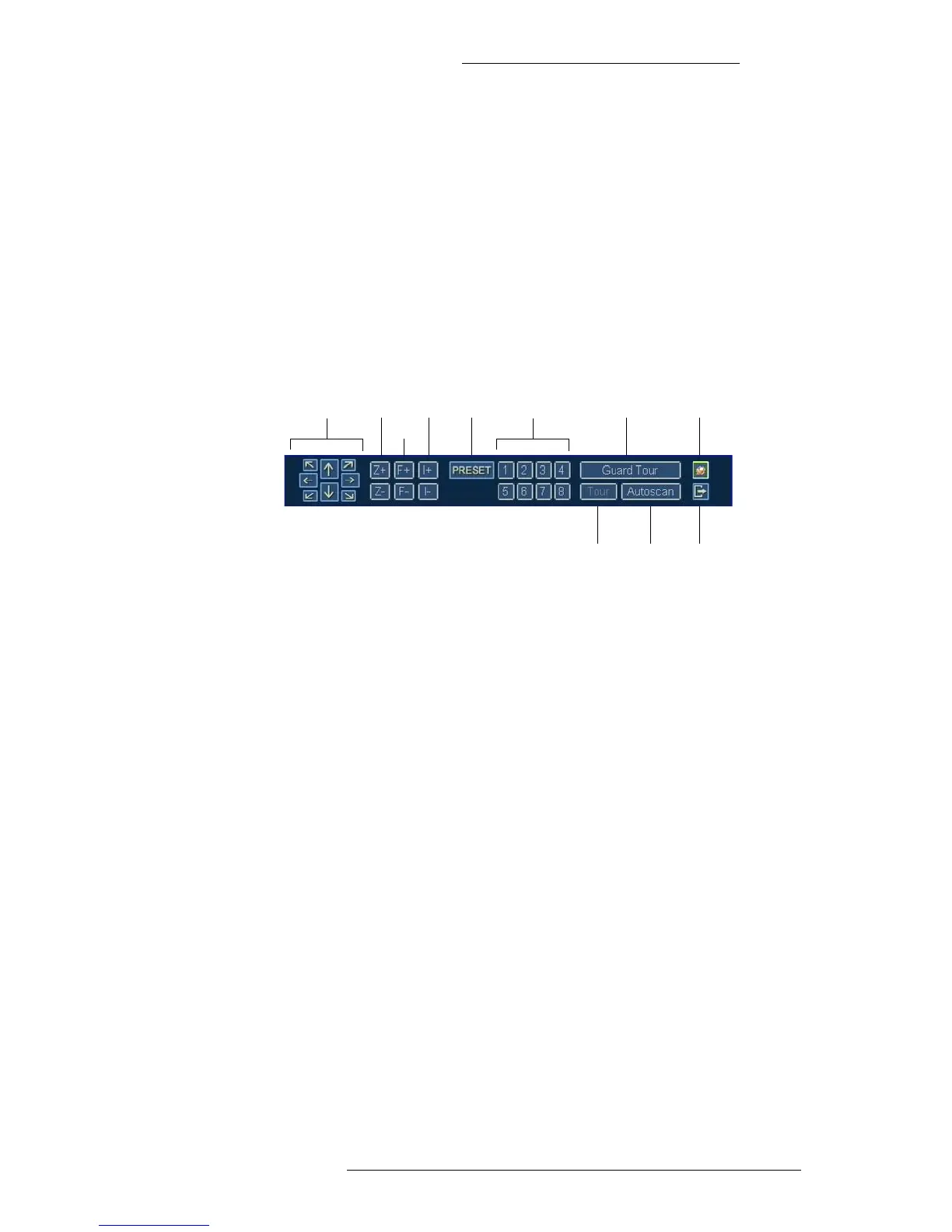
This mode gives you access to the PTZ functions of a camera.
To access the PTZ Mode Taskbar:
+ Press the “PTZ” button on the WDR device (the “PTZ” button toggles the display
between PTZ and Live Modes), or
+ Click PTZ on the Live Mode taskbar
Then, select the PTZ camera by clicking on the screen area. The screen of the selected
camera will be outli
ned in green.
Preset Guard Tour
Tour Autoscan
Fix to TaskbarArrow keys PresetZoom
Focus
Iris
Close
Arrow keys – Use the keys to position the camera.
Zoom – Us
e the Z+ button to zoom in and the Z- button to zoom out.
Focus – Use
the F+ button to focus near and the F- button to focus far.
Iris –
Use the I+ and I- buttons to adjust the iris.
Preset –
Press the number to activate previously defined preset. (Refer to “Configuring PTZ
Cameras, Presets, and Guard Tours” on page 2-26 for information on how to configure
presets)
Guard Tour –
Press this button to activate previously defined guard tour for a selected
camera. (Refer to “Configuring PTZ Cameras, Presets, and Guard T
ours” on page 2-26 for
information on how to configure guard tours).
Tour – Click to activate a predefine
d tour embedded in the camera. Refer to the camera
manufacturer’s documentation to see if this option is available.
Autoscan – Click to activate a predefine
d autoscan embedded in the camera. Refer to the
camera manufacturer’s documentation to see if this option is available.
Fix to Taskbar – T
oggles the Fix to Taskbar feature on and off.
Close
– Click to close the window.



 To Next Page