WDR Software User Manual System Setup
24-10437-3 Rev. A 2-35
This document contains confidential and proprietary information of Weldex Corporation. 9/10/08
3. Click Save.
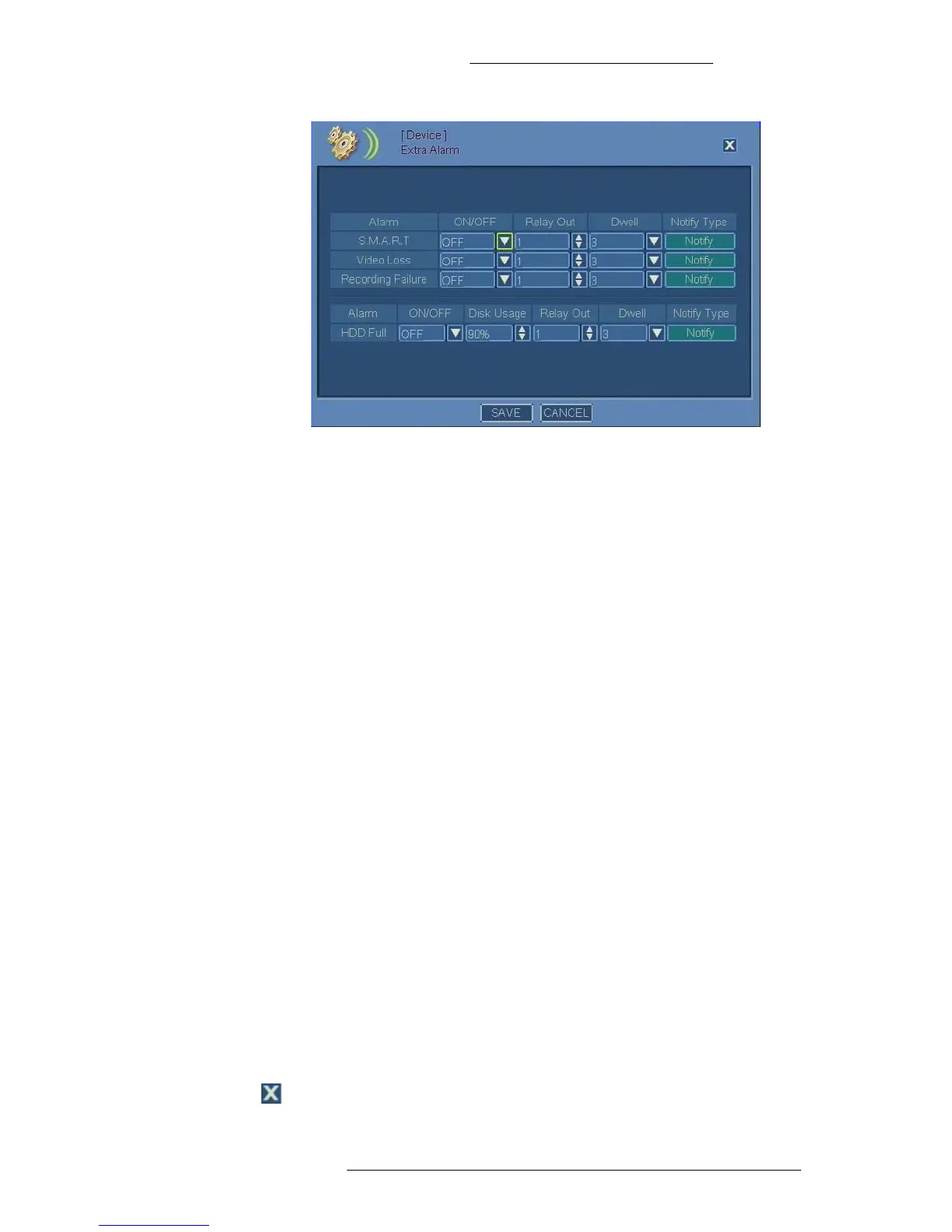
Extra Alarm Field Definitions
Alarm – The alarm type:
+ S.M.A.R.T - Alarm triggered by a hardware-based indicator that indicates
hard drive failure risk.
+ Video Loss - Alarm triggered for video loss.
+ Recording Failure - Alarm triggered for recording failure.
+ HDD Full – Alarm triggered based on HDD usage.
ON/OFF – Turn the feature on or off.
Disk Usage (HDD Full alarm only) – Select the critical amount of space
that, when
used, will trigger the alarm. This feature is useful in combination with Stop
Recording selected in “Configuring HDD Options” on page 2-15. If you are using
the Overw
rite option instead, the alarm will be triggered only once when the disk
usage reaches the defined percentage for the first time.
Relay Out –
Select the output to associate with the alarm. The outputs are predefined
in hardware, therefore the Relay OUT number corresponds to the physical alarm
output port on the back of the DVR.
Dwell – Specify dwell time in seconds from the beginning of
the alarm. Dwell time
applies to notifications. See “Alarm Notifications” on page 2-36 for details.
Notify – Click
to configure notifications. See “Alarm Notifications” on page 2-36 for
details.
Save – Click
to save the changes.
Cancel – Click to cancel t
he changes.
Close – Click to close the window.



 To Next Page