WDR Software User Manual System Setup
24-10437-3 Rev. A 2-5
This document contains confidential and proprietary information of Weldex Corporation. 9/10/08
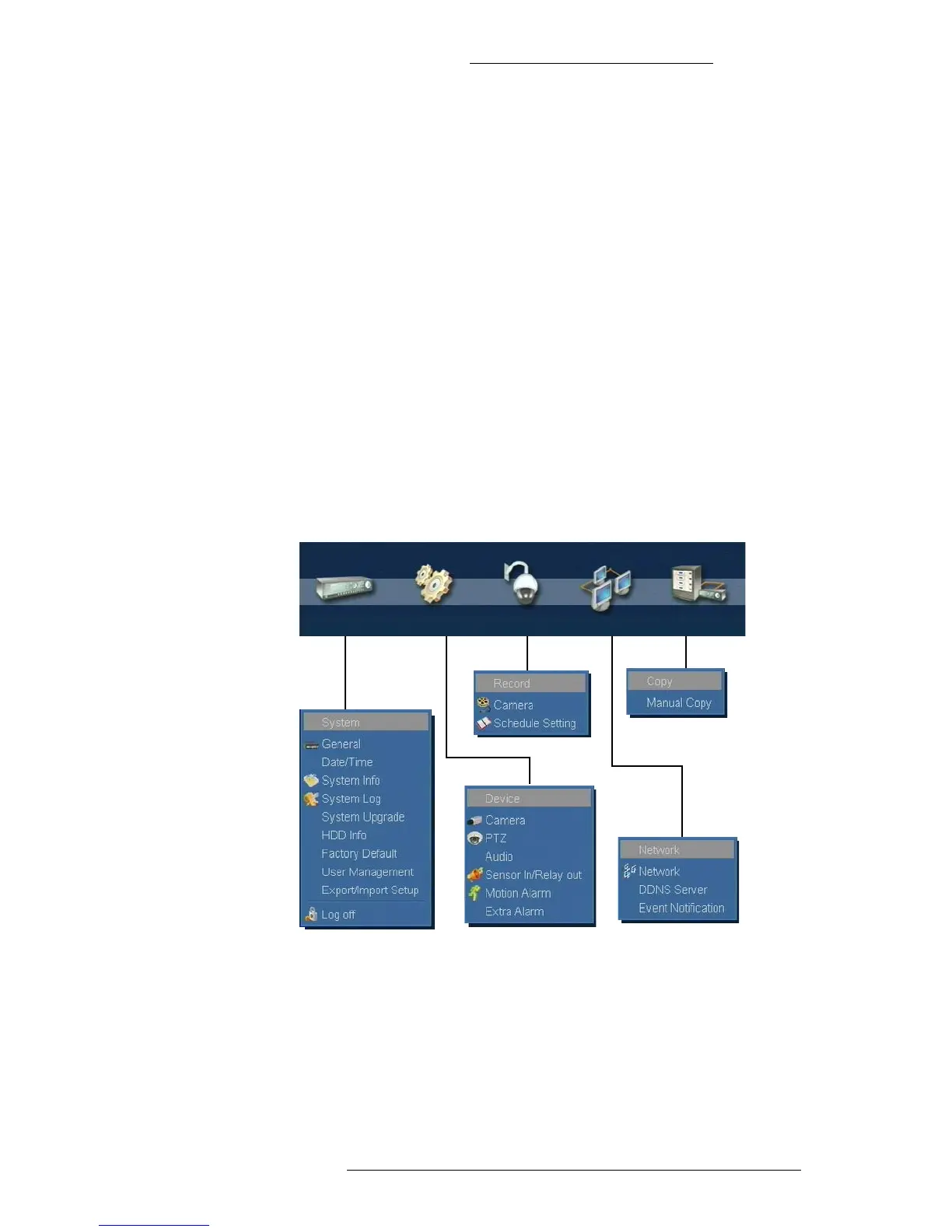
MAIN MENU
The Main menu gives you access to all configuration options. They are grouped under the
following categories:
+ System - Use this menu to view/modify general system configuration, perform user
management, and to import/export settings between WDR devices
+ Device - This menu allows you to configure camera options (including Guard Tour
and PTZ) and associated alarms.
+ Record - Allows you to set up a recording schedule.
+ Network - Use this menu to set up network connections and event notifications.
+ Copy - Allows you to copy files.
You can access the Main menu in the following ways:
+ Click the Menu button on the device’s front panel.
+ When in the Live Mode, click the Menu button on the taskbar.
+ Right-click on any channel area.
For login information see “System Login” on page 3-3.



 To Next Page