System Setup WDR Software User Manual
2-16 24-10437-3 Rev. A
This document contains confidential and proprietary information of Weldex Corporation.9/10/08
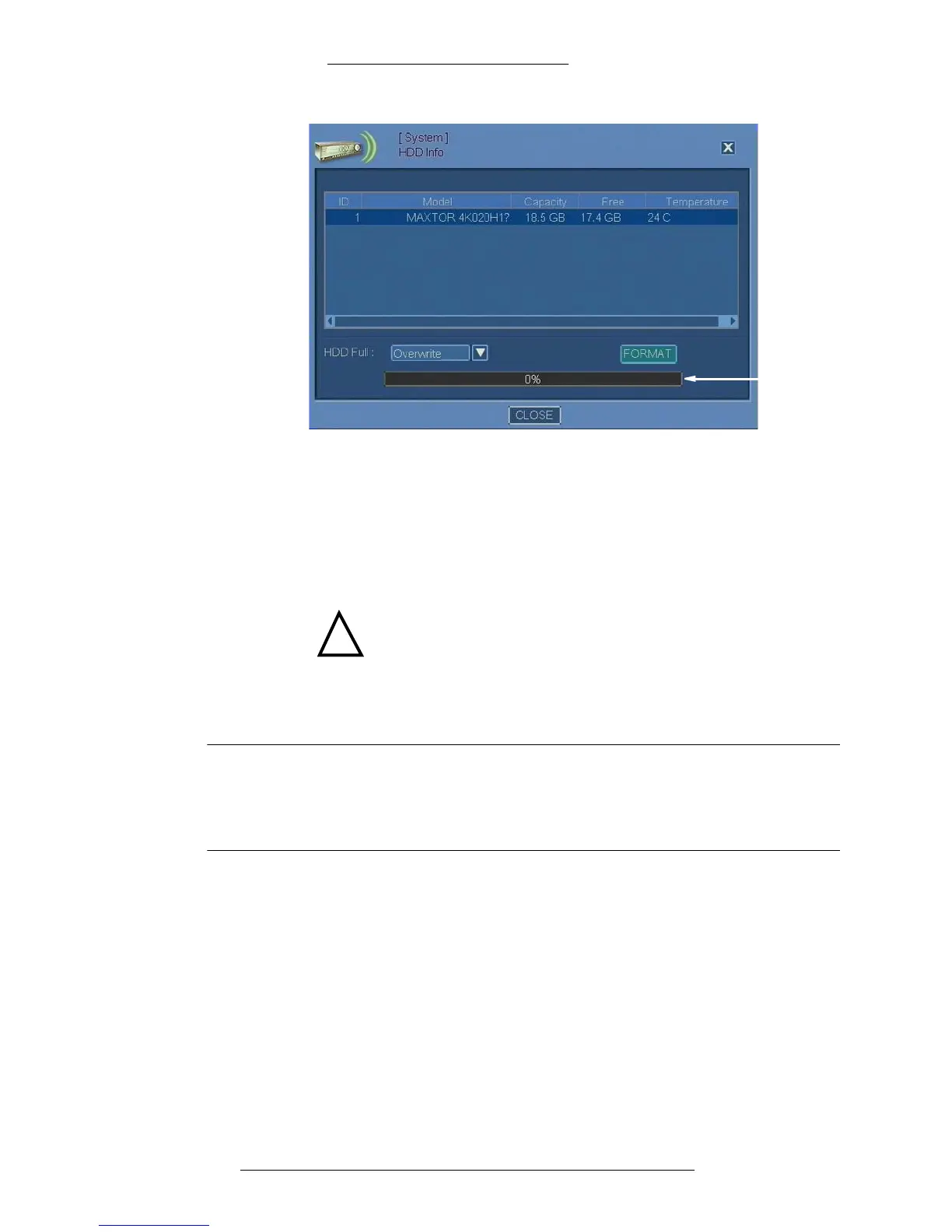
3. In the HDD Info window, from the HDD Full drop-down list select the
recording option:
+ Stop Recording - When HDD is full, recording will stop
+ Overwrite - When HDD is full, the recording with the oldest date will be
overwritten by the new recording
4. If you want to format HDD, click the Format button
.
!
CAUTION
Formatting HDD will erase ALL recorded information.
5. When the process is complete, click the Close button.
NOTE
In some cases it may be necessary to first disconnect all cameras and
revert the system to factory default settings before formatting the drive. It is
recommended that you export custom settings prior to restoring factory
default settings.
HDD Info Field Definitions
ID – Displays the HDD identification number.
Model – Displays th
e HDD hardware model.
Capacity – Displays
the HDD size.
Free – Displays th
e amount of unused space.
Temperature – Display
s the HDD temperature.



 To Next Page