WDR Software User Manual System Setup
24-10437-3 Rev. A 2-31
This document contains confidential and proprietary information of Weldex Corporation. 9/10/08
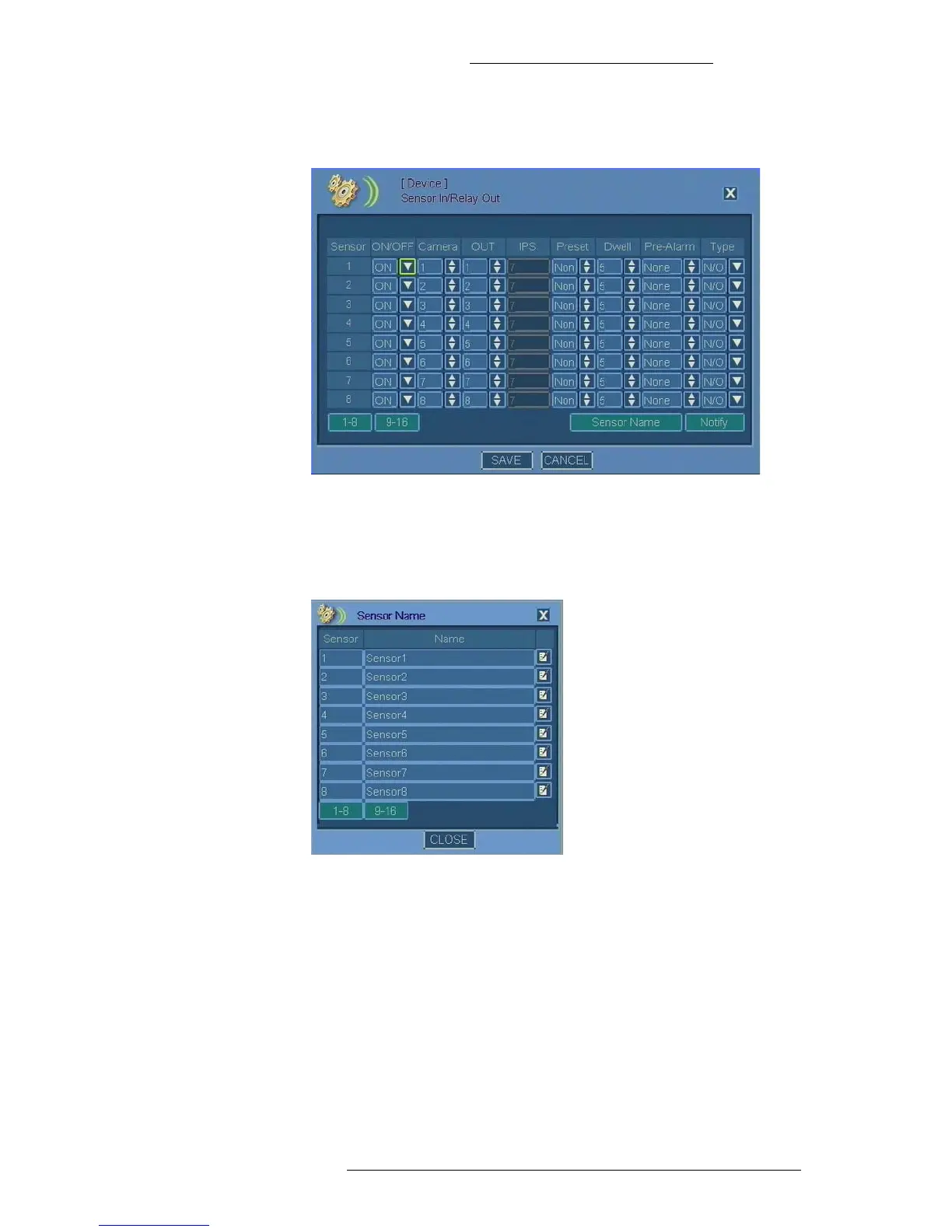
2. For each of the 1-16 sensors, make selections as required. Refer to “Sensor
In/Relay Out Field Definitions” for details.
3. Click the Sensor Name button.
4. In the Sensor Name window use the virtual keyboard to specify custom
sensor names. Click 1-8 to
display sensors 1 through 8 and 9-16 to display
sensors 9 through 16.
5. In the Sensor Name window click Close.
6. In the Sensor In/Relay Out Field window
click Save.
Sensor In/Relay Out Field Definitions
Sensor – List of sensors (1 through 8 and 9 through 16).
ON/OFF – Turn the senso
r input alarms on or off.
Camera –
Select the camera to associate with the sensor (input).



 To Next Page