System Setup WDR Software User Manual
2-34 24-10437-3 Rev. A
This document contains confidential and proprietary information of Weldex Corporation.9/10/08
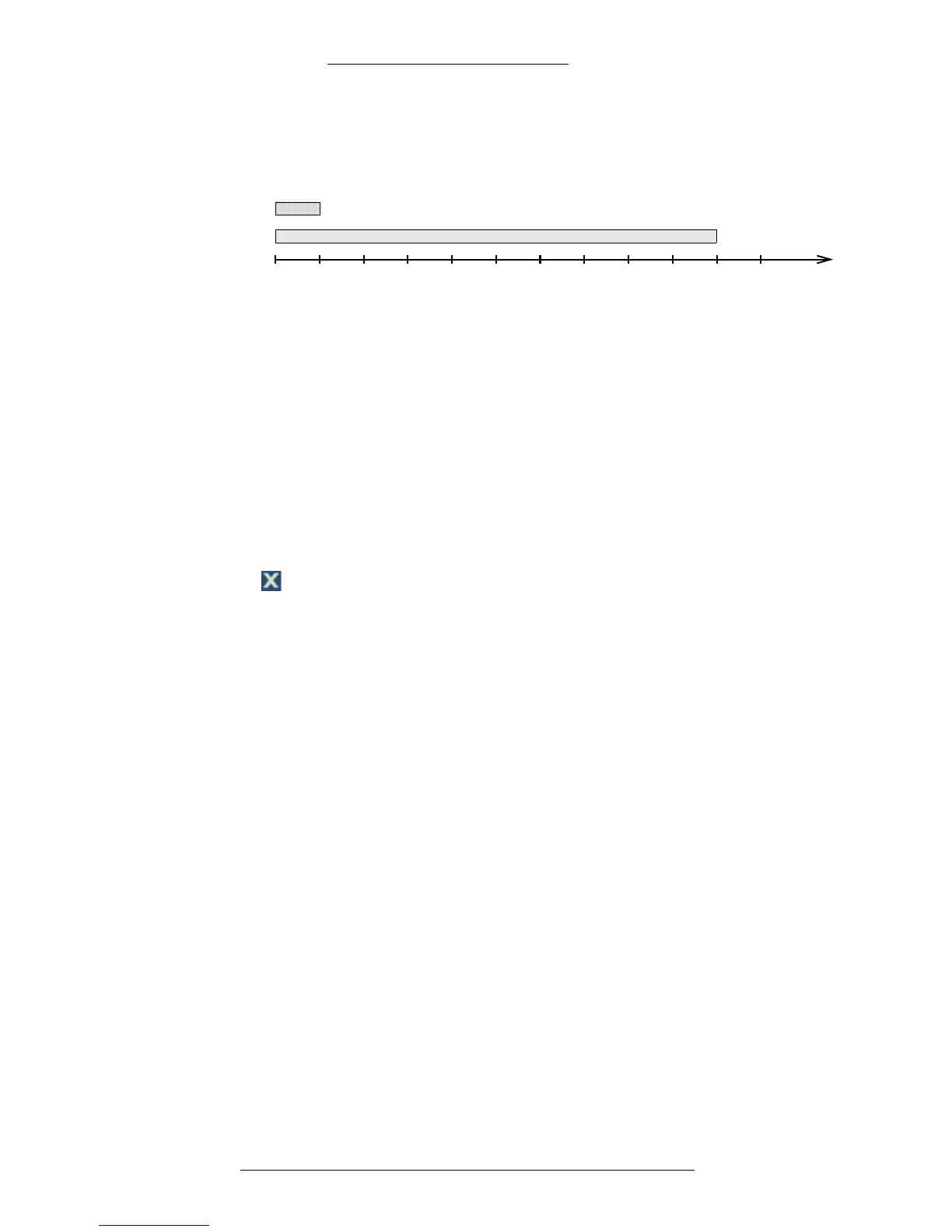
If motion duration exceeds the dwell time, alarm will be generated at the beginning
of motion and last for specified dwell time. See the illustration below for example
scenario.
0
Time
(sec)
5 101520253035 504540 55
Motion duration**
Alarm*
*Dwell time for motion alarm set to 5 seconds
** Motion duration 50 seconds
Pre-Alarm – This feature is currently not supported.
1-8 – Click
to display cameras 1 through 8.
9-16
– Click to display cameras 9 through 16.
Notify – Click
to configure notifications. See “Alarm Notifications” on page 2-36 for
details.
Save – Click
to save the changes.
Cancel – Click to cancel t
he changes.
Close – Click to close the window.
Configuring Other Alarms
Alarms work independently from recording. This means that an alarm, when
configured, will be triggered by defined condition whether or not recording is
currently enabled according to recording schedule.
The following alarms can be set (besides the motion alarms):
+ S.M.A.R.T.*
+ Video loss**
+ Recording failure (DVR system failure)
+ HDD Full
* Self-Monitoring, Analysis, and Reporting Technology, a mo
nitoring system for
computer hard drives to detect and report on various indicators of reliability
in the hope of anticipating failures. If the S.M.A.R.T. alarm occurs, contact
Technical Support.
** Due to cut camera cables, camera failure, etc.
T
o configure alarms:
1. From the Main menu select De
vice>Extra Alarm.
2. Make selections for each alarm type you want
to configure. Refer to “Extra
Alarm Field Definitions” for details.



 To Next Page