WDR Software User Manual System Setup
24-10437-3 Rev. A 2-21
This document contains confidential and proprietary information of Weldex Corporation. 9/10/08
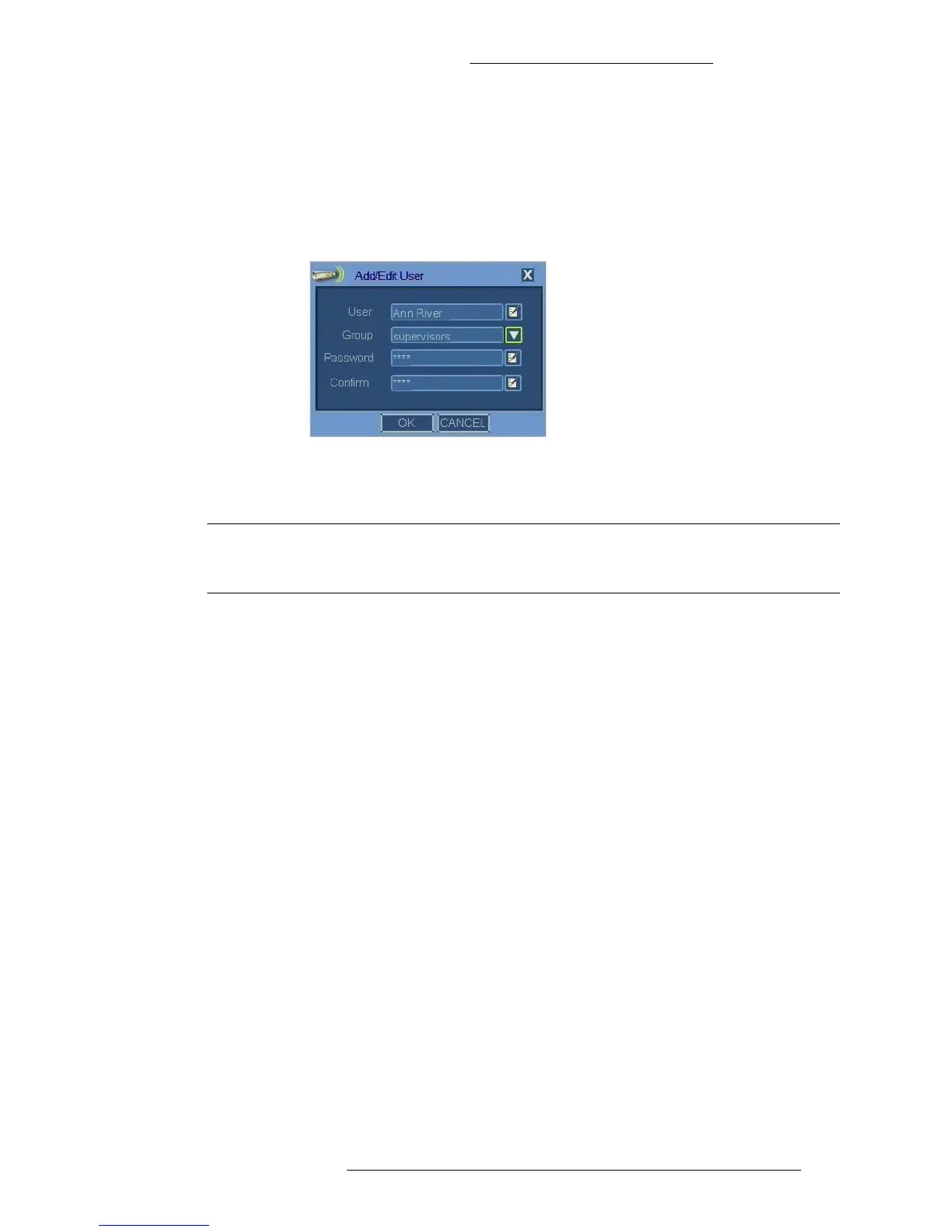
2. In the User Management window click Add User to define a new system
user.
If you want to modify an existing
system user, select it and click Edit.
3. When defining a new system user, specify the name using the virtual
keyboard (see “Virtual Keyboard/Calendar” on page 2-2) in the Add/Edit
User window.
4. To assign the user to a user group, select the entry from the Group drop-down
menu. The menu lists all previously defined user groups.
NOTEI
Although not required by the system, it is recommended that all users
protect their accounts with passwords.
5. Using the virtual keyboard specify and confirm the password. The password
should be between 1 and 9 characters in length.
6. In the Add/Edit user window, click OK.
Export/Import Setup
You can export the DVR settings (IP Address, camera recording settings, etc) to a
USB flash drive. This information can later be imported from the media to either the
same or different WDR machine of the same model number.
This feature is useful when you want to:
+ Use the same settings on multiple DVRs
+ Save the DVR settings before restoring factory defaults
+ Restore the DVR settings after firmware upgrade
T
o export settings:
1. From the Main menu select System>Export/Import Setup. The
Export/Import
Setup window opens.



 To Next Page