System Setup WDR Software User Manual
2-46 24-10437-3 Rev. A
This document contains confidential and proprietary information of Weldex Corporation.9/10/08
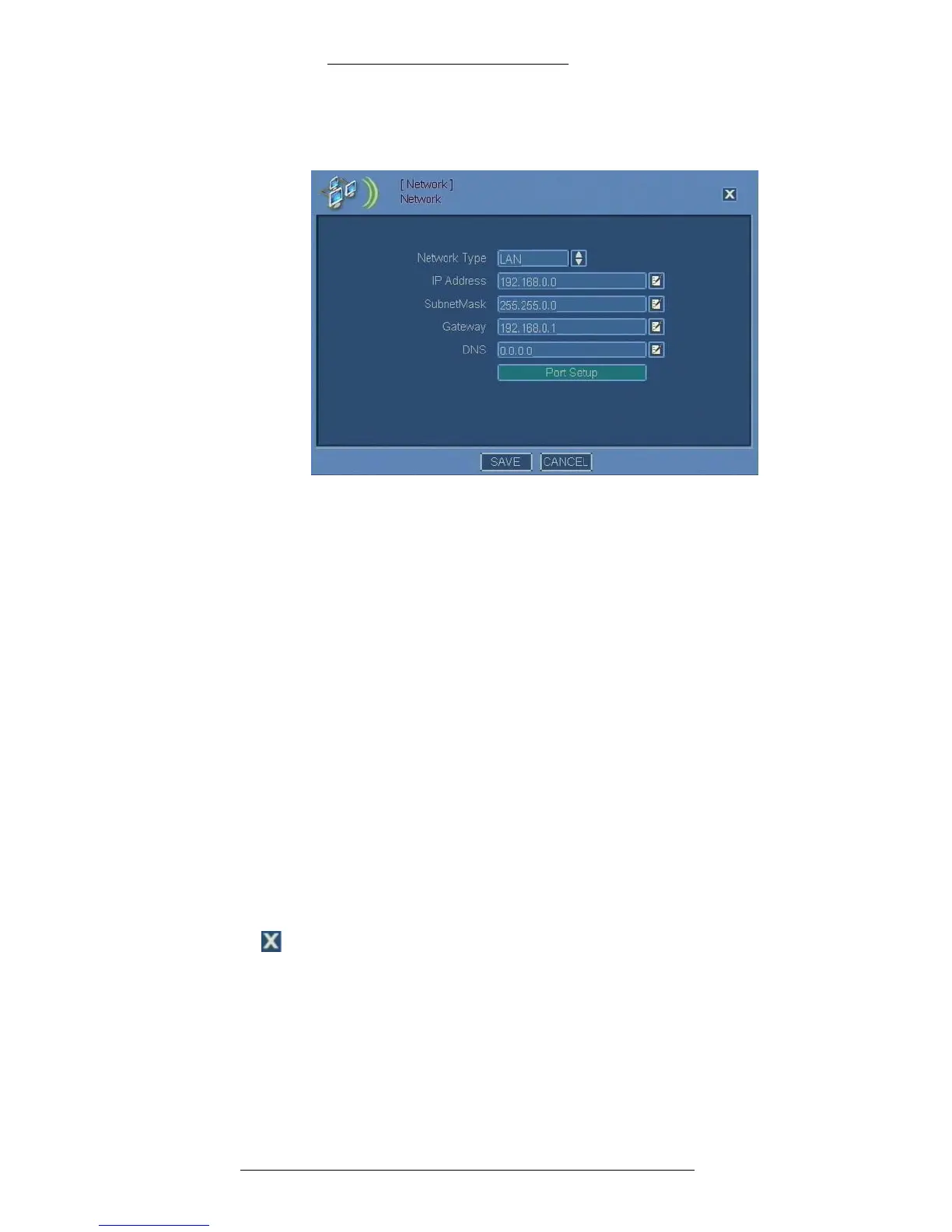
2. The Network window opens. Filling out several fields will require you to use
the virtual keyboard.
3. Make selections for each alarm type you want to configure. Refer to
“Network Field Definitions” for details.
Network Field Definitions
Network Type – Select the network type (LAN or DHCP). When DHCP is selected,
the DVR will automatically get an IP address from a DHCP server.
IP Address – Specify the IP
address for LAN network.
Subnet Mask – Spec
ify the subnet mask for LAN network.
Gateway – Specify the gateway for
LAN network.
DNS – Specify the DNS (Domain Name Server) address.
Virtual Keyboard – Click this icon to open the virtual keyboard.
Port Setup – Click to
define communication port numbers. See the following
procedure for details.
Save – Click
to save the changes.
Cancel – Click to cancel t
he changes.
Close – Click to/IP close the window.



 To Next Page