System Setup WDR Software User Manual
2-30 24-10437-3 Rev. A
This document contains confidential and proprietary information of Weldex Corporation.9/10/08
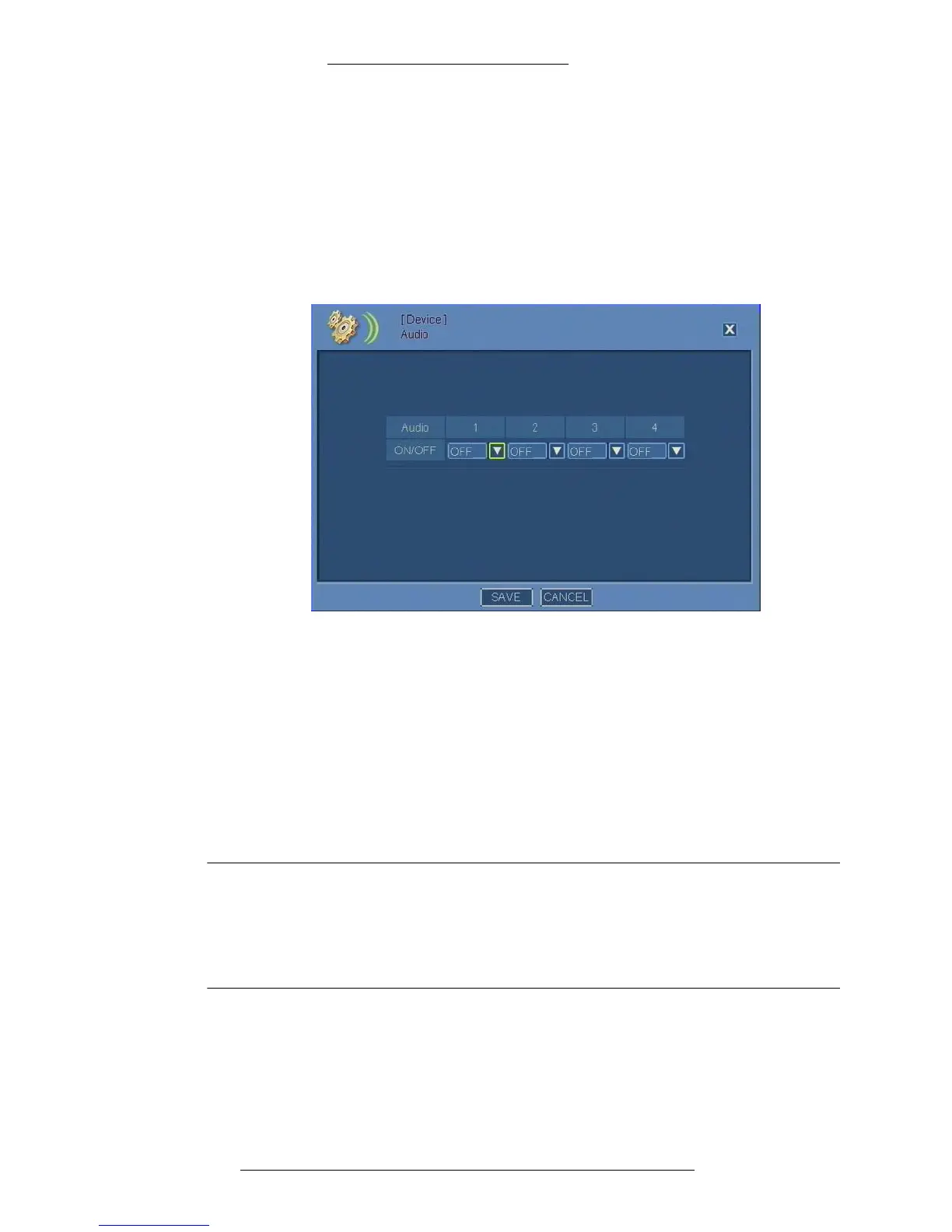
Configuring Audio
You can enable/disable audio for up to 4 cameras. See page 2-38 for information on
how to assign an audio channel to
a particular camera.
T
o configure audio:
1. From the Main menu select De
vice>Audio.
2. For each 1-4 audio select an ON or OFF mode from th
e drop down list.
3. Click Save.
After turning on Audio, you should also asso
ciate individual audio channels with a
camera. See page 2-38 for details.
Configuring Sensor Alarms
Alarms work independently from recording. This means that sensor alarm, when
configured, will be triggered by detected motion whether or not recording is
currently enabled according to recording schedule.
NOTE
When sensor alarm is triggered during motion alarm, the sensor alarm will
override the motion alarm. However, if motion alarm is triggered during
sensor alarm, the motion alarm (although registered in the log) will not
override the sensor alarm and the notification options (Buzzer, Icon and
Tooltip, and Camera Pop-up) will not be activated.
To configure sensor alarms:
1. From the Main menu select Device>Sensor In/Relay Out.



 To Next Page